
Prompt-to-build app generation
Generate working applications in minutes, then publish them as live websites in seconds. The home page positions v0 around prompt-to-app workflows rather than static mockups.

v0 by Vercel is an AI assistant for building full-stack web apps, refining them with visual controls, syncing to GitHub, and deploying to Vercel. It includes templates, team collaboration features, and tiered pricing for individual and enterprise use.
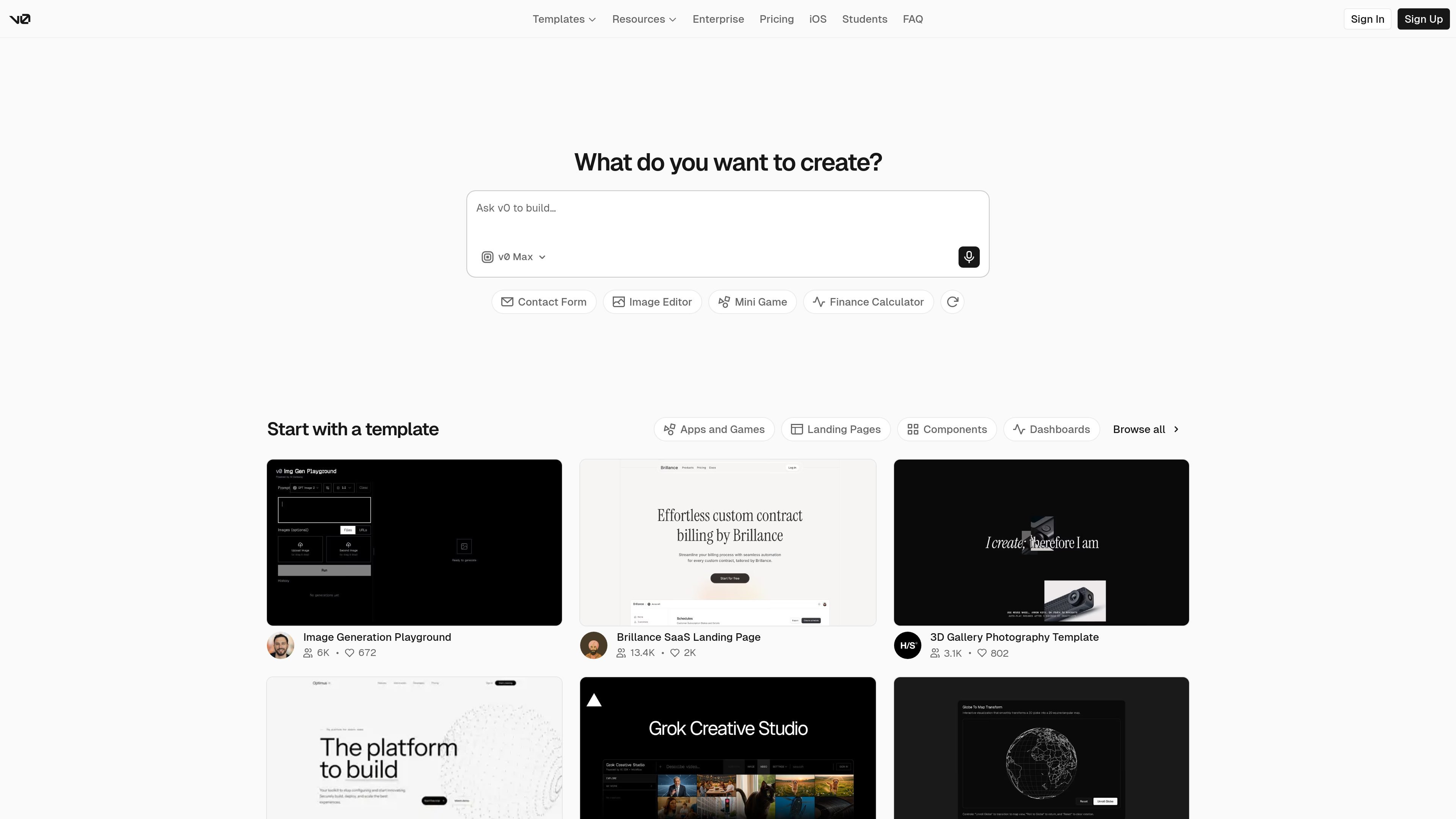
v0 by Vercel is an AI-assisted product for building full-stack web applications. The site describes it as a collaborative assistant that helps users design, iterate, and scale applications, then publish them as live websites.
The workflow shown across the home, chat, and pricing pages centers on prompting v0 to generate an app, refining the result with visual controls, syncing work to GitHub, integrating with external tools and APIs, and deploying to Vercel. The product also surfaces templates for apps, landing pages, dashboards, and individual components so users can start from a preset rather than a blank prompt.
The source positions v0 as useful for both solo builders and teams. Team and Business plans include shared chats and centralized billing, while the Enterprise plan adds SAML SSO, role-based access control, priority support, and an opt-out from training by default.
Generate working applications in minutes, then publish them as live websites in seconds. The home page positions v0 around prompt-to-app workflows rather than static mockups.
Connect a repository and push code directly to GitHub. This supports handoff from generation to a maintained codebase.
Build with common tools and APIs using automatic integration, with no additional accounts required according to the source. The product also says it can connect to databases as it builds.
Deploy to Vercel with one click to production. The pricing page and home page both frame deployment as part of the build flow.
Use Design Mode to fine-tune details with visual controls and live preview. This gives a way to adjust the generated result without leaving the product.
Start from templates for apps, games, landing pages, components, dashboards, and design systems. The templates gallery shows both full-page and component-level starting points.
Generate a working web app from a prompt, then continue refining it until it is ready to publish. The source emphasizes minutes-to-build and seconds-to-publish workflows.
Duplicate a template, adjust the UI, and ship a landing page, dashboard, or component set faster than starting from scratch. The templates library includes both full-page and component-focused starting points.
Connect a repository, sync changes to GitHub, and continue development in a maintained codebase. This is useful when the generated output needs to become part of an existing project.
Use shared chats and centralized billing to coordinate design and implementation across a group. The Team and Business plans are framed for collaborative usage.
Fine-tune layout and details with Design Mode and live preview before deployment. That is a fit for users who want visual iteration on top of AI-generated structure.
v0 is designed for building full-stack web applications, generating working apps in minutes, and publishing them as live websites. The source also shows template browsing, repository sync, design mode, and deployment to Vercel, so it fits people who want an AI-assisted build-and-ship workflow rather than a purely conversational assistant.
The pricing page shows a Free plan, Team, Business, and Enterprise options. Team and Business include per-user monthly pricing, while Enterprise uses custom pricing and adds SAML SSO, role-based access control, priority access, and customer support SLAs.
The source shows sharing chats and collaborating with a team on Team and Business plans, plus centralized billing on vercel.com. That suggests it can be used by individuals, but it also supports team workflows when you need shared access and billing.
v0 connects to GitHub, can sync code directly to a repository, integrates with apps and APIs, and deploys to Vercel. The home page also says it can connect to databases as it builds, but the specific database options are not listed in the provided source.
The source indicates a 7 message per day limit on the Free plan and mentions additional purchased credits, but it does not provide a complete usage model for every plan. Enterprise is the only plan explicitly noted as having data not used for training by default, and the source does not list every limitation or refund rule in detail.
流量數據僅供參考。
| 4月 | 4174907 |
|---|---|
| 5月 | 4111359 |
| 6月 | 3457664 |