
Template- and avatar-based video creation
Start from ready-made templates or avatars, or build from scratch, then generate an AI video without a traditional studio workflow.

Vidnoz AI is a web-based AI video creation platform for generating videos with avatars, voiceovers, translation, and related editing tools. It supports individual and team workflows for explainers, training, marketing, and localization.
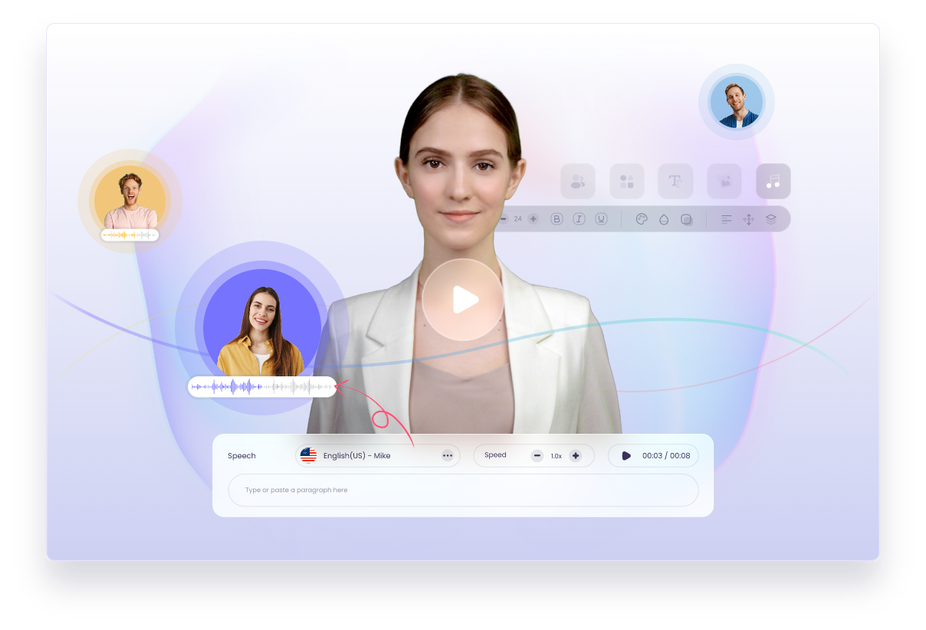
Vidnoz AI is a browser-based AI video creation platform that combines avatars, voice generation, translation, and related media tools in one product family. The home page positions it as a free AI video generator, while the pricing page shows multiple product plans across video, voice, and translation workflows.
The core video builder supports template-based creation, custom avatar options, AI voiceover, and a guided generation flow that ends with download or sharing. Vidnoz also extends into dubbing and translation, where the source pages describe multilingual video localization with lip sync and options such as multi-voice, subtitle handling, and adaptive speech rate.
The site presents use cases across explainer videos, e-learning, training, sales, marketing, customer service, communication, support, and news. It is aimed at users and teams that need to produce videos quickly without relying on cameras, studios, or a full manual production process.
Start from ready-made templates or avatars, or build from scratch, then generate an AI video without a traditional studio workflow.
Choose from 1900+ AI avatars, including expressive avatars and custom avatar options based on your own videos.
Create voiceovers with 2000+ AI voices, voice cloning, and support for 140+ languages for broader localization and narration needs.
Translate videos into 140+ languages with lip-sync support, multilingual output settings, and options such as multi-voice and adaptive speech rate.
Convert ideas into videos with the AI Video Wizard and use the platform’s broader toolset for image-to-video, text-to-video, editing, and voice tasks.
Generate videos and then download them or share them through social media or email from the creation flow.
Use templates, avatars, and voiceovers to produce product explainers or how-to videos without a full studio setup.
Create lessons, onboarding modules, or training clips that rely on avatars and narration instead of live recording.
Adapt videos into other languages with translation, subtitle options, multi-voice handling, and lip-sync support.
Generate sales, marketing, or customer support videos that need to be produced quickly and updated often.
Turn written ideas into videos using the AI Video Wizard when you want a faster path from concept to finished draft.
Vidnoz provides a web-based workflow for creating videos from templates or avatars, then adding AI voiceover, custom touches, and generating the final video. The source pages do not show a separate desktop install requirement.
Yes. The home page describes free AI video creation, and the pricing page lists Vidnoz AI, Vidnoz Gen, Vidnoz AI Video Translator, and Vidnoz Voice plans, indicating both free and paid offerings are available.
The source shows download and sharing options after generation, and the video translator page specifically mentions download and share actions. It also references browser-based workflows rather than local export tools.
The video translator page supports 140+ languages, and the home page also says the platform supports translation and voice features across many languages. Exact output formats are not detailed in the provided sources.
The video translator page states free usage is limited to the first 90 seconds of the video. The home page also promotes free credits and free creation, but detailed quota rules are not fully shown in the source.