
Pipeline management
Track deals, candidates, leads, and other records in unlimited pipelines directly inside Gmail. Shared pipelines keep the team aligned on the same workflow.

Streak is a Gmail-native CRM for teams that manage sales and customer relationships inside their inbox. It combines pipelines, shared email history, tasks, reporting, and AI-assisted data entry.
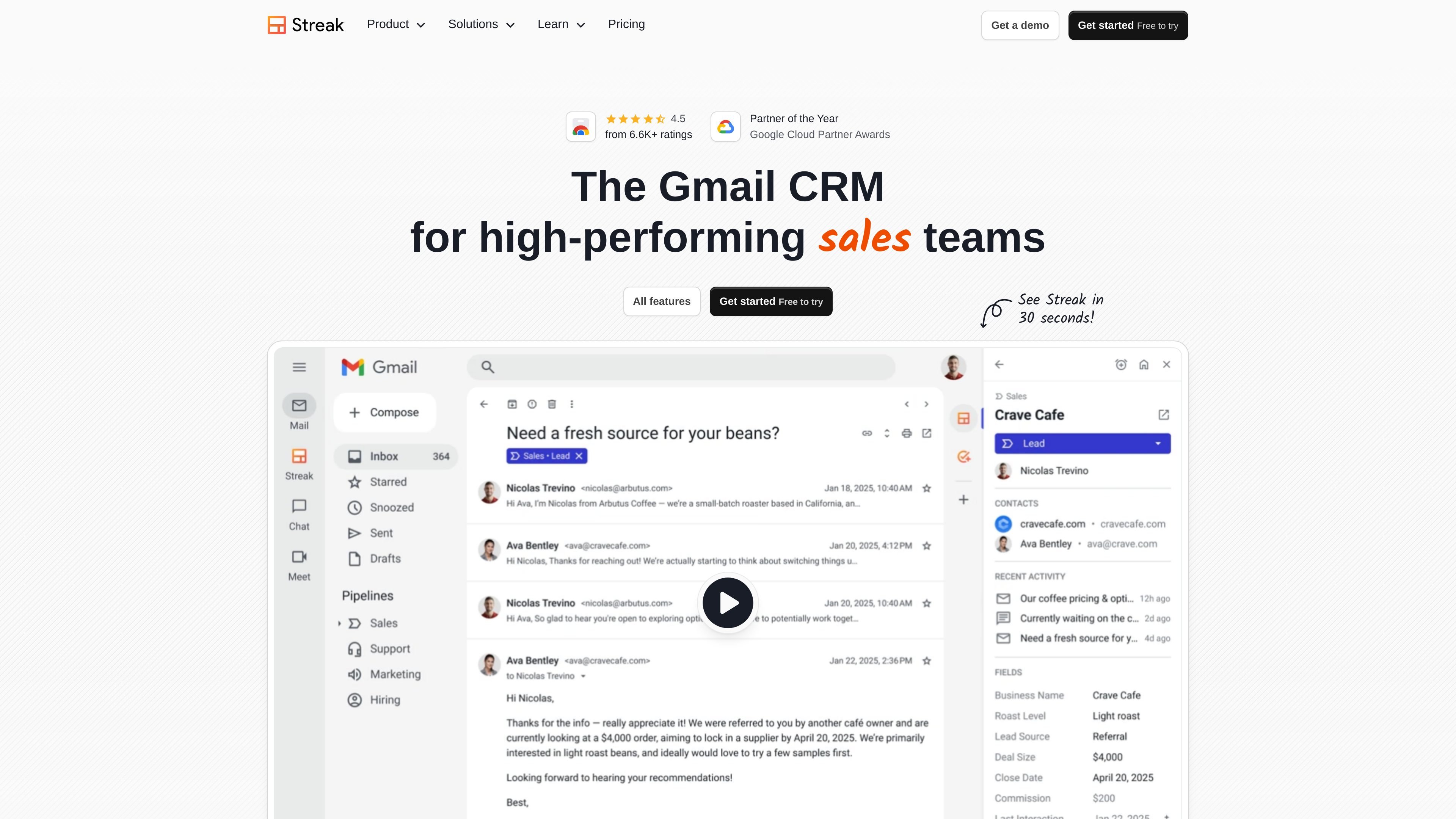
Streak is a CRM built directly into Gmail for teams that want to manage sales and customer relationships without leaving their inbox. The product pages position it as a pipeline-based workspace for tracking deals, contacts, tasks, and email history in one place.
It supports shared and private pipelines for multiple business processes, along with AI-assisted data entry, reporting, permissions, and integrations. The pricing page shows plans for individuals and teams, including Pro, Pro+, and Enterprise, with more advanced controls and support available on higher tiers.
Track deals, candidates, leads, and other records in unlimited pipelines directly inside Gmail. Shared pipelines keep the team aligned on the same workflow.
Automatically log email activity, share relevant threads, and keep a complete interaction history tied to each deal or contact.
Add tasks, reminders, deal comments, call logs, and meeting notes so follow-ups and context stay attached to the record.
Use AI to summarize deals, answer questions from history, autofill fields, generate formulas, and create meeting agendas from prior conversations.
Analyze activity with reports, filters, dashboards, and exports, including scheduled exports to Google Sheets.
Set roles and permissions, enforce data validation, and connect with Gmail, Calendar, Drive, Sheets, Chat, Zapier, LinkedIn, dialers, and direct integrations.
Manage prospects, deal stages, and follow-up work inside Gmail while keeping every email tied to the right record.
Track candidates, shared notes, and team access across hiring stages using private or shared pipelines.
Organize customer conversations, reminders, and contact history so account handoffs and follow-ups stay visible to the team.
Use pipelines, tasks, comments, and permissions to coordinate repeatable internal workflows such as dealflow or project-style processes.
Build reports, exports, and filters to review pipeline activity and monitor progress without leaving the CRM.
Streak is designed to live inside Gmail, so teams can manage deals, contacts, tasks, and follow-ups without switching to a separate CRM interface. The product pages emphasize Gmail integration, shared pipelines, and automatic email logging.
The pricing page shows plans for individuals and teams, including Pro, Pro+, and Enterprise. It also includes free email and link tracking tools, while the full CRM features are organized by plan.
Streak supports sales pipelines, hiring, dealflow, and other shared business processes through private and shared pipelines. The feature page also describes contact tracking, task management, reporting, and AI-assisted summaries.
Streak’s feature pages point to Google Workspace integrations, LinkedIn integration, direct integrations with tools such as Calendly, Google Forms, Typeform, and Slack, Zapier support, and an API for internal systems.
The source highlights native iOS, iPad, and Android apps, plus add-ons for mobile Gmail. This suggests the core workflow is built for Gmail users who also need mobile access.