
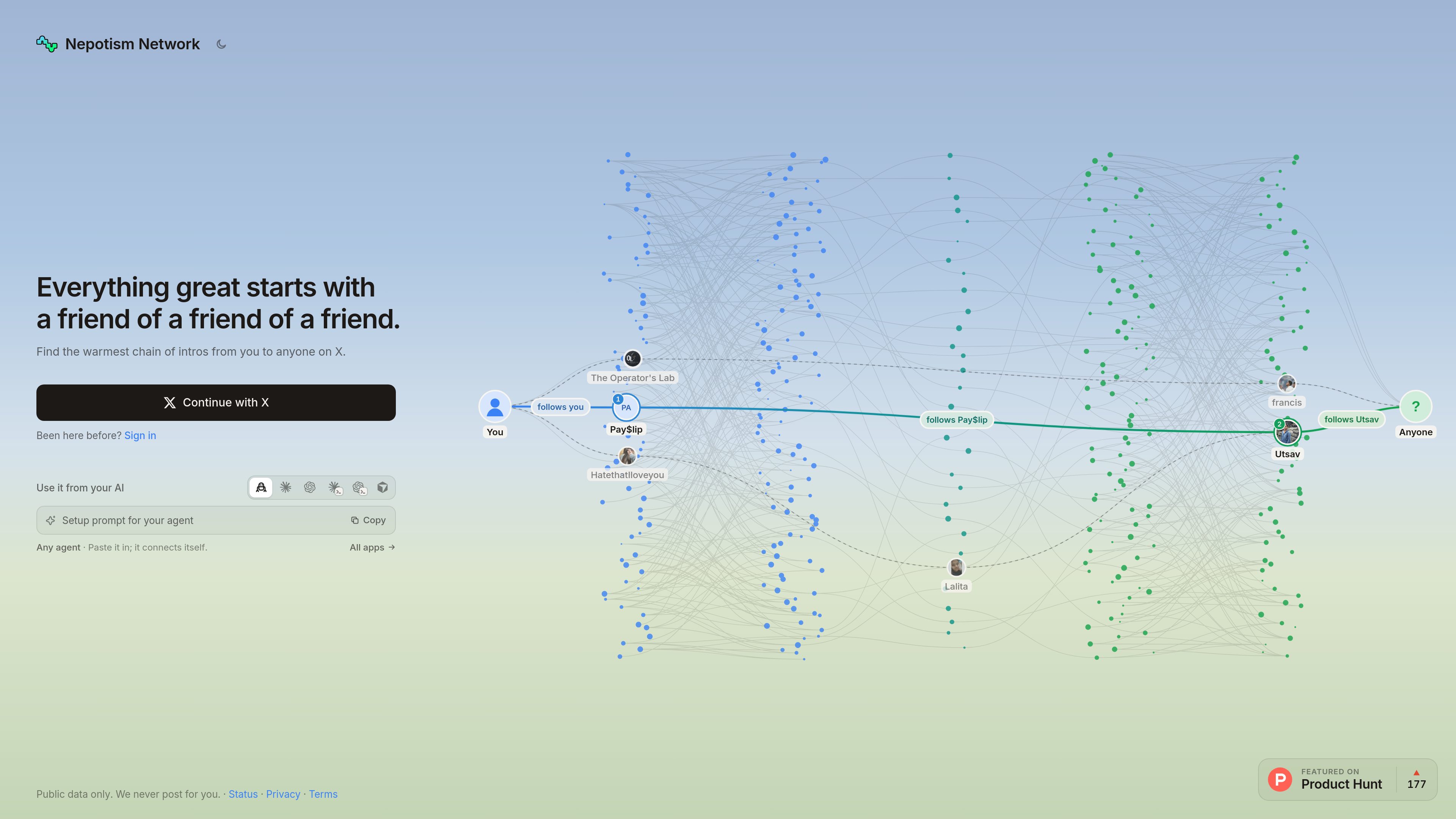
Warm-introduction route search
Find ranked chains of introductions from your current X account to a target, using indexed account relationships and background research on X.

NepoNet helps you find warm introduction paths to people on X by showing who can connect you and how to approach them. It also lets AI agents research routes, draft outreach, and track progress without sending messages for you.
NepoNet is a relationship-mapping and warm-introduction tool for X. It searches for chains of connections between your account and a target person, ranks the available routes, and explains who to approach first. The product is designed to turn an indirect connection into a practical outreach plan rather than relying on cold contact.
You can use NepoNet directly after signing in with X, or connect it to an AI agent through its MCP server, API, or a setup prompt. An agent can search for a target, summarize the route, draft messages, and maintain an outreach record. NepoNet keeps the final action with the user: it does not send DMs, emails, posts, or follow requests.
Find ranked chains of introductions from your current X account to a target, using indexed account relationships and background research on X.
Review each step in a route, the relationship evidence behind it, and people who could create a warmer path if connected to you.
Read indexed profile information, linked profiles, working context, writing patterns, and selected posts when research is available.
Use NepoNet from Claude, ChatGPT, Codex, Cursor, or other agents over MCP or the HTTP API. The available tools cover identity, account connections, searches, research, and outreach management.
Have an agent produce an ask for each step of a route, with a recommended draft and editable message steps. Plans can include a stated goal for contacting the target.
Save who you plan to ask, record outcomes, update plan steps, and revoke connected agents or API keys from the account controls.
Set a goal for the introduction, search for the target, and use the ranked route to identify the most relevant person to approach first.
Use the route evidence, the target’s brief, and the tie behind each step to create a context-specific ask that you can review before sending.
Add people to the outreach board and record whether each person was asked, introduced, replied, or declined.
Connect NepoNet to an approved agent, ask it to research a person and build a plan, then review the returned drafts and complete the outreach yourself.
No. The product has no tool for sending DMs, emails, posts, or follows. Drafts are provided for you to review and send yourself.
You can use the MCP server at https://nepotism.network/mcp, sign in with your NepoNet account when prompted, or create an API key for tools that cannot use the sign-in flow. A setup prompt and agent skill are also available.
The agents page specifically lists Claude, ChatGPT, Codex, Cursor, Claude Code, and a range of coding, desktop, and agent tools. Other clients can use the MCP or HTTP API where compatible.
It can identify the connected account, find and research people, search for routes, explain the route, draft an introduction ask, and manage saved outreach or plan steps. Starting a search uses a daily search, and writing a plan bills the connected AI account; the source does not specify NepoNet pricing.
Yes. You choose permissions when connecting an agent, and can revoke an agent or API key under Account → AI agents. NepoNet also warns that profile text may contain instructions, so drafts should be checked before sending.

spray.io
AI 驱动的全球网红送礼平台,帮助品牌发现创作者、自动触达并管理营销活动。

clay.com
一体化 GTM 基础设施,支持数据获取、丰富、AI 工作流和营收运营

explee.com
AutoGTM 是一款 AI 优先的外呼与 GTM 产品,帮助团队寻找公司和联系人、个性化触达并自动跟进。

www.tables.so
Tables is a sales intelligence and lead-generation platform for finding prospects, enriching contact records, and researching companies with AI. It also supports CRM sync, LinkedIn prospecting, and Claude-based workflows.

sniff.so
Sniff帮助团队在社交媒体和新闻中发现高意向对话,并将信号转化为外联名单和研究提示。

manypi.com
ManyPI is an AI sales agent for finding B2B prospects on the live web, verifying contact emails, and running cold-email outreach. It also combines CRM, pipeline, workflow, scraping, data analysis, and MCP access in one workspace.