Framer icon

Framer

认领

Framer is an AI website builder for professional sites. It helps teams design, manage CMS content, optimize SEO, collaborate, and publish from a single no-code workflow.

Framer

Overview

Framer is an AI website builder for professional sites. It combines visual design, CMS management, SEO support, collaboration, and publishing in a single no-code workflow.

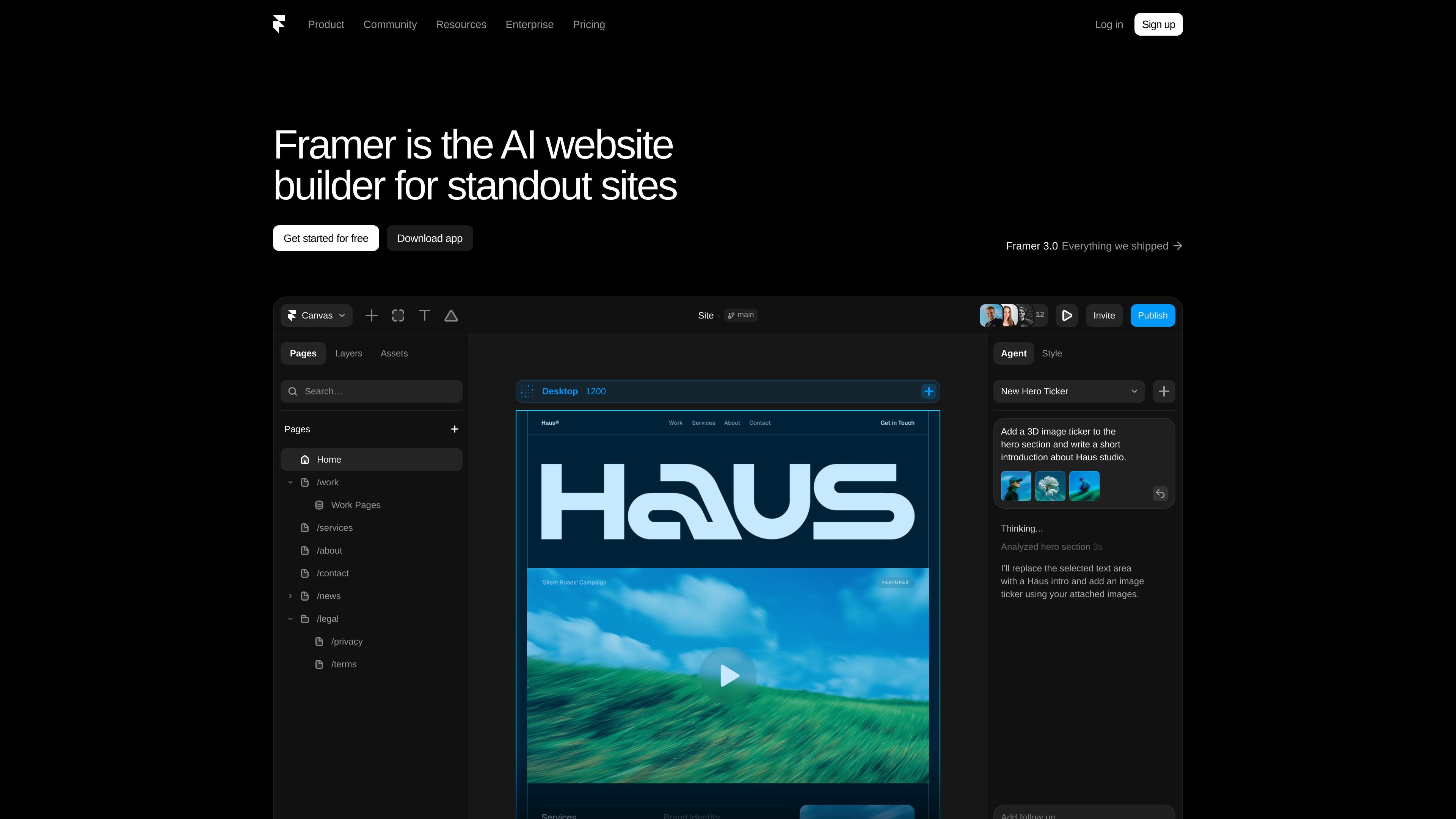
The product page shows Framer working directly on the canvas, where users can generate and refine site changes in place. It also extends into content operations and developer workflows, including CMS updates and connections to external agents and tools.

Key capabilities

Visual website building

Create pages with Framer’s no-code builder and work directly on the canvas, where changes remain visible and editable as you refine the layout.

CMS-driven content management

Use the CMS agent to set up, organize, and update collections, with CMS content connected directly to the canvas so design and content stay in sync.

SEO tools

Optimize metadata and site structure for search visibility with built-in SEO support highlighted on the product site.

Collaboration and publishing

Collaborate while publishing site changes quickly, with the product positioned around shared site editing and fast deployment.

Agent and developer connectivity

Connect site workflows to external tools and agents, including Terminal, Slack, GitHub PRs, Claude Code, Cursor, Codex, and other agents.

In-canvas AI assistance

Generate or refine site content and interactions with a professional design agent that works in place on the canvas and keeps changes under user control.

Common use cases

  • Marketing websites

    Build a professional marketing site without stitching together separate design and CMS tools. Framer keeps page design, content updates, and publishing in one workflow.

  • Content-heavy sites

    Manage structured content such as blog posts, categories, or collection-based pages while keeping the layout synchronized with the CMS.

  • Agent-assisted site editing

    Have an agent generate, refine, or update site sections directly on the canvas so changes stay visible and editable before publishing.

  • Developer-led updates

    Trigger site updates from external tools like Slack, the terminal, GitHub PRs, or compatible coding agents when the team already works in those environments.

  • Design and interaction prototyping

    Work on layout variations, interactions, or custom code effects where visual editing and code-based extensibility both matter.

Pros and Cons

Pros

  • Combines design, CMS, SEO, collaboration, and publishing in one product.
  • Supports in-canvas editing, so changes are visible and editable as they are made.
  • CMS content stays connected to the canvas, reducing mismatch between structure and copy.
  • Shows multiple workflow entry points, including Terminal, Slack, GitHub PRs, and external agents.
  • Includes developer-oriented support for code and agent-assisted site changes.

Cons

  • The provided source does not include concrete pricing numbers, plan limits, or a full comparison of tiers.
  • Integration coverage is visible in the developer workflow examples, but the source does not provide a complete integrations catalog.

FAQ

What is Framer used for?

Framer is a no-code AI website builder for professional sites. The source emphasizes designing freely, managing CMS content, optimizing SEO, collaborating, and publishing quickly.

Who is Framer for?

The source shows Framer connecting design, CMS content, and agent-driven updates on the same canvas, so it is aimed at teams that want to build and manage sites in one place.

What workflows does Framer support?

The site highlights CMS management, SEO, collaboration, publishing, and developer-oriented workflows such as connecting from the terminal, GitHub PRs, Slack, and external agents.

Does the source show Framer pricing details?

The pricing page confirms Framer has a pricing structure, but the provided source does not include the actual plan names, limits, or prices.

Quick Facts

Category
AI website builder
Platform
Web app
Primary users
Designers, marketers, and developers
Source domain
framer.ai
Pricing
Paid plans shown; exact prices not provided in source
Notable workflow
Design on canvas, manage CMS content, and connect external agents
Framer - AI Tool, Features, Use Cases & Alternatives | Findings24