
Sync Duolingo vocabulary
Synchronize the words you have learned in Duolingo and keep them available inside the extension and flashcards workflow.

Duolingo Ninja helps people learn and review Duolingo vocabulary while browsing the web, with a browser extension for inline translations and flashcards for spaced-repetition practice.
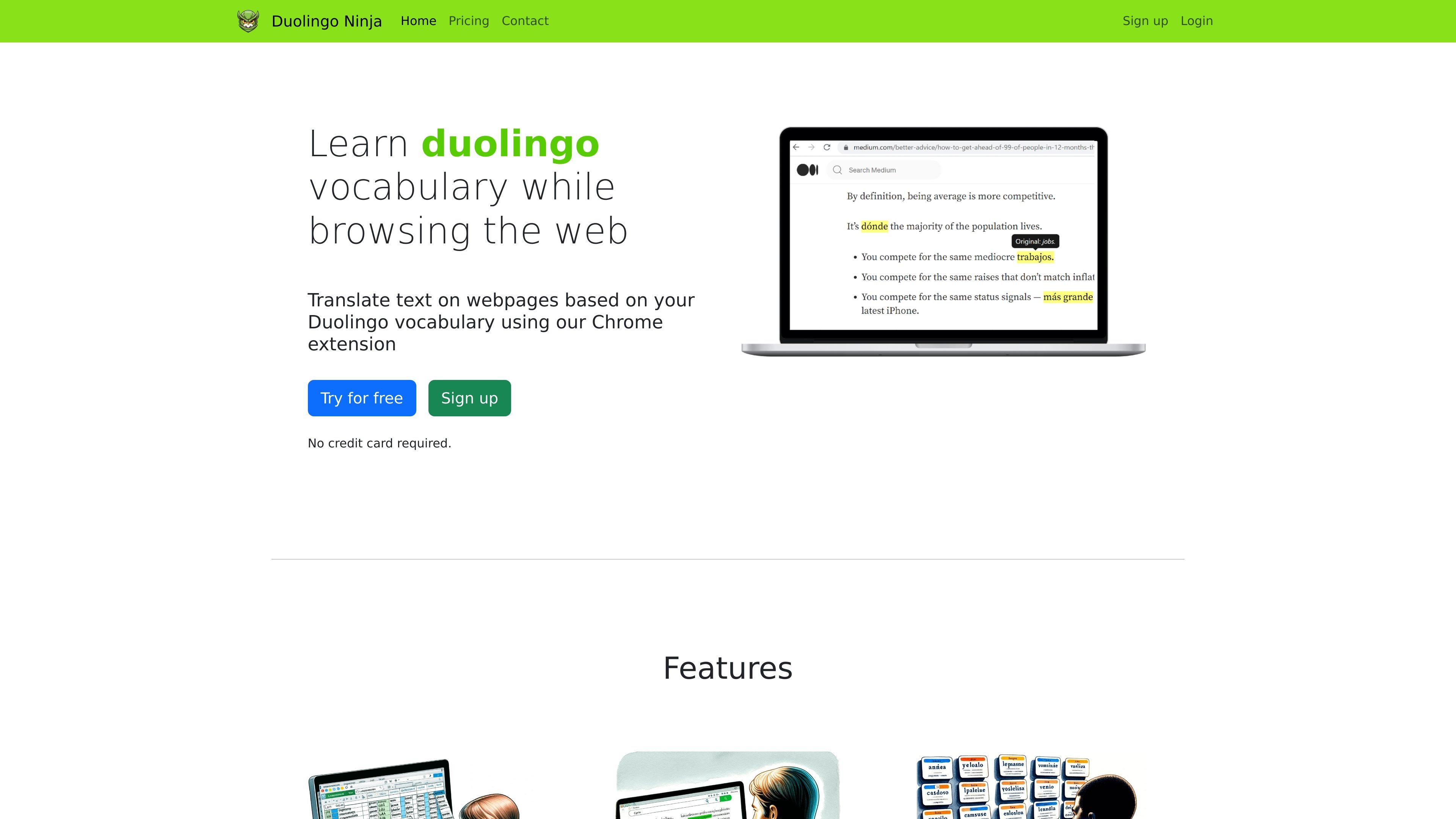
Duolingo Ninja is a browser-based language learning product built around Duolingo vocabulary. It uses a Chrome extension to translate text on webpages using the words you have already learned, so reading the web becomes part of your study routine.
The product also includes flashcards for vocabulary practice. According to the site updates, the current app is now called DuoNinja and is focused on flashcards and spaced repetition, while the extension still supports exporting vocabulary from Duolingo.
Synchronize the words you have learned in Duolingo and keep them available inside the extension and flashcards workflow.
See translations inserted into webpages as you browse so you encounter your target language in context.
Practice the vocabulary with flashcards built around spaced repetition, so missed items come back more often.
Review AI-generated sample sentences in flashcards to see words used in context.
Download your vocabulary list and reuse it with Duolingo Ninja or another flashcards tool.
Control what gets translated by choosing source language, adjusting translation depth, and ignoring selected domains.
Read webpages in your target language and see vocabulary translated inline, so you can learn from normal articles, posts, and documentation without leaving the browser.
Review less common words with flashcards when browsing alone is not enough to keep them fresh.
Export a Duolingo vocabulary list for use in another flashcards app or personal study system.
Adjust translation behavior for work-related or otherwise sensitive sites by excluding domains from translation.
Use spaced repetition and sample sentences to strengthen recall when you want more structured practice than web reading provides.
Duolingo Ninja installs as a browser extension. The home page says you can install it from the Chrome Web Store, and the flashcards page says it works with Google Chrome, Microsoft Edge, Brave, and Opera.
The product is aimed at people who want to keep learning Duolingo vocabulary while browsing the web. It is especially useful if you want more exposure to your learned words in real reading contexts instead of only in lesson-style practice.
No. The pricing page says Duolingo Ninja is now DuoNinja, subscriptions have carried over, and existing users need to reset their password before logging in.
Yes, but the product has changed. The updates page says DuoNinja is now focused on flashcards and spaced repetition, and it no longer has the website translate function.
The home page says you can download your Duolingo vocabulary and use it with Duolingo Ninja or another tool. The flashcards page also notes that some language lists exist on the site, but the safest route is to sync your words from Duolingo.