
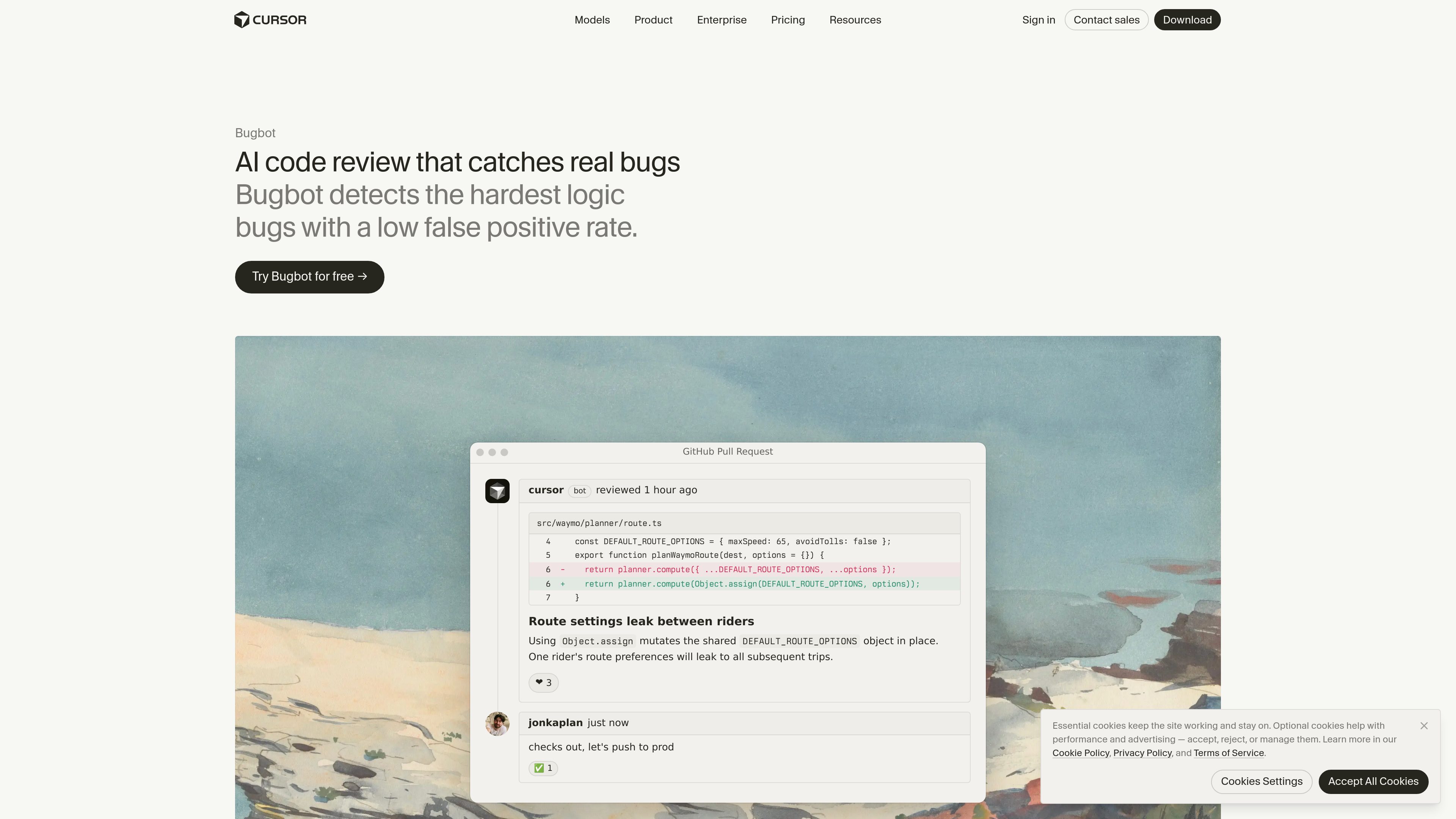
Automatic pull-request reviews
When enabled, Bugbot runs in the background on new GitHub pull requests and comments on potential issues before merge.

Bugbot is Cursor’s AI code review tool for GitHub pull requests. It runs reviews in the background, flags potential logic, security, and performance issues, and can provide fixes through Cursor or Background Agent.
Bugbot is Cursor’s AI code review tool for GitHub pull requests. When enabled, it reviews new PRs in the background, comments on potential issues, and focuses on difficult logic bugs with a stated emphasis on low false-positive rates.
Developers can receive fixes in the Cursor editor or through Cursor’s Background Agent. Bugbot can also identify problems caused by how a change interacts with existing components and assumptions outside the directly modified lines.
Teams can customize reviews with Bugbot Rules for coding standards, security requirements, and other project-specific practices. Cursor positions the tool as both an automated pre-merge check and a review aid for individual developers and engineering teams.
When enabled, Bugbot runs in the background on new GitHub pull requests and comments on potential issues before merge.
The review focuses on difficult implementation and logic errors, including problems involving interactions with existing code beyond the changed lines.
Developers can receive fixes in the Cursor editor or through Cursor’s Background Agent after Bugbot identifies an issue.
Users can define coding standards, proven approaches, security requirements, and project-specific guidelines for reviews.
Teams can use Bugbot as an additional check on pull requests before they are merged.
Bugbot reports suspected issues directly in GitHub, and Cursor demonstrates summaries that describe the actual changes in a pull request.
Use automated analysis to inspect substantial changes where interactions between modified and existing code are harder for a reviewer to track manually.
Add Bugbot after AI-assisted implementation to look for logic and implementation errors before approving the pull request.
Create rules for requirements such as authentication middleware, sanitized query input, secret handling, rate limiting, CORS, and safe error responses.
Run Bugbot consistently on new pull requests so selected quality checks happen before merge rather than depending only on individual reviewer habits.
When enabled, Bugbot reviews new GitHub pull requests, comments on potential issues, and can provide fixes in Cursor or through Background Agent. It can also serve as a pre-merge check.
Yes. Bugbot Rules let users define custom coding standards, proven approaches, and project-specific guidelines. Cursor demonstrates rules written for API security requirements.
Bugbot focuses on real implementation and logic bugs, including issues that can be missed when reviewing only the changed lines. Cursor’s team page also describes checks for security and performance issues.
Yes. Cursor presents Bugbot as useful for reviewing AI-generated code, and its pull-request workflow can add a review step after AI-assisted changes.
Cursor states that it offers a 14-day free trial for all plans. Its pricing page lists Bugbot on usage-based billing for individual Pro plans and agentic code reviews with Bugbot on Teams.

aws.amazon.com
Amazon Q Developer is an AI-powered coding assistant for software developers. It provides code suggestions, chat, testing, security scanning, refactoring, and agentic help across supported IDEs, the command line, AWS tools, and selected collaboration workflows.

gitar.ai
Gitar is an AI-powered code review and pull request automation tool for teams that need to verify changes before merging. It reviews code, diagnoses CI failures, applies fixes under configurable rules, and checks that the pipeline passes.

code.claude.com
Claude Code is an agentic coding tool from Anthropic that reads codebases, edits files, runs commands, and supports development work from the terminal, IDE, desktop app, or browser. It is designed for developers handling tasks such as bug fixes, tests, onboarding, and code migrations.

contextgoblin.com
Context Goblin is an AI code reviewer for GitHub pull requests that uses call-graph and cross-repository context to assess changes. It helps development teams review architecture, security, logic, and test concerns with findings verified against the codebase.

graphite.dev
Graphite 是一个连接 GitHub 的代码审查平台,支持堆叠式 Pull Request、AI 辅助审查和合并工作流,让团队在一个系统中管理 PR、反馈与 CI。

gitwarren.com
GitWarren is a local code-review tool for inspecting and commenting on the staged, unstaged, and untracked changes in an agent’s Git worktree before they are committed or pushed. It runs on the machine containing the repository and can be used through a desktop app, a browser, or an MCP server connected to coding agents.