
Codebase-aware analysis
Reads and searches project files to understand the surrounding implementation before proposing or making changes.

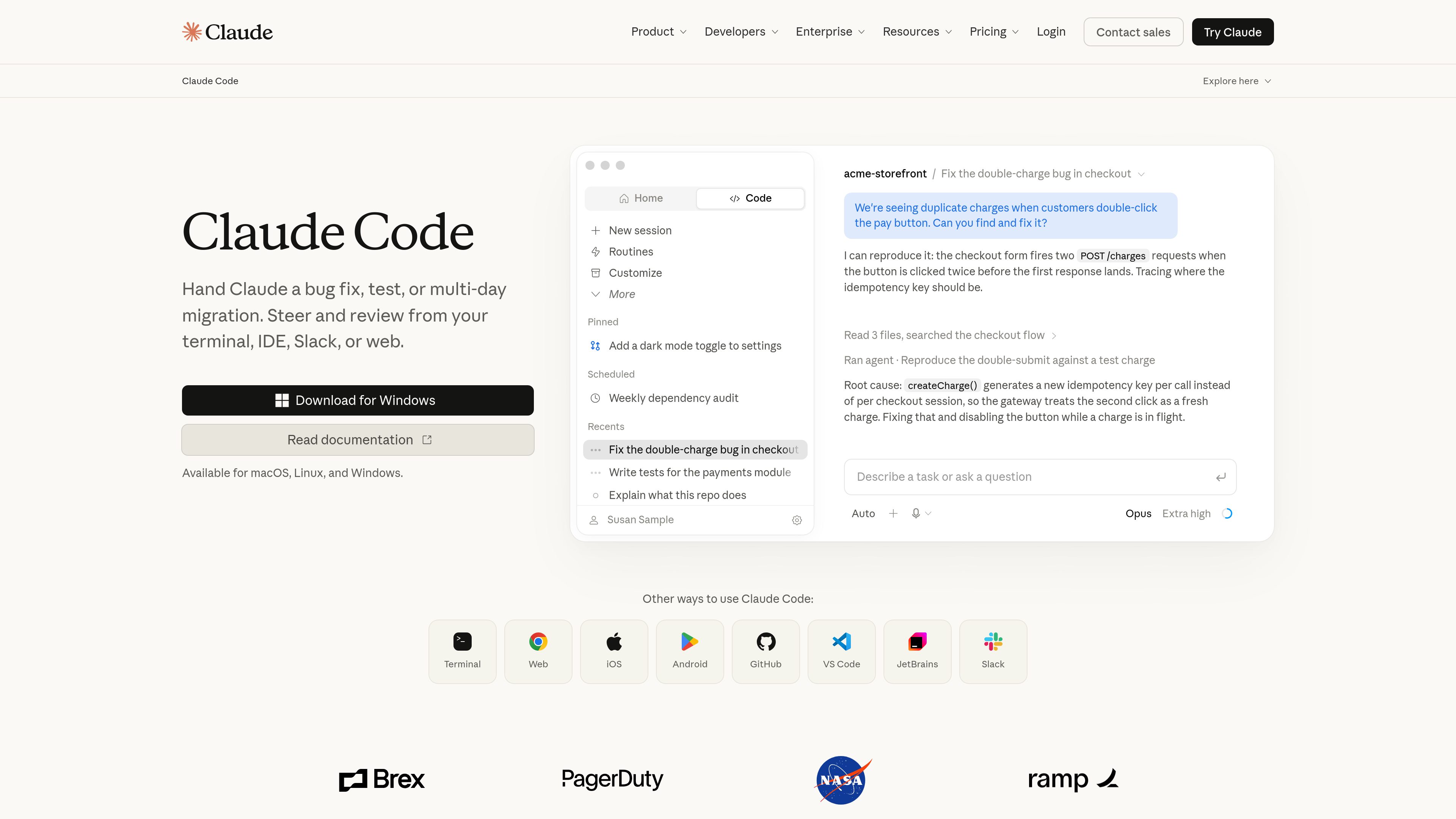
Claude Code is an agentic coding tool from Anthropic that reads codebases, edits files, runs commands, and supports development work from the terminal, IDE, desktop app, or browser. It is designed for developers handling tasks such as bug fixes, tests, onboarding, and code migrations.
Claude Code is an agentic coding tool from Anthropic for working directly with software projects. It can read a codebase, make changes across files, run commands, and integrate with development tools. Rather than limiting interaction to isolated code suggestions, it supports task-oriented work such as investigating a bug, implementing a fix, writing tests, or explaining how an unfamiliar repository is organized.
The product is available through several surfaces, including a terminal CLI, IDE integrations, a desktop app, and the web. The homepage also lists access through Slack, while the documentation identifies terminal, VS Code, JetBrains, desktop, and web workflows. Depending on the surface, use may require a Claude subscription or an Anthropic Console account.
Claude Code is intended for both focused coding sessions and longer-running work. Users can give it a bug fix, test task, or migration to handle, then steer and review its progress. The documented examples show it inspecting relevant files, searching a codebase, running commands, editing files, and reporting what it changed.
Reads and searches project files to understand the surrounding implementation before proposing or making changes.
Updates related files as part of a single task, including implementation, configuration, styles, or tests when the work requires it.
Runs commands during a workflow, allowing development tasks and project inspection from the terminal-oriented environment.
Accepts work such as bug fixes, test writing, onboarding explanations, and multi-day migrations while users guide and review progress.
Supports use in the terminal, VS Code, JetBrains, a desktop app, and the web; the product site also lists Slack.
Give Claude Code a reproducible issue and have it trace the relevant flow, identify a likely root cause, edit the implementation, and report the changes.
Use it to work on tests within an existing repository, including locating the relevant module and making associated code changes where needed.
Ask for an explanation of a repository’s purpose, architecture, components, and organization before manually reading every directory.
Assign a migration or other work that may run for hours or days, then review and steer the agent as it progresses.
Claude Code is Anthropic’s agentic coding tool. It reads codebases, edits files, runs commands, and integrates with development tools to help with software development tasks.
The documented surfaces include the terminal, VS Code, JetBrains, a desktop app, and the web. The product homepage also lists Slack, as well as mobile access points and GitHub among its available ways to use Claude Code.
The site presents bug fixes, test work, codebase onboarding, and migrations as example tasks. It is also positioned for work that may continue for hours or days, with users able to steer and review the process.
Most surfaces require either a Claude subscription or an Anthropic Console account. The homepage states that Claude Code is included with Claude Pro and Max plans, and pricing information lists Pro at $20 monthly or $17 per month with an annual subscription discount, Max 5x at $100 per month, and Max 20x at $200 per month. Usage limits apply, and prices may change.

mastra.ai
Mastra Factory is an open-source, agent-powered software delivery environment for taking software work from issue intake through planning, implementation, and pull-request review. It provides persistent coding agents, repository workspaces, and configurable lifecycle stages in a web application you can deploy on the Mastra Platform or your own infrastructure.

kilo.ai
Kilo Mobile extends Kilo’s AI coding workflow to iPhone, iPad, and Android. It lets developers launch cloud coding sessions, control supported CLI and VS Code sessions, and review GitHub pull requests from a mobile device.

jackalope.dev
Jackalope is a desktop workspace for running AI coding agents in parallel across separate Git worktrees. It helps developers carry project context between tasks, use supported agent tools, and review related changes together.

onorca.dev
Orca 是用于借助编码代理交付产品的智能体开发环境,支持在隔离工作树中并行运行多个 CLI 代理,并提供桌面端和移动端协同工作流。

blopai.com
编写、运行、聚类并修复浏览器测试的 QA 代理

rlama.dev
本地 AI 平台,用于构建 RAG 系统和智能代理