
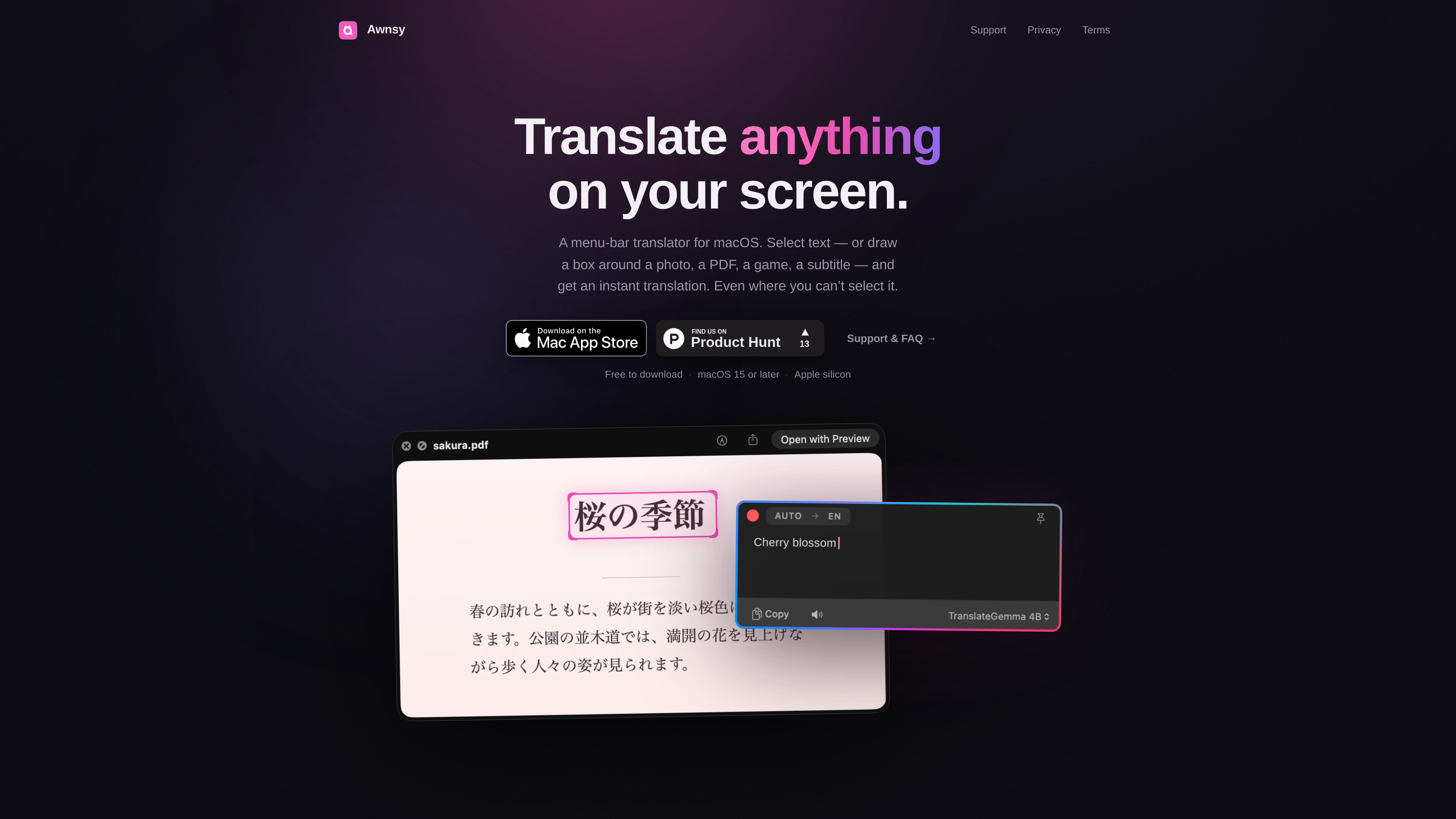
Selectable-text translation
Select text in a Mac app and invoke Awnsy with the default ⌘⌥T shortcut, a custom hotkey, or the menu-bar item. The result opens in a small floating window.

Awnsy is a menu-bar translator for macOS that translates selected text or text captured from any area of the screen. It includes an offline on-device model and optional support for user-provided OpenAI or Anthropic API keys.
Awnsy is a menu-bar translator for macOS. It translates selected text with a keyboard shortcut or menu-bar command, and it can capture text from a defined area of the screen when the source cannot be selected directly. This supports content such as images, PDFs, videos, games, and subtitles.
The app displays results in a small floating window and can stream the translation as it is produced. A built-in model runs on the Mac and works offline without an account or API key. Users can also supply their own OpenAI or Anthropic key for cloud-model translation. Awnsy requires Apple silicon and macOS 15 or later.
Select text in a Mac app and invoke Awnsy with the default ⌘⌥T shortcut, a custom hotkey, or the menu-bar item. The result opens in a small floating window.
Draw a box around text that cannot be selected, including text in images, PDFs, videos, games, and subtitles. Awnsy uses Apple’s on-device text recognition to extract the words before translating them.
The built-in translation model runs entirely on the Mac. The site says it works offline and requires no account, API key, or telemetry.
For optional cloud-model translation, users can add their own OpenAI or Anthropic key in Settings → Models. The key is stored locally in the macOS Keychain and is not sent to Awnsy.
Translation streams in the result window, where users can switch the language or model without leaving the translation workflow.
Select passages in a document or PDF and translate them without moving text into a separate translation website. If the PDF contains content that cannot be selected, use a screen-area capture instead.
Capture a region containing text in an image, video, or subtitle overlay. This is useful when the source is visible on screen but offers no copyable text layer.
Use Translate Screen Area on menus, dialogue, or other in-game text that is not exposed as selectable text by the game.
Use the built-in on-device model when an account, API key, or network connection is undesirable. The product describes this mode as offline and local to the Mac.
Awnsy requires a Mac with Apple silicon, such as M1 or newer, running macOS 15 or later. Intel Macs are not supported.
Open Translate Screen Area from the menu bar or use its hotkey, then draw a box around the text. Awnsy reads the area with Apple’s on-device text recognition and translates the result.
No. The built-in on-device model works without an account or API key and can run offline. OpenAI or Anthropic keys are optional for cloud-model translation.
Screen-area translation depends on the languages supported by Apple’s on-device text recognition, including Latin, Cyrillic, Chinese, Japanese, Korean, Arabic, Thai, and others. For languages that recognition does not yet support, the site recommends regular text translation, which works with every language.
Text translation is free and unlimited. Translate Screen Area includes 10 free translations; Awnsy Pro unlocks it fully and adds a custom translation prompt for cloud models. Pro is available as a monthly or yearly subscription or a one-time Lifetime purchase, with current prices shown in Settings → Awnsy Pro.

subtranslateai.com
基于浏览器的字幕翻译工具,支持 SRT 和媒体文件,覆盖 100 多种语言
immersivetranslate.com
支持网站、PDF、字幕、会议、图片和漫画的双语 AI 翻译工具

glarity.app
Glarity 使用 ChatGPT 式 AI 总结和翻译在线内容。

legalesedecoder.com
利用 AI 将法律文件翻译成通俗易懂英语的网页应用

checksub.com
用于视频本地化的 AI 字幕生成与配音平台

opencat.app
适用于 Mac、iOS 和 iPad 的原生 AI 聊天客户端,支持语音聊天、图像生成、翻译和快捷指令访问。