
One-click photo restyling
Upload a photo, choose a style, and generate a transformed image without a multi-step editing workflow.
Web-based AI photo editor for styles, avatars, memes, and action-figure looks
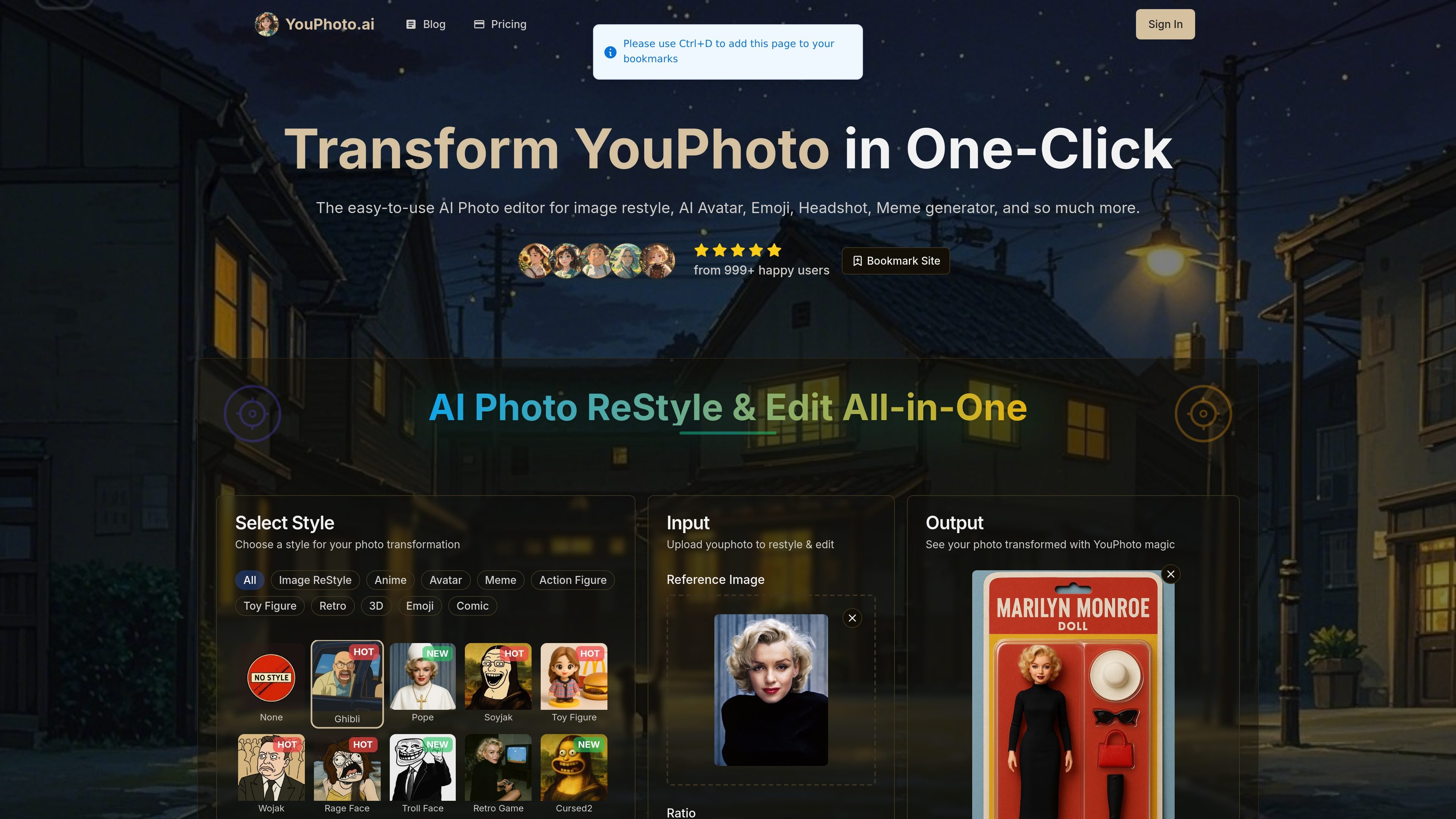
YouPhoto AI is an online AI photo editor that restyles uploaded photos into preset visual styles and themed outputs. The site positions it as an all-in-one editor for image restyling, avatar creation, meme generation, action figure conversions, and photo enhancement.
The core workflow is simple: upload an image, pick a style or tool, optionally add a prompt for advanced customization, and generate the result. The homepage and tool pages emphasize quick turnaround, no prompt requirement for typical use, and downloadable high-resolution outputs.
Upload a photo, choose a style, and generate a transformed image without a multi-step editing workflow.
Use preset looks such as Ghibli, LEGO, cartoon, retro, comic, avatar, meme, and action figure styles, with new styles added over time.
Apply meme-specific and avatar-specific tools for faster creation of social-ready profile images and joke images.
The site says the AI analyzes the image content and redraws it in the selected style, rather than applying a simple overlay.
The product says outputs are high-resolution and intended for digital sharing, and the pricing page adds HD generation on paid top-up plans.
Pricing pages list no watermark, commercial use, private generation, and advanced refine features on paid plans.
Turn selfies, portraits, or pets into stylized outputs such as Ghibli, LEGO, cartoon, or retro looks for sharing online.
Create funny, shareable images using meme-specific styles like Wojak, Soyjak, Troll Face, and Rage Face.
Generate profile images and social avatars from a source photo with the avatar maker and related style presets.
Convert a person or pet photo into an action-figure style image for a collectible look.
Improve an uploaded image using the photo enhancement workflow when the goal is cleaner output rather than a style change.
Yes. The site says you can upload a photo, choose a style or tool, and click Generate. It also notes that prompts are not needed for most features, though they are available for advanced customization.
No. The product copy repeatedly emphasizes one-click editing and says no prompts are needed for most features.
The site says generated images are high-resolution and suitable for digital sharing, social media, and personal printing.
The pricing page shows paid one-time top-up plans and says they include no watermark, HD generation, commercial use, and private generation.
Yes. The site says its library includes styles such as Ghibli, LEGO, avatar, meme, and action figure variants, and it also supports custom prompts for styles that are not in the library.
Traffic data is for reference only.

lensa.app
Lensa is a mobile AI photo editor for portraits, backgrounds, and AI avatars.

pixlr.com
Pixlr is a browser-based AI photo editor and image generator for editing photos, creating images and videos, and handling everyday cleanup such as background removal, with free and paid plans.

photoleapapp.com
Photoleap is a mobile photo editor with AI tools for image generation and creative transformations.

bylo.ai
Web-based AI image generator and photo editor combining GPT-4o, GPT-Image-1, and Nano Banana

photoeditorai.io
PhotoEditorAI is a browser-based AI photo editor for prompt-driven image editing and generation, with free, one-time credit, and enterprise plans.

ai-img-gen.com
AI Image Generator is a web-based tool for creating AI-generated images from prompts and browsing example outputs. It also includes an embedded photo editor for basic post-generation adjustments.