
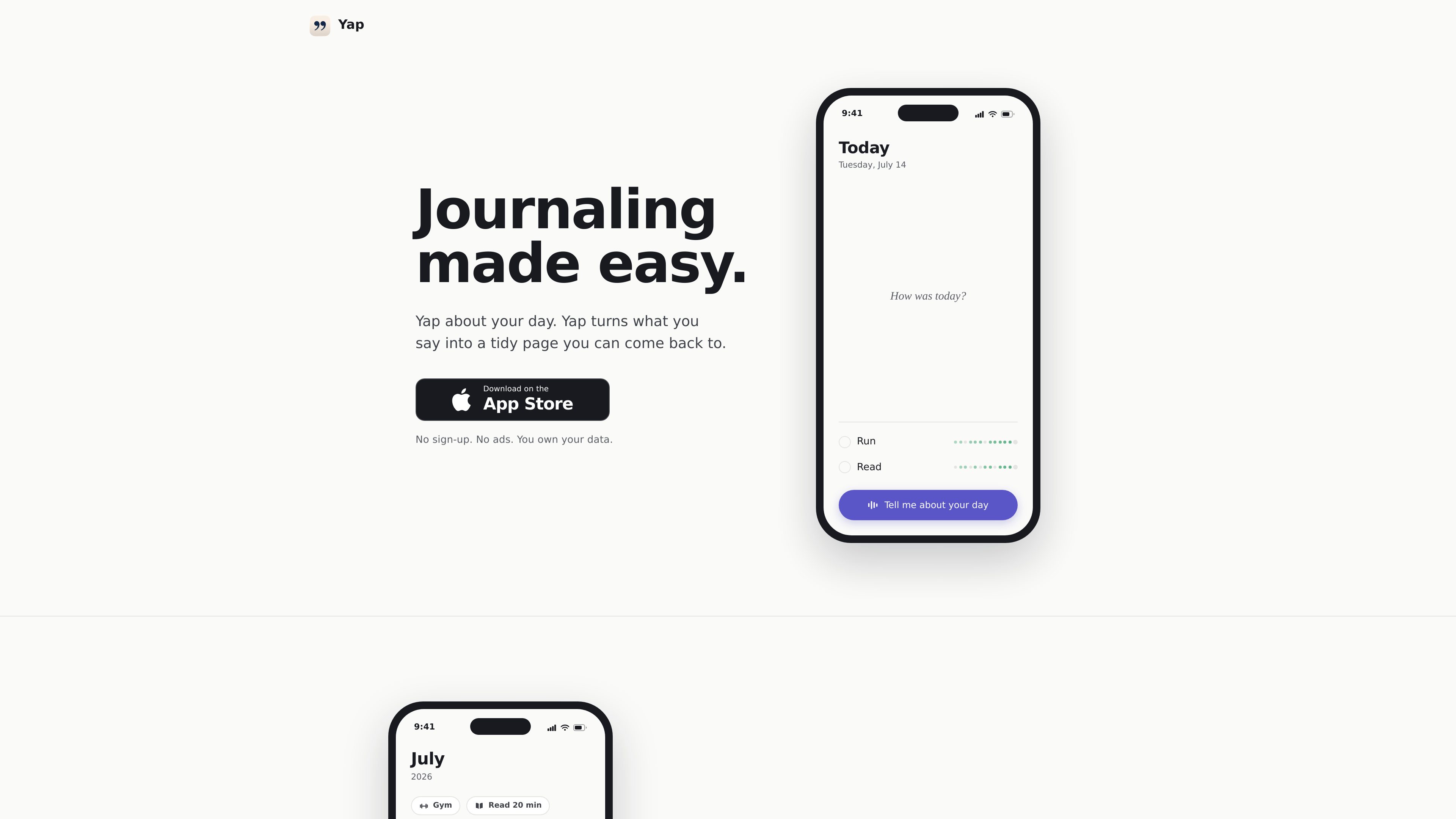
Voice-to-journal transcription
Speak your day aloud and Yap turns the recording into text-based journal content.

Yap is a voice journal for iPhone that turns spoken entries into tidy daily pages you can review later. It is designed for people who prefer talking to writing and want a private journaling workflow with on-device transcription.
Yap is a voice-first journaling app for iPhone. Instead of typing a diary entry, you speak for about a minute and the app turns what you said into a structured daily page that you can revisit later.
The product is built around a simple journaling workflow: record a spoken entry, let Yap extract useful details such as tasks, habits, moods, notes and people, and then look back on those entries by day or month. The app emphasizes privacy and low-friction use, with no sign-up, no ads, and audio that is transcribed on-device rather than uploaded.
Speak your day aloud and Yap turns the recording into text-based journal content.
Each entry becomes part of a daily page, making it easier to review what happened on a specific date.
Yap can surface tasks, habits, moods, notes, and facts about people you mention in your entry.
The app groups entries so you can look back on days, months, and recurring details instead of keeping a flat transcript list.
The app does not upload audio, does not show ads, and does not sell journal data.
The site says there is no sign-up, so the app appears designed for quick start and low friction.
Record a short summary of your day and return later to a readable page instead of a raw voice memo.
Mention errands, follow-ups, or reminders while speaking, then review the extracted items alongside the day they came from.
Use the app to note workouts, routines, and how you felt without building a separate habit tracker.
Speak naturally about friends, coworkers, or family, then find those details again in later journal entries.
Because the app avoids streak pressure, it can suit people who want an occasional journal rather than a strict daily commitment.
No. The support and privacy pages say transcription happens on-device and that audio never leaves your phone.
Yap stores the transcript and the extracted journal content in your account so the app can show it back to you, back it up, and include it in export.
Yes. You can delete individual entries in the app, and deleting your account removes your journal content from Yap’s servers.
No. The privacy policy says Yap does not sell your data, show ads, or share your journal with advertisers.
The public site presents Yap as a voice journal for iPhone and includes an App Store download prompt, but it does not document support for other platforms.
Traffic data is for reference only.
| May | 0 |
|---|---|
| Jun | 0 |
| Jul | 0 |
Traffic analytics are not available yet.
Traffic analytics are not available yet.

just-head-760316.framer.app
Kairn is an iPhone app that turns conversations and quick thoughts into people, tasks, and dates you can review. Edit AI suggestions before saving approved contacts, reminders, and calendar events to your iPhone—and follow through.

mosmos.io
MosMos is a voice-to-text desktop app that adapts spoken input to the current context and turns it into usable text. It supports in-app voice typing, custom keywords, and meeting transcription with summaries and to-do items.

jottoo.com
Jottoo is a browser-based meeting notes workspace that records or imports audio, transcribes conversations, creates structured summaries, and turns follow-ups into tasks. It is designed for people who want meeting documentation and action tracking without adding a meeting bot.

trywalkie.com
Walkie is a voice productivity app for dictating polished text into any application, transcribing meetings, reading text aloud, and performing selected computer actions hands-free. It supports desktop platforms and iPhone, with cloud and fully on-device transcription modes.
store.comu.com
Comu Action Pro is a pocket-sized AI voice recorder and work assistant that turns spoken requests, conversations, and recordings into documents, slides, emails, summaries, and action items. Capture meetings and turn them into useful outputs without rewriting notes by hand.

shop.genspark.ai
Genspark SecondBrain Note is a card-sized AI voice recorder for capturing meetings, calls, consultations, and other conversations. It records offline, transfers audio through the Genspark App, and turns recordings into transcripts, summaries, key points, and action items.