
Generate videos from text and documents
Vyond Go turns prompts, documents, scripts, presentations, or web URLs into video drafts. Users can edit or update the result, including in Vyond Studio.

A business video creation platform for generating, editing, and localizing videos.
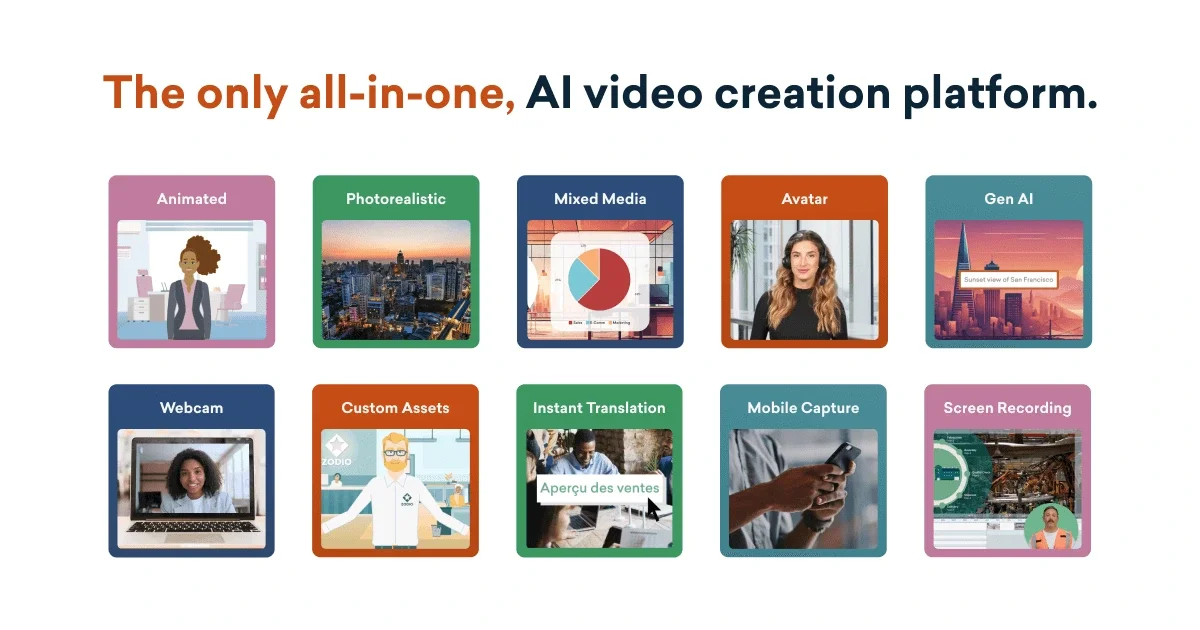
Vyond is a video creation platform for business communications, training, and marketing. It combines Vyond Go, which generates videos from prompts and source materials, with Vyond Studio, a full-featured editor for refining videos in multiple visual styles. Vyond Mobile supports creating, editing, and sharing videos from a phone or tablet. Across these workflows, users can work with avatars, animation, recorded screen and webcam footage, and translated versions of video content.
Vyond Go turns prompts, documents, scripts, presentations, or web URLs into video drafts. Users can edit or update the result, including in Vyond Studio.
Vyond Studio combines avatars with Vyond styles, including animated, mixed-media, and photorealistic options. Templates provide starting points with different settings, characters, and props.
The platform offers text-to-speech voices and supports screen and webcam recording, allowing recorded material and narration to be incorporated into business videos.
Video translation can localize on-screen text, text-to-speech, and dialogue into 95 languages. Caption translation is also listed among the AI tools.
Vyond Mobile lets users create, edit, and share videos from a phone or tablet. Smart Capture can identify matching Vyond props and characters from a photo and save captured media to the library.
Professional plans list team collaboration tools; Enterprise and Agency plans add advanced collaboration and a Brand Management Suite. Plan details also list access to Shutterstock assets on Professional.
Learning and development teams can turn training materials into explainers or structured videos, and use templates to build content for recurring learning needs.
HR teams can create videos and GIFs for workforce communications, onboarding, and initiatives intended to support employee engagement.
Sales teams can convert source documents or a URL into a video, then prepare personalized pitches and follow-up content for prospective customers.
Marketing teams can produce promotional videos and adapt content for different audiences, using templates, visual styles, and video translation.
Organizations can present legal, security, or other policy topics in video form for employees or professional audiences.
Vyond Go can generate videos from a text prompt, document, script, or URL. The plan details list .doc, .pdf, .ppt, and .txt files for relevant prompt workflows.
Yes. Generated videos can be edited or updated, with Vyond Studio available for more creative control.
The platform lists instant translation into 95 languages. Video translation can apply to on-screen text, text-to-speech, and dialogue scripts.
Team collaboration tools are included in Professional plans. Advanced collaboration and shared-space capabilities are listed for Enterprise and Agency plans.
Vyond Mobile supports creating, editing, and sharing videos from a phone or tablet.
Traffic data is for reference only.

vmaker.com
AI video creation and editing platform for recording, repurposing, and publishing videos.

www.ngram.com
AI video creation and editing for teams making demos, training videos, and explainers.

kapwing.com
Browser-based video creation and editing with AI, subtitles, translation, dubbing, and collaboration.

flexclip.com
FlexClip is an online video maker and editor with templates, timeline editing, and AI tools for creating, editing, and sharing videos from a browser.

animiz.cn
万彩动画大师 is desktop software for animated videos and micro-courses, with timelines, asset libraries, PPT import, and AI-assisted MG animation creation for education, business, healthcare, and creators.

devmotion.app
DevMotion is a browser-based AI video creation and editing platform for product launches, demos, ads, and feature announcements. It turns prompts or product URLs into editable HTML-based video projects with animation, voiceover, music, captions, and timeline controls.