
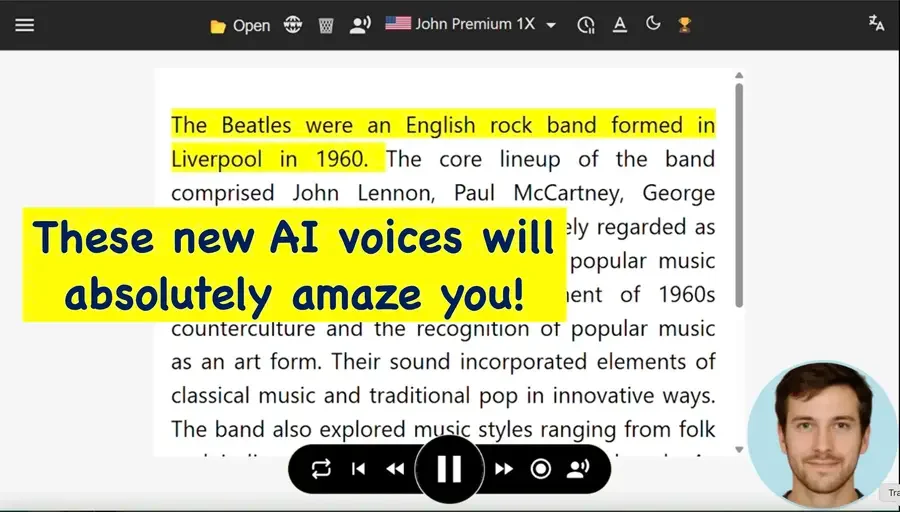
Text-to-speech playback
Paste text into the editor, choose a language and voice, and play it back immediately in the browser.

TTSReader is a browser-based text-to-speech tool for reading text, documents, PDFs, ebooks, and webpages aloud, with MP3 export and multilingual voices.
TTSReader is a browser-based text-to-speech reader that turns text, documents, PDFs, ebooks, and web pages into spoken audio. The product is centered on quick playback in the browser, with optional MP3 export for listening offline, sharing, or publishing.
The site positions TTSReader as a free and paid text-to-speech platform with both basic WebSpeech voices and premium AI voices. It emphasizes multilingual reading, text-audio sync, saved playback state, and workflows for proofreading, education, voice-overs, podcasts, and accessible reading.
A quick-start guide for the newer player shows a straightforward setup: paste text, choose language and voice, then click Play. The player also supports file import, webpage reading, pronunciation customization, and generated audio management for premium users.
Paste text into the editor, choose a language and voice, and play it back immediately in the browser.
Open files such as DOCX, TXT, PDF, EPUB, and CSV, or paste a webpage URL to read online content aloud.
Export synthesized speech as MP3 for offline listening, sharing, podcasts, or publishing.
Save your text, caret position, and preferences so you can resume where you left off later.
Combine voices, languages, speeds, pauses, and commentary-style edits to build longer narrations.
Use built-in pronunciation tools, including a dictionary and find-and-highlight workflow, to adjust how words are spoken.
Turn articles, notes, or long-form text into spoken audio for listening while commuting, exercising, or doing other tasks.
Use the editor while playing audio so you can catch awkward phrasing, spelling issues, or punctuation problems in drafted text.
Create downloadable narration from text with multiple voices, languages, speeds, and pauses for audio posts, lessons, or voice-overs.
Import documents or a webpage and save the generated MP3 for later playback, sharing, or offline listening.
Set up audio for accessibility or speech assistance use cases, including reading support and communication assistance through related TTSReader tools.
Yes. The site says TTSReader works in a browser on desktop and mobile, and the quick-start guide points to the new player at ttsreader.com/player.
The source describes a simple workflow: paste text, select language and voice, then click Play. The player also supports opening files such as DOCX, TXT, PDF, and EPUB, and importing a webpage by URL.
The site says exported speech can be downloaded as MP3 and used for listening offline, sharing, podcasts, publishing, and commercial use, but the quick-start guide notes that commercial use and publishing require a commercial license.
Yes. The source says you can mix multiple voices, languages, speeds, and pauses in a single file, and the guide mentions a pause token of {{pause}} for adding a one-second pause.
The site says TTSReader offers free WebSpeech-API voices without usage limits, and also premium AI voices from providers such as Microsoft, Google, OpenAI, xAI, and proprietary voices.
Traffic data is for reference only.

naturalreaders.com
NaturalReader is an AI text-to-speech product that reads documents, PDFs, websites, and books aloud with natural-sounding voices.

voiceout.app
Text-to-speech extension for reading documents, webpages, and books aloud

ttsmp3.com
Online text-to-speech with multilingual voices, browser playback, MP3 downloads, and API access.

elevenreader.io
Text-to-speech app for articles, PDFs, eBooks, Kindle content, and more

luvvoice.com
Luvvoice turns typed text and uploaded documents into spoken audio with 70+ languages, multiple voices, MP3 downloads, browser playback, API access, and voice cloning.

anytospeech.com
AI text-to-speech for turning text, PDFs, URLs, images, and documents into natural audio