
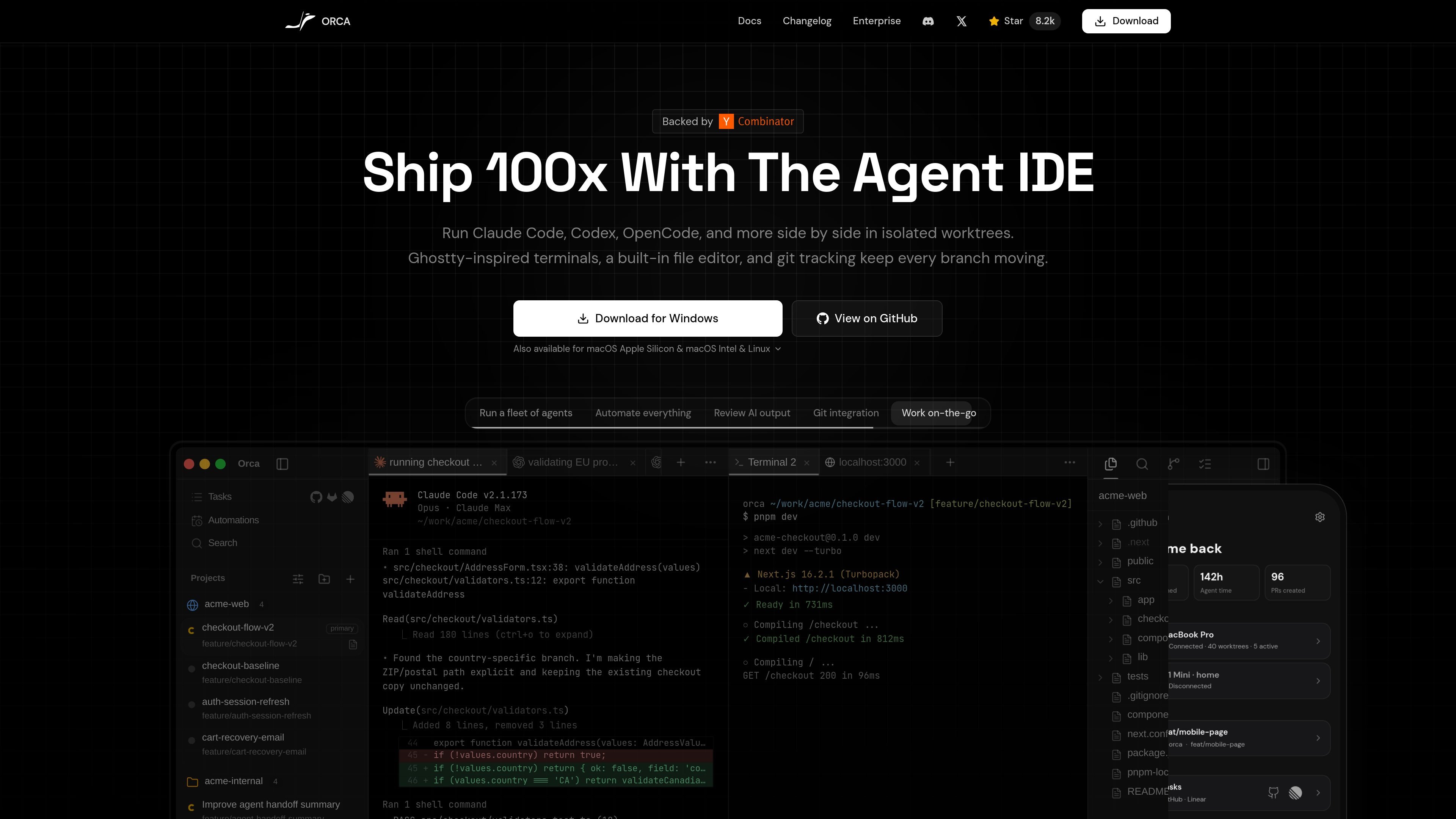
Parallel agent sessions
Run multiple coding agents, including Claude Code, Codex, and Cursor CLI, at the same time to explore separate tasks or alternative solutions.

A desktop environment for developers to run and review multiple coding agents in parallel.
Orca is a desktop agent development environment for software developers who use AI coding agents. It runs agents such as Claude Code, Codex, and Cursor CLI side by side, with a separate Git worktree and agent terminal for each task. A shared workspace brings together terminals, diffs, and browser tabs so developers can coordinate parallel work and inspect changes before committing. Orca runs on a developer's desktop by default; remote execution can use SSH targets, self-hosted Orca servers, or cloud virtual machines and per-workspace environments controlled by the user.
Run multiple coding agents, including Claude Code, Codex, and Cursor CLI, at the same time to explore separate tasks or alternative solutions.
Each task receives its own real Git worktree, keeping files and branches separate while agents work in parallel. Developers can still use standard Git commands in a worktree.
View agent terminals, code diffs, and browser tabs within one application, making it possible to inspect generated changes alongside the running project.
Run agents on SSH targets, self-hosted Orca servers, or cloud virtual machines and per-workspace environments using machines and cloud accounts you control.
Orca is available for macOS, Windows, and Linux, and the site also offers companion apps for iOS and Android.
Assign the same defect to several agents in separate worktrees, then review their approaches and select which change to carry forward.
Use the integrated diff view to examine agent changes in context before deciding what to commit.
Keep concurrent work such as feature changes, test updates, and code review in separate worktrees rather than repeatedly stashing or juggling branches.
Move agent sessions to a remote SSH host, a self-hosted server, or a cloud environment when those machines and accounts are under your control.
The site names Claude Code, Codex, and Cursor CLI, and describes support for other CLI coding agents. Orca runs agents you already use rather than supplying its own model.
No. Orca creates real Git worktrees, and you can use ordinary Git commands within them.
Yes. The documented options include SSH targets, self-hosted Orca servers, and cloud virtual machines or per-workspace environments. The remote machines and cloud accounts are controlled by the user.
It is aimed at people who already write code professionally and want to use AI coding agents as part of their development workflow. It is not presented as a no-code tool.
The website lists desktop versions for macOS, Windows, and Linux, as well as companion apps for iOS and Android.
Traffic data is for reference only.

gitwarren.com
GitWarren is a local code-review tool for inspecting and commenting on the staged, unstaged, and untracked changes in an agent’s Git worktree before they are committed or pushed. It runs on the machine containing the repository and can be used through a desktop app, a browser, or an MCP server connected to coding agents.

hyrax.dev
Hyrax is an AI codebase architecture and engineering review platform for teams working through GitHub. It maps repository structure, evaluates code across six engineering dimensions, and proposes verified changes as pull requests for developers to review and merge.

reviu.dev
A desktop workspace for reviewing coding-agent changes and managing local Git workflows.