
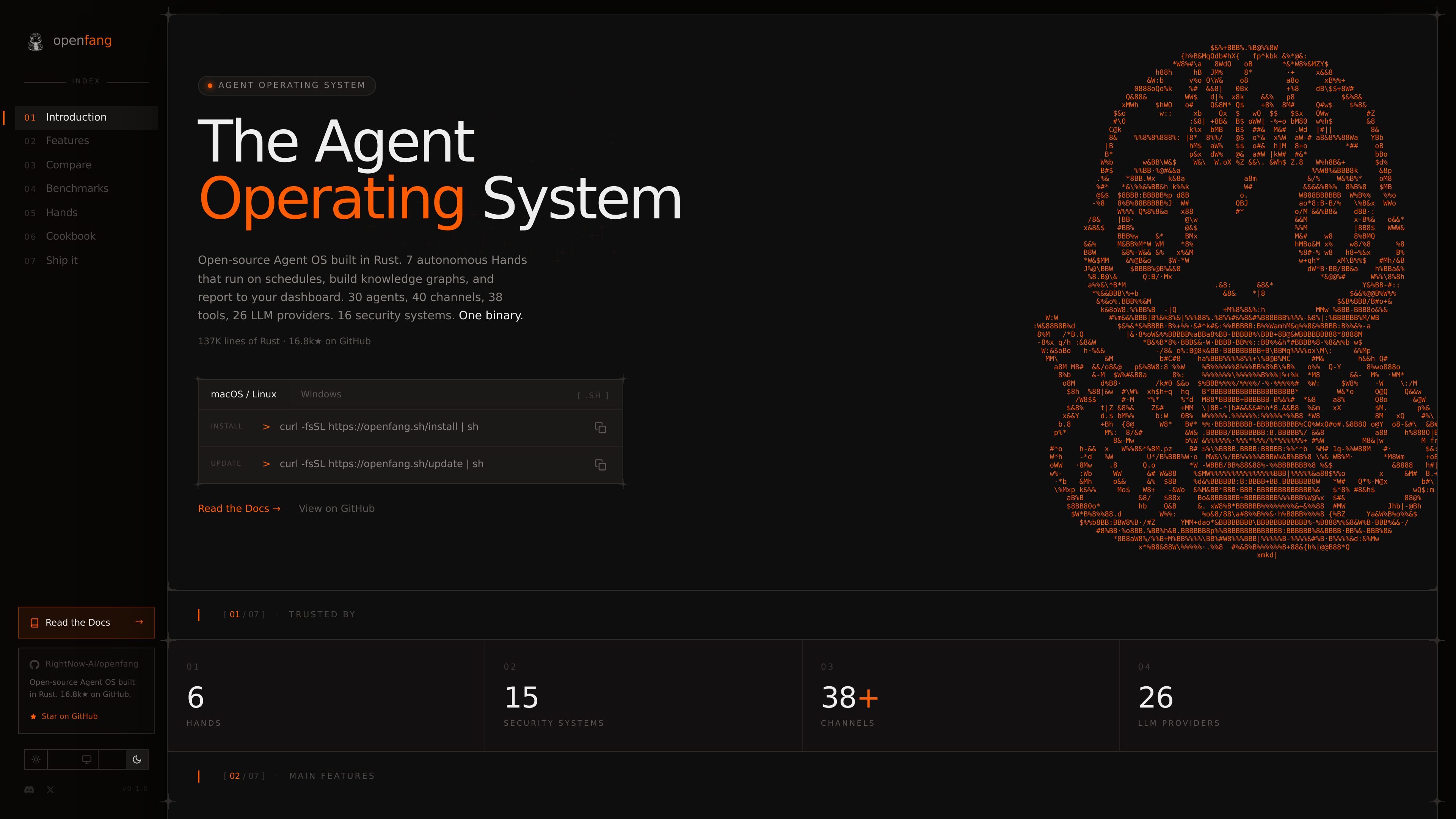
One-binary runtime and desktop app
OpenFang ships as a Rust workspace with a single compiled binary, plus a native desktop app and a daemon for persistent operation.

OpenFang is an open-source agent operating system built in Rust for running, configuring, and supervising autonomous agents, with local or self-hosted deployment, templates, custom manifests, messaging channels, and browser or API control.
OpenFang is an open-source Agent OS built in Rust for installing, configuring, and operating autonomous agents. The public docs position it as a runtime for hands, agents, tools, security, memory, channels, protocols, and a native desktop app, with a daemon for persistent and multi-user use.
It is aimed at people who want to run agents locally or self-host them, choose an LLM provider, attach messaging channels, and manage workflows from templates or custom manifests. The docs also show support for browser-based chat, API access, MCP, A2A, and a native desktop application.
OpenFang ships as a Rust workspace with a single compiled binary, plus a native desktop app and a daemon for persistent operation.
The product includes 7 pre-built autonomous Hands such as Clip, Lead, Collector, Predictor, Researcher, Twitter, and Browser, each meant for a specific workflow.
The docs describe 16 security systems including WASM dual metering, manifest signing, audit trails, taint tracking, SSRF protection, secret zeroization, mutual auth, and prompt-injection scanning.
OpenFang supports 40 messaging channel adapters, 20 LLM providers, and 60 bundled skills, with additional agent templates and workflow composition.
The getting started guide shows installation via shell script, Cargo, or Docker, then configuration through `config.toml` and environment variables.
The docs expose REST, WebSocket, and SSE endpoints, plus an OpenAI-compatible `/v1/chat/completions` API for external integration.
Install OpenFang, set an API key, run `openfang init`, and spawn a built-in template such as `hello-world` to get a working agent running quickly.
Create a custom `agent.toml` with a chosen provider, model, and capability set when you want an agent tailored to a specific task or workflow.
Run `openfang start` to expose the REST API, WebSocket endpoint, WebChat UI, and persistent daemon behavior for ongoing use.
Connect messaging platforms, MCP servers, or A2A integrations when you need agents to interact with external tools and channels.
Use the native desktop app or browser chat interface when you want a local UI for monitoring running agents, reading responses, and checking token usage.
OpenFang’s getting started guide shows three installation paths: a shell installer for Linux and macOS, `cargo install` for any platform with Rust 1.75+, and Docker.
The docs say OpenFang needs at least one LLM provider API key. It supports environment variables such as `ANTHROPIC_API_KEY`, `OPENAI_API_KEY`, and `GROQ_API_KEY`.
The getting started guide shows both built-in agent templates and custom `agent.toml` manifests. You can spawn a template agent or define your own model and capability settings.
The daemon supports persistent agents, multi-user access, the WebChat UI, REST API, WebSocket access, and token usage visibility in the browser UI.
The architecture and docs pages describe OpenFang as a Rust workspace with sandboxing, security hardening, channel adapters, skills, MCP, and A2A support. The public docs do not provide a complete list of every supported provider or integration detail on the pages used here.
Traffic data is for reference only.

panguard.ai
Panguard AI is an open-source security platform for AI agents that scans skills and MCP servers before execution and protects agent actions at runtime, with self-hosted controls and signed compliance evidence for developers, AI vendors, and regulated teams.

agents.craft.do
Craft Agents is an open-source desktop app for working with AI agents, models, APIs, MCP servers, local files, and a built-in browser.

www.agentconnect.md
AgentConnect lets teams bring ACP agents such as Claude Code, Codex, and Gemini CLI into Slack, Telegram, Discord, and GitHub, where they can take on work in the channels teams already use to collaborate. It’s open source and self-hostable, with roles, tools, memory, and configurable triggers for agent workflows.

heym.run
Heym is a source-available, self-hosted AI workflow automation platform for building and running agentic workflows with a visual editor. It helps automation, platform, and AI teams orchestrate agents, RAG, approvals, and execution tracing on infrastructure they control.
voideditor.com
Open source AI IDE based on VS Code with autocomplete, chat, agents, and local or hosted models.
agentos-sdk.dev
agentOS is a virtual operating system for agents, delivered as a library. It runs inside an existing backend and provides execution, filesystem, orchestration, and app deployment capabilities for agent workloads.