
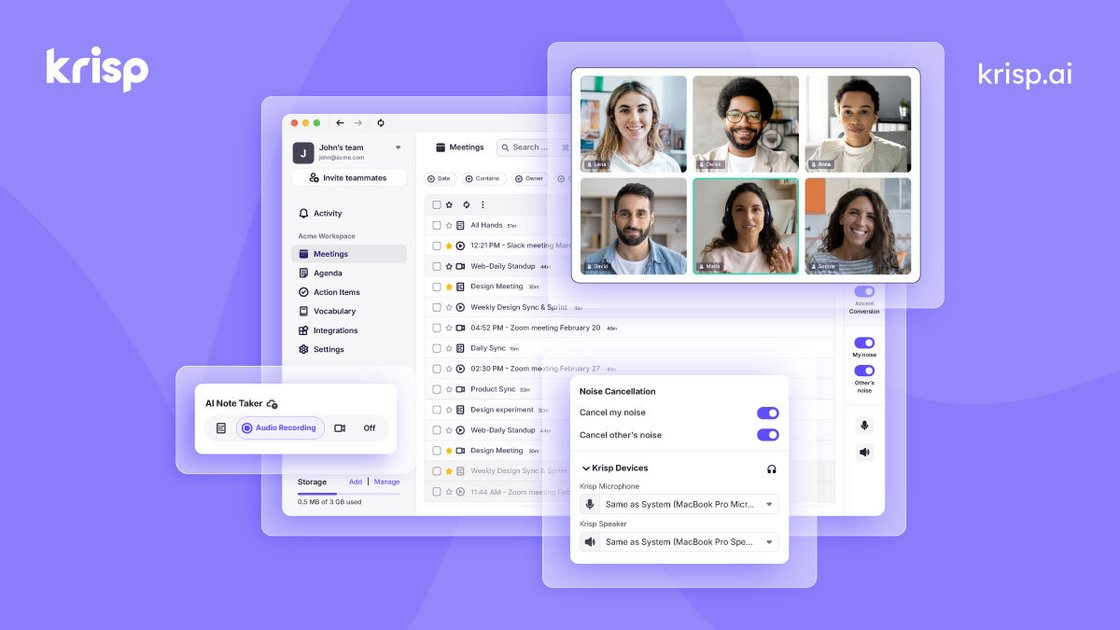
Noise cancellation
Removes background noise, echo, voices, and cross-talk to keep meetings audible on the speaker side and listener side.

Voice AI for clearer calls, transcription, summaries, and notes
Krisp is a voice AI product for meetings, calls, call centers, and developers. Its Meeting AI product combines noise cancellation, transcription, recording, summaries, and note taking in one app, while the broader site also includes separate offerings for call center AI and developer voice models.
For meeting workflows, Krisp is built to capture what happens before, during, and after a call. The site describes in-meeting noise cancellation and accent conversion, automated notes and action items after the meeting, and preparation tools such as agendas, recording presets, and notifications before the meeting.
Removes background noise, echo, voices, and cross-talk to keep meetings audible on the speaker side and listener side.
Creates transcripts, audio or video recordings, notes, summaries, and action items from meetings.
Supports before-meeting prep with agendas, recording presets, and on-time notifications.
Pushes notes and action items into tools such as Salesforce, HubSpot, Slack, and Zapier, with additional integration support listed on the pricing page.
Supports multilingual transcripts and summaries, with the site citing 16+ languages on the home page and 17+ languages on the note taker page.
Provides mobile app and Chrome extension access for meetings on the go and browser-based calling workflows.
Capture transcripts, summaries, and action items from recurring internal meetings without manual note taking.
Record and transcribe conversations held away from a desk, including walk-and-talks and sit-down meetings.
Use noise cancellation and accent conversion to improve clarity for calls where audio quality or accent comprehension is a concern.
Send notes and action items into workflow tools so follow-up work stays in the systems teams already use.
Use Krisp across conferencing apps, mobile, and browser-based workflows without relying on plugins or extensions in every case.
Yes. The pricing page lists a 7-day free trial and a Free Trial plan with no credit card required.
Krisp is designed to work with any calling app, and the site also highlights integrations with tools such as Zoom, Google Calendar, Slack, HubSpot, Salesforce, and Zapier.
The site says Krisp supports mobile app use, a Chrome extension, and desktop workflows for meetings on the go, browser-based conferencing, and in-person transcription.
Krisp says it can generate transcripts, summaries, and action items, and the pricing page notes AI summaries and action items as part of Meeting AI plans.
The site positions Krisp for individuals, teams, call centers, and developers, with Meeting AI plans for individuals and teams and separate product lines for call center AI and developer tools.
Traffic data is for reference only.

transkriptor.com
Transkriptor turns audio and video into editable text with AI for meetings, lectures, interviews, calls, and voice notes. Available on web, desktop, mobile, and Chrome, with summaries, exports, and custom vocabulary.

otter.ai
Otter is an AI meeting agent that transcribes calls, creates searchable notes, and generates summaries and action items for individuals, teams, and enterprises.

withcue.ai
Cue is an AI meeting notes app that records conversations while you stay engaged, then creates transcripts, summaries, and action items for meetings, calls, interviews, and lectures on mobile and desktop.

quickquill.app
QuickQuill is a macOS app for private, on-device dictation, transcription, and meeting notes. It offers free push-to-talk dictation plus a paid workflow for capture, file import, summaries, translation, and export.

reccloud.com
Browser-based AI for transcription, subtitles, voice output, and media summaries

speakapp.com
SpeakApp AI turns voice notes, meetings, lectures, and other spoken content into text, with summaries, rewriting, translation, and easy export.