
Natural-language behavior definition
Describe the decisions an agent should make in natural language before testing the workflow.

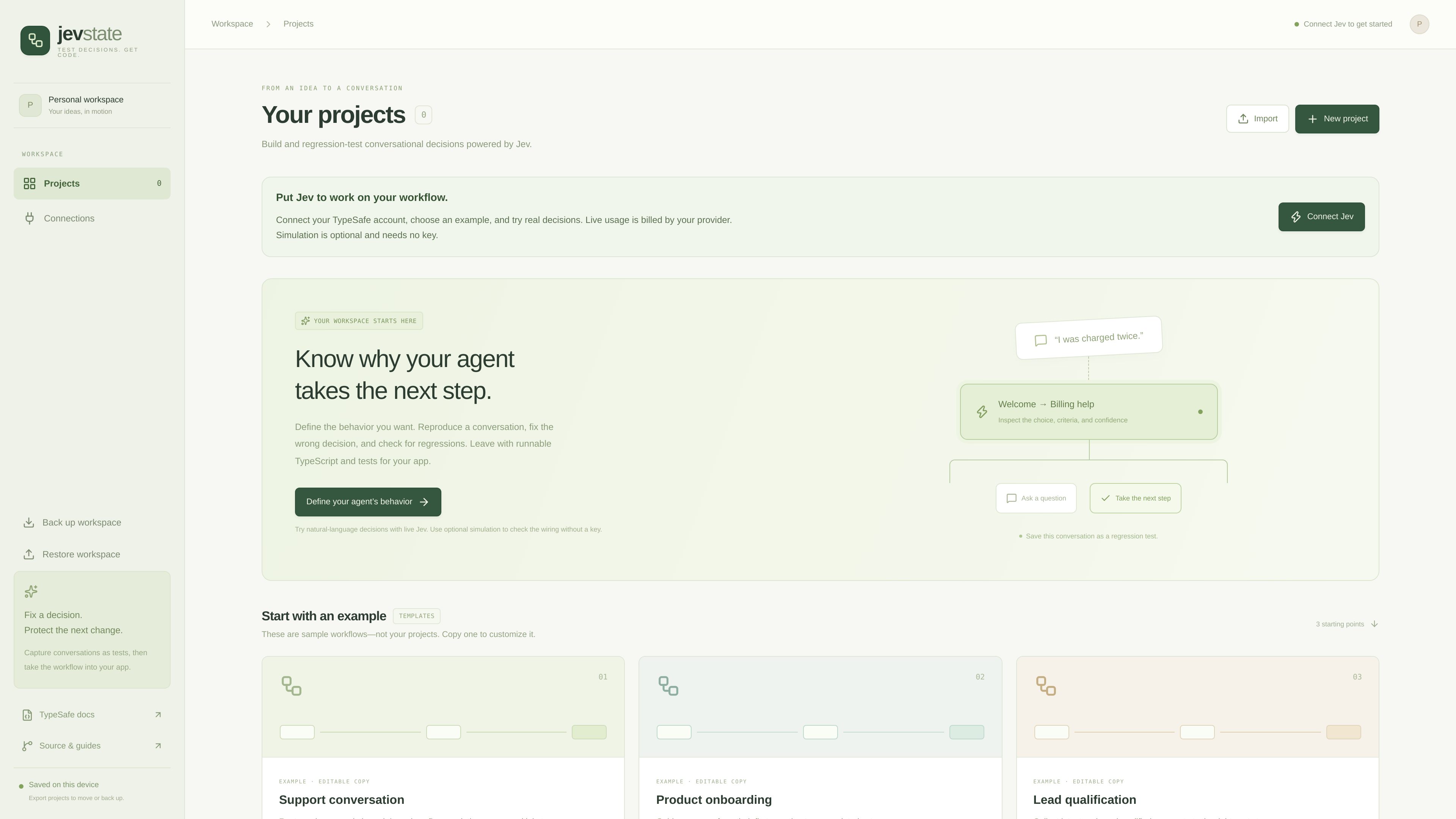
Jev State is a workspace for defining, testing, and regression-checking conversational decisions powered by Jev. It helps teams inspect why an agent takes a step and export runnable TypeScript and tests for an application.
Jev State is a workspace for defining and regression-testing conversational decisions powered by Jev. It lets users describe intended agent behavior, reproduce conversations, inspect the choice and criteria behind a next step, and save conversations as tests.
The workflow runs from definition to implementation: create or copy a project, try decisions, check changes against saved conversations, and leave with runnable TypeScript and tests for an application. The workspace is saved on the device and can be exported for backup or transfer.
Live usage requires a connected TypeSafe account and is billed by the provider. Optional simulation is available for checking wiring without a key. The site does not provide evidence of specific pricing rates, plan limits, integrations beyond the TypeSafe connection, team workspaces, or generated-code runtime assumptions.
Describe the decisions an agent should make in natural language before testing the workflow.
Reproduce a conversation and inspect the selected next step, the criteria used, and the reported confidence.
Save a conversation as a regression test so a later change can be checked against an existing decision path.
Take a completed workflow out of the workspace as runnable TypeScript and tests for use in an app.
Start from sample projects for support conversations, product onboarding, or lead qualification, then customize the selected example.
Keep projects saved on the device and export the workspace to move or back up project data.
Model a support conversation that routes an issue, works through multiple turns, and confirms resolution.
Design an onboarding flow that guides a user from an initial question through a completed setup.
Capture a prospect’s intent in conversation and send a qualified lead to the appropriate next step.
Reproduce a conversation after changing agent behavior, compare the resulting decision with the expected path, and preserve the interaction as a test.
It helps test conversational decisions: users define desired agent behavior, run or reproduce conversations, inspect the next-step choice and criteria, and check changes against saved regression tests.
The site says completed workflows can produce runnable TypeScript and tests for an app. It also provides workspace export for moving or backing up projects.
Live Jev usage requires connecting a TypeSafe account, and live usage is billed by the provider. The site also describes optional simulation that does not need a key.
Yes. Jev State provides editable sample workflows for support conversations, product onboarding, and lead qualification. These are starting templates, not the user’s projects.
The site describes the workspace as saved on the device and provides export and restore actions for backup or moving projects. It does not specify broader team or cloud-collaboration behavior.

trytoone.com
Toone is a native macOS workspace for building and running AI-agent workflows. It helps operators, researchers, marketers, founders, and creators turn recurring multi-step work into routines they can inspect, pause, edit, and review.

adk.dev
Agent Development Kit (ADK) is an open-source framework for building, evaluating, and deploying conversational and non-conversational AI agents. It supports multi-agent systems, tools, structured workflows, and production runtimes across Python, TypeScript, Go, Java, and Kotlin.

writer.com
WRITER is an enterprise AI agent platform that automates multi-step work with built-in governance, system connections, and brand controls. Try it free for 14 days.

vapi.ai
A developer platform for building, testing, and operating conversational voice AI agents.

inkeep.com
An AI agent platform for CX, product, and operations teams, with visual and TypeScript-based building tools.

www.workbuddy.ai
WorkBuddy is an AI agent desktop workstation for office professionals. It plans and executes multi-step tasks, delivering finished reports, presentations, spreadsheets, and other files.