
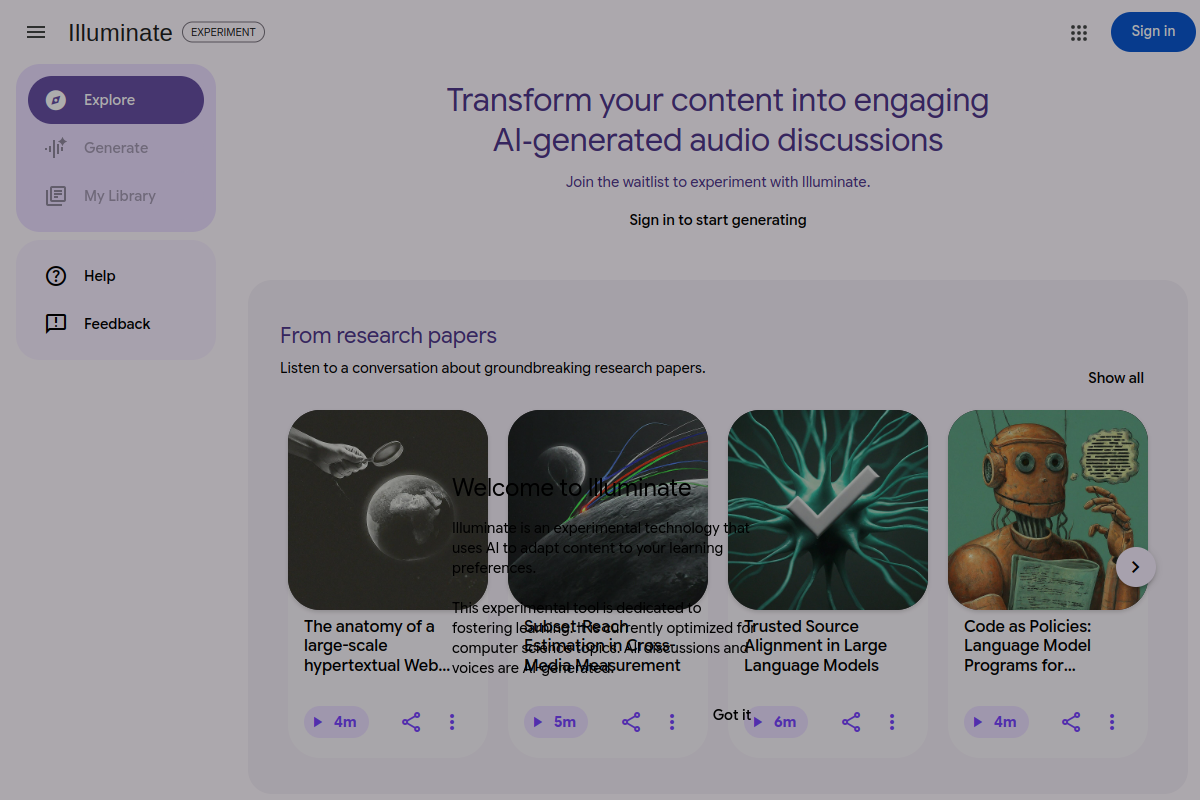
AI-generated audio discussions
Converts research papers into AI-generated audio discussions so users can listen to complex material instead of reading every section manually.

Illuminate is an experimental Google tool that turns research papers and long-form content into AI-generated audio discussions, currently via a waitlist and focused on computer science.
Illuminate is an experimental Google product that turns content into AI-generated audio discussions to help people understand complex material faster. The public site describes it as a tool for learning your way, with an initial focus on research papers and an example library that also includes classic books.
The product is currently in experiment mode and asks visitors to join a waitlist before generating content. The site says it is optimized for computer science topics, and it presents all discussions and voices as AI-generated.
Converts research papers into AI-generated audio discussions so users can listen to complex material instead of reading every section manually.
Provides a library-style browsing experience with sample items drawn from research papers and classic books.
Supports a sign-in and waitlist flow for experimenting with the product once access is available.
Frames the experience around learning preferences rather than a single fixed output format, suggesting the content adapts to the way you want to absorb information.
Labels the generated discussions and voices as AI-generated, which sets expectations about the nature of the output.
Listen to a research paper as an audio discussion when you want a faster way to review ideas before reading the original paper in detail.
Browse classic books in a listenable format when you want to explore literary works without sitting down for a full reading session.
Use the product as a learning aid for computer science topics, where the site says the experience is currently optimized.
Join the waitlist and sign in to test the experiment when access is available, rather than treating it as a fully open public service.
Use the library examples to understand how the product presents different kinds of source content before deciding whether it fits your workflow.
Illuminate is an experimental Google product that adapts web content to learning preferences. The source pages show it being used to generate AI-generated audio discussions and summaries from research papers and books.
The source pages indicate that Illuminate is currently optimized for computer science topics, and all discussions and voices are AI-generated.
The public pages show a waitlist flow. Users are asked to join the waitlist, and existing users can sign in to start generating when they have access.
The site presents sample content from research papers and classic books, so it appears designed for listening to and exploring long-form reading material in audio form.
The source pages do not provide supported export formats, integrations, or platform compatibility details.
Traffic data is for reference only.
| Jun | 85823 |
|---|---|
| Jul | 36833 |
| Aug | 39206 |
Traffic analytics are not available yet.

www.vocalvia.com
VocalVia is a document-to-podcast and text-to-speech workspace that turns source files and web content into editable podcast scripts and export-ready audio for review-first workflows.

huxe.com
Huxe turns daily information into personalized audio briefings with on-demand detail, ideal for commutes, workouts, and screen-free breaks.

luvvoice.com
Luvvoice turns typed text and uploaded documents into spoken audio with 70+ languages, multiple voices, MP3 downloads, browser playback, API access, and voice cloning.

voicegenerator.io
Voice Generator is a free browser-based text-to-speech app that turns typed text into spoken audio, with playback, downloads, pitch, speed, and offline use.

getpeech.com
Peech turns articles, documents, books, emails, and scans into audio on iOS and Chrome.

crikk.com
Crikk turns text, PDFs, images, and documents into natural-sounding audio, with read-along highlighting and playback controls on web, Android, and iOS.