
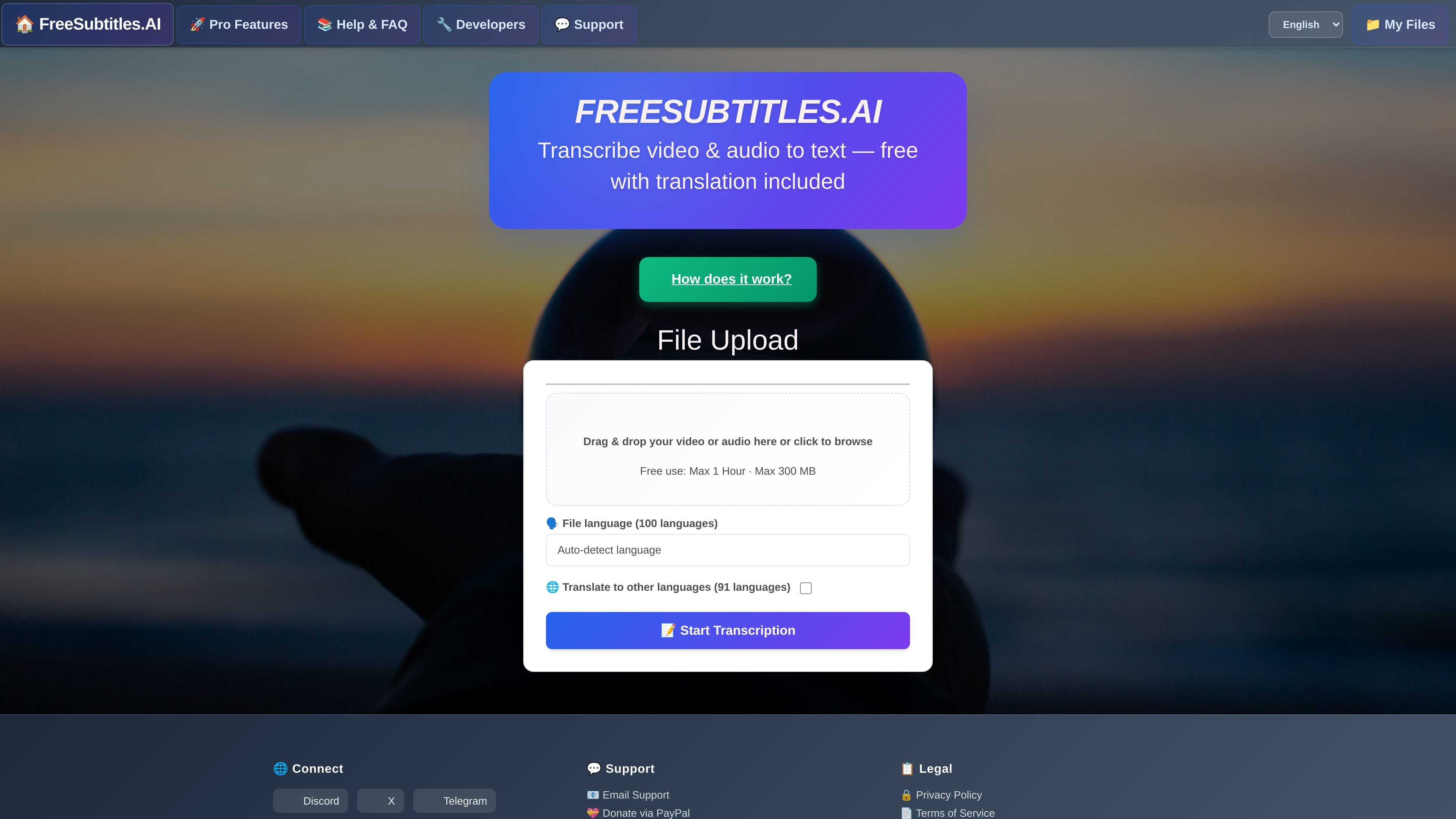
File upload for audio and video
Upload a video or audio file by drag and drop or file picker. The home page shows supported formats including MP4, MKV, MOV, MP3, WAV, and FLAC.

Transcribe audio and video with translation and subtitle exports
FreeSubtitles.Ai is a web-based transcription and translation service for audio and video files. It lets users upload media, choose or auto-detect a source language, and generate text outputs without needing to install local software.
The product is positioned as free to start, with paid credits available for heavier use. The site says the service supports subtitles and translations, offers downloadable subtitle/text formats, and includes an API for programmatic access.
Upload a video or audio file by drag and drop or file picker. The home page shows supported formats including MP4, MKV, MOV, MP3, WAV, and FLAC.
Select the source language from a long list or use auto-detect. The interface lists 100 source languages for transcription.
Translate the same file into other languages during processing. The home page lists translation support for 91 languages, and the product pages say translation is included.
Download results in subtitle and text formats. The about page says outputs include .srt, .vtt, and .txt, with JSON also mentioned for transcription files on the paid-use page.
Use the service without creating an account or logging in. The about page describes the free experience as upload, transcribe, and download with no upfront payment or login required.
Access an API for programmatic transcription, status checks, completion retrieval, and cancellation. The API documentation shows POST, status polling, and cancel endpoints.
Convert recorded meetings, interviews, or lectures into text for review, search, or editing without running a local transcription tool.
Create subtitle files for videos by uploading media, selecting the source language, and exporting caption-ready results.
Translate spoken content into another language while transcribing it, which is useful for multilingual publishing or review workflows.
Automate transcription jobs from software, scripts, or internal tools using the API endpoints for upload, status polling, and cancellation.
Use paid access when you need larger files, more processing time, or parallel jobs instead of the free-file limits.
You upload an audio or video file, choose or auto-detect the source language, optionally select translation languages, and start transcription. The service then returns downloadable output files.
The API page shows POST /api for upload or download-based transcription, GET /api/{numberToUse} for status and completed files, and GET /api/{numberToUse}/cancel to stop a job.
Source pages mention downloads as .srt, .vtt, and .txt, and the paid-use page also references transcription files in JSON format.
Free use is described as available without upfront payment or login, while paid use adds faster starts, higher limits, multi-file processing, translation expansion, and API access.
The about page says uploads are encrypted, free media are deleted after 30 minutes, free transcripts after 24 hours, and paid media can be retained for up to one month unless deleted earlier.
Traffic data is for reference only.

cockatoo.com
Turn audio and video into editable transcripts with speaker labels, timestamps, and subtitle exports.

reccloud.cn
Online AI audio and video platform for transcription, subtitles, voice synthesis, translation, editing, and API integrations.

accuratescribe.ai
Cloud transcription for audio and video with subtitles, speaker labels, and editable exports

memo.ac
Memo AI is a desktop AI transcription app for Windows and macOS that converts audio and video into text, with link-based transcription, multilingual translation, and SRT, VTT, Markdown, and Notion export.

scribebuddy.com
AI transcription, translation, and subtitles for audio and video

transkriptor.com
Transkriptor turns audio and video into editable text with AI for meetings, lectures, interviews, calls, and voice notes. Available on web, desktop, mobile, and Chrome, with summaries, exports, and custom vocabulary.