
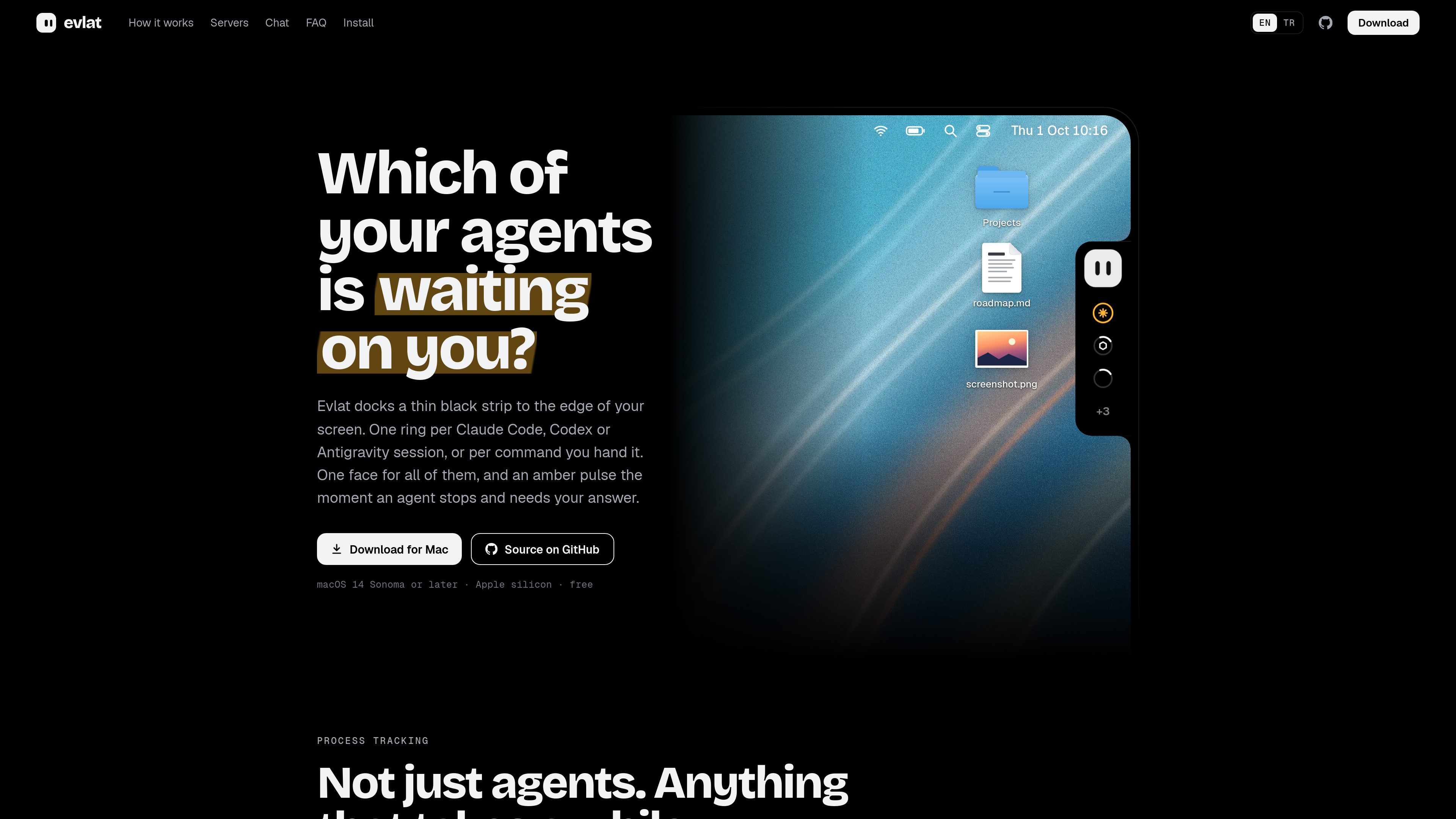
Agent status rings
Tracks Claude Code, Codex, and Antigravity sessions through installed hooks, with a ring for each session and an amber pulse when an agent needs an answer.

Evlat is a quiet macOS status strip for monitoring Claude Code, Codex, and Antigravity sessions, plus long-running commands. It highlights sessions that need your response and shows activity from local or SSH-connected machines.
Evlat is a native macOS status strip for tracking AI coding sessions and long-running commands without keeping terminal windows in view. It places a thin bar at the edge of the screen and uses one ring per Claude Code, Codex, Antigravity, or watched-command session. An amber pulse identifies an agent waiting for a response, while command rows indicate active, completed, or failed work.
The app supports local sessions and jobs running on SSH-connected machines. Remote rows carry the machine name, dim when the connection is lost, and recover when the connection returns. Evlat also provides expanded session details, a way to bring the owning app forward, and an optional chat balloon that uses the user’s own Claude Code installation.
Tracks Claude Code, Codex, and Antigravity sessions through installed hooks, with a ring for each session and an amber pulse when an agent needs an answer.
Run long jobs with `evlat watch`; the command keeps its normal colors, input, Ctrl-C behavior, and exit code while Evlat reports its state.
Use `evlat signal` to fill a progress ring or set a job to waiting, done, or failed. Rows expire automatically when they are no longer useful.
Monitor jobs and agents on machines reached over SSH. Rows are tagged by machine, and unavailable servers show no connection instead of a stale status.
Hover to see a session’s name, activity, and duration; waiting cards show the tool and command involved, and Go to session brings the owning terminal, VS Code, or Orca window forward.
Built with Swift, AppKit, and SwiftUI, Evlat avoids a web view and Electron. It does not require an account, Accessibility permission, or screen recording permission.
Keep several Claude Code or Codex sessions visible in one strip while working elsewhere, then inspect the specific session that has stopped for input.
Start an image build, training run, test suite, deployment, or other slow command with `evlat watch` and continue working until the status ring changes.
Add `evlat signal` to a script or service when a process can report its own progress, waiting state, completion, or failure.
Follow a training run on a GPU machine or an agent on a build server beside local work, with each row labeled by its source machine.
Open the chat balloon from the mascot or with ⇧⌘Space and use the existing Claude Code installation without bringing Evlat itself to the front.
The app runs on macOS 14 Sonoma or later on Apple silicon. There is no Intel build and no Windows or Linux app. Remote machines can be any systems reachable over SSH.
Evlat supports Claude Code, Codex, and Antigravity through hooks it installs. Antigravity’s app, IDE, and agy CLI are listed as supported, but Antigravity does not send an event for approval requests, so those sessions may appear as working instead of waiting.
Yes. Prefix a long-running command with `evlat watch` to show it in the strip, or use `evlat signal` from a script to report progress and states such as waiting, done, or failed.
The product states that it has no account or telemetry and keeps sessions, commands, and usage on the Mac. Hooks communicate with a listener on 127.0.0.1. The app checks GitHub once a day for its own update; the chat balloon uses the user’s existing Claude Code installation, which follows that installation’s normal data path.
Download and open Evlat.dmg, drag Evlat to Applications, then right-click the mascot and install hooks for Claude Code, Codex, and Antigravity. The site states that the app is signed and notarised. Remote machines can be added from Settings → Remote Machines using an existing SSH name or address.

www.tryport22.com
port22 is an iOS app and macOS agent for monitoring and controlling coding-agent sessions running in a terminal. It streams transcripts to iPhone, sends input alerts, and supports Claude Code, Codex, and OpenCode.

agentmgr.app
AgentManager is a macOS app for monitoring Claude Code sessions in a floating window. It helps you see which session needs attention and jump back to the right terminal or IDE context.

tablo-cat.netlify.app
tablo is a desktop cat widget that monitors Claude Code and OpenAI Codex sessions from the corner of your screen. See live context usage, permission requests, notifications, and per-session activity previews.

murmell.com
Murmell is a browser-based canvas for running AI coding agents in shared cloud sandboxes. It helps developers coordinate Claude Code, Codex, Kimi, and OpenCode on one project without local setup or file collisions.

blackflare.dev
BlackFlare is a macOS menu bar app for Claude Code and Codex that keeps active sessions awake, sends completion or input-needed notifications, and displays usage. Forward alerts to Telegram or Slack and change defaults without manually editing config files.

omlx.ai
oMLX is a native macOS LLM inference server built on MLX for running compatible language, vision-language, embedding, and reranker models locally on Apple Silicon. Designed for coding-agent workflows, it works with Claude Code, OpenClaw, Cursor, and OpenAI-compatible clients.