
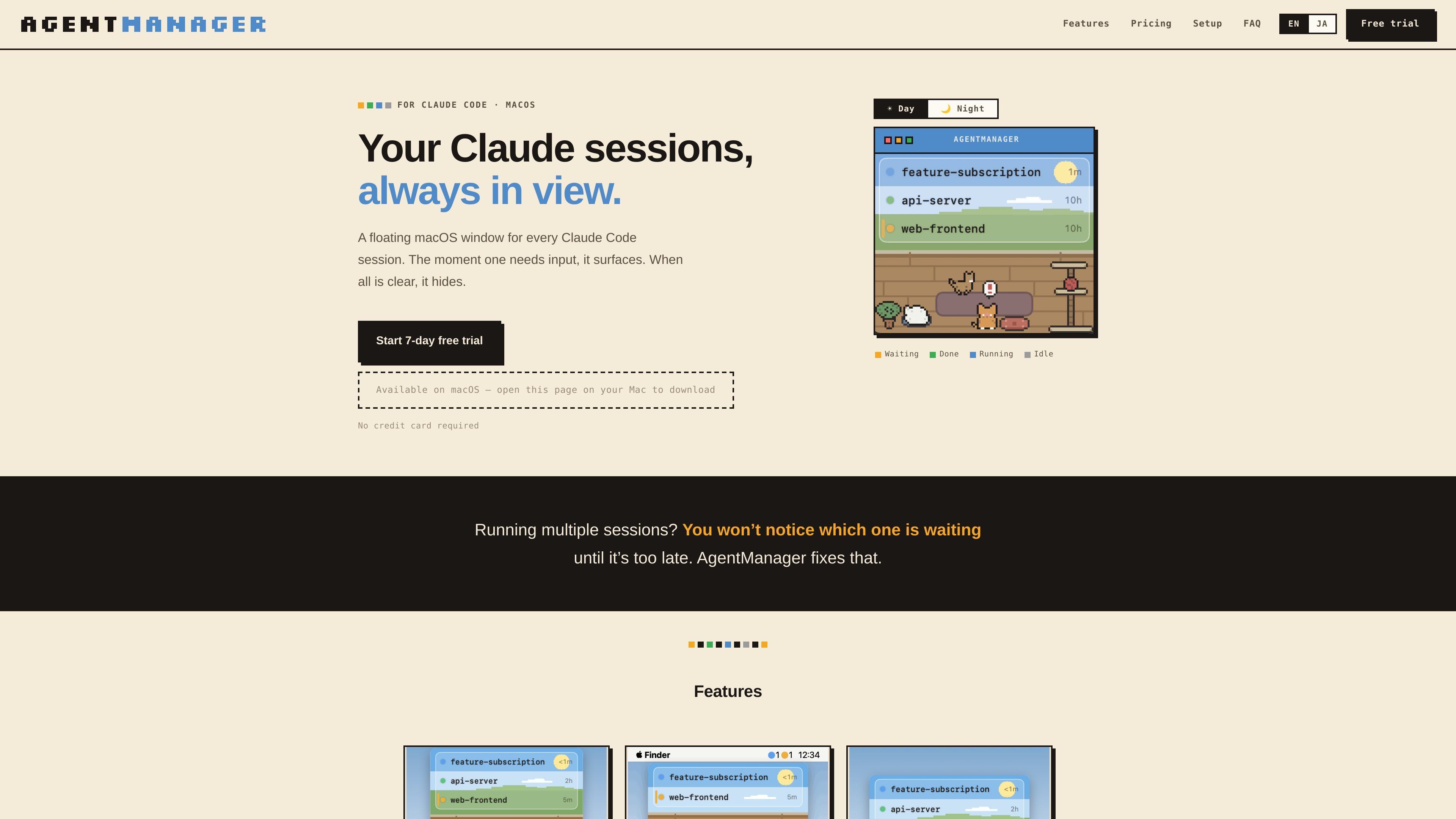
Status at a glance
Shows which sessions are running, waiting for input, done, or idle, plus how long each has been in that state.

AgentManager is a macOS app for monitoring Claude Code sessions in a floating window. It helps you see which session needs attention and jump back to the right terminal or IDE context.
AgentManager is a macOS app for Claude Code sessions. It keeps a floating window for your sessions so you can see when one is waiting, running, or finished without constantly checking the terminal.
The app is built for people who run multiple Claude sessions and need a clearer way to notice when one requires input. It uses Claude Code hooks to detect sessions automatically, then shows a window, menu-bar status, and jump controls for moving back to the right terminal or IDE context.
Shows which sessions are running, waiting for input, done, or idle, plus how long each has been in that state.
Brings the window forward as soon as any Claude session needs input, then hides it again when everything is clear.
Lets you click a session row to jump to the right pane, tab, or project window depending on the host app.
Supports keyboard-first control with a configurable window toggle and navigation for switching between sessions.
Displays status counts as colored dots in the menu bar so you can check activity without opening the window.
Includes optional cat sound alerts, a day/night pixel-art cat room, and a simple mode that hides the illustration for a list-only view.
Useful when you keep several Claude sessions open and need to see which one is waiting for input without checking each terminal manually.
Helps when you step away from the keyboard: the window appears when a session needs input, and the cat alert can notify you even if you are not watching the screen.
Supports workflows where Claude Code is launched from a terminal or IDE and you want to jump back to the exact pane, tab, or project window quickly.
Works for users who prefer keyboard-driven control and want to toggle the window, navigate sessions, and jump without using the mouse.
AgentManager is designed for macOS 13 Ventura or later and requires Claude Code (the claude CLI) to be installed.
Detection works in any terminal because it uses Claude Code hooks. Jump behavior varies by app: it can jump precisely to panes or tabs in iTerm2, Terminal, and Ghostty, and it can jump to the project window in supported IDEs such as VS Code, Cursor, Android Studio, and JetBrains IDEs.
No special permissions are needed for session detection. Jumping may require Automation permission for iTerm2, Terminal, or Ghostty, and Accessibility permission for Android Studio and similar IDEs. Some apps, including VS Code, Cursor, Zed, Warp, kitty, WezTerm, and Alacritty, do not require additional permissions for jumping.
During onboarding, AgentManager registers a Claude Code hook in ~/.claude/settings.json and creates a .bak backup first. After that, every Claude session appears automatically in the list.
Yes. The app offers a 7-day free trial with all features unlocked and no credit card required. After the trial, pricing on the homepage shows monthly and annual paid plans.
Traffic data is for reference only.

www.tryport22.com
port22 is an iOS app and macOS agent for monitoring and controlling coding-agent sessions running in a terminal. It streams transcripts to iPhone, sends input alerts, and supports Claude Code, Codex, and OpenCode.

evlat.kalaomer.com
Evlat is a quiet macOS status strip for monitoring Claude Code, Codex, and Antigravity sessions, plus long-running commands. It highlights sessions that need your response and shows activity from local or SSH-connected machines.

tablo-cat.netlify.app
tablo is a desktop cat widget that monitors Claude Code and OpenAI Codex sessions from the corner of your screen. See live context usage, permission requests, notifications, and per-session activity previews.

blackflare.dev
BlackFlare is a macOS menu bar app for Claude Code and Codex that keeps active sessions awake, sends completion or input-needed notifications, and displays usage. Forward alerts to Telegram or Slack and change defaults without manually editing config files.

valpere.github.io
session-indexer is a GitHub-hosted developer tool that indexes Claude Code session transcripts in SQLite and lets you search them semantically. It’s designed for per-project retrieval across JSONL session history, with FTS5 as a fallback when embedding-based retrieval isn’t available.

omlx.ai
oMLX is a native macOS LLM inference server built on MLX for running compatible language, vision-language, embedding, and reranker models locally on Apple Silicon. Designed for coding-agent workflows, it works with Claude Code, OpenClaw, Cursor, and OpenAI-compatible clients.