
Case-based work records
Keep a real piece of work in one case with its goal, input, records, decisions, references, and handoffs. Cases can also hold tasks when explicit coordination is useful.

Epismo is a collaboration workspace for people and AI agents that preserves a case’s goal, evidence, decisions, and next steps. It helps collaborators continue work across handoffs and turn effective approaches into reusable playbooks.
Epismo is a collaboration workspace for people and AI agents built around cases: durable records of real work that keep the goal, evidence, decisions, comments, references, and handoffs together. A person or AI agent can continue from the shared case instead of reconstructing context from a private runtime or disconnected tools.
Cases support coordination around one goal, including records, optional tasks, handoffs, assignments, access controls, and saved briefs. When a way of working proves useful, it can become a playbook with reusable guidance and immutable versions. Suggestions from later work can inform a new version, connecting day-to-day execution with documented practice.
Epismo provides web, CLI, API, and MCP surfaces. It stores shared coordination state; it does not replace the connected agent runtime. The agent or client still controls model selection, tools, retries, permissions, and execution.
Keep a real piece of work in one case with its goal, input, records, decisions, references, and handoffs. Cases can also hold tasks when explicit coordination is useful.
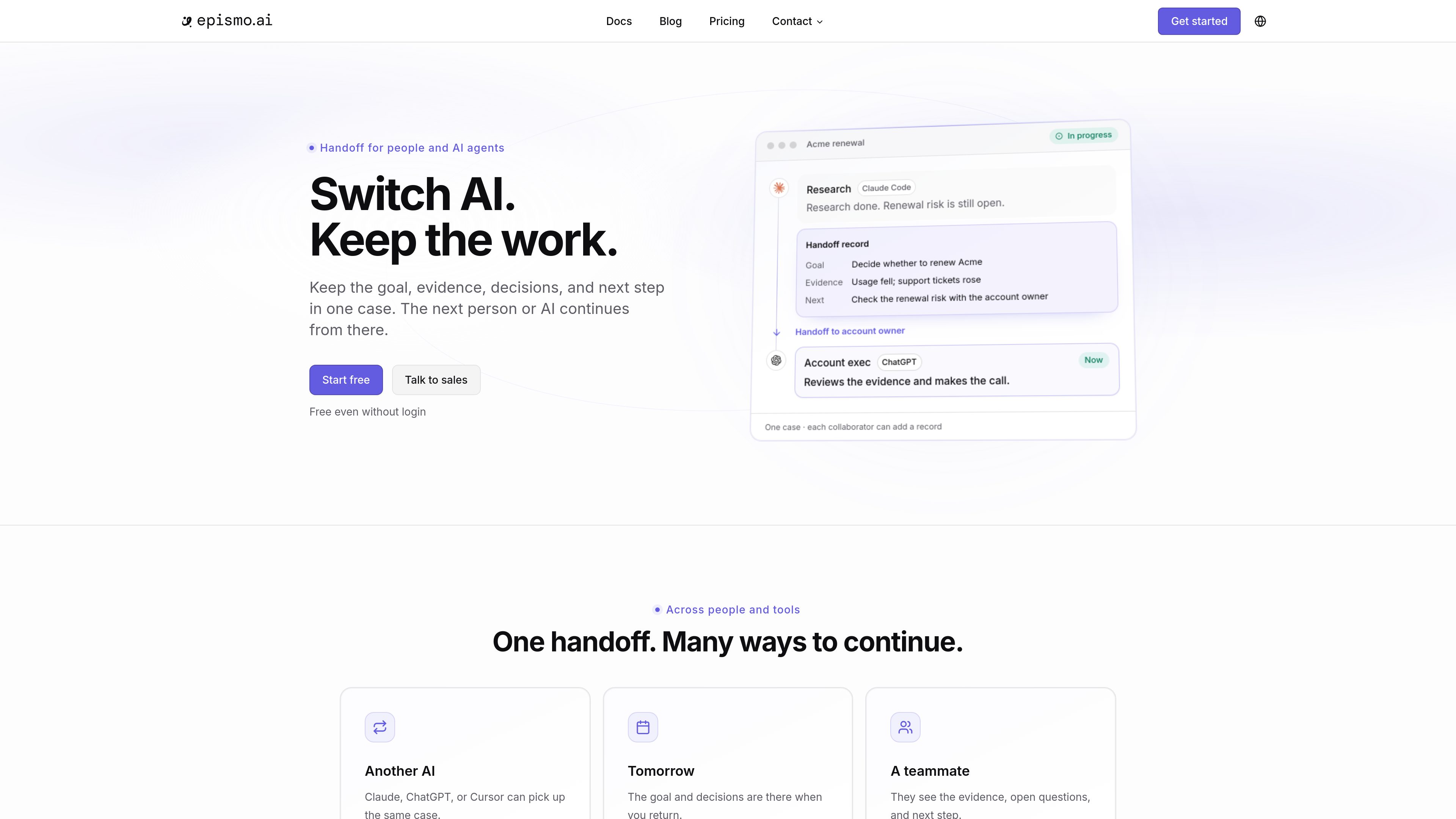
Pass work to a teammate or another AI agent with the evidence, open questions, and next step available for continuation.
Turn effective patterns from completed cases into playbooks containing repeatable guidance, resources, and human checks. Playbooks are preserved as immutable versions.
AI review can identify outputs that still need checking, while suggestions from work can be resolved into improved playbook versions.
Use Epismo through the web experience, CLI, API, or MCP. The documented surfaces support people, agents, and automation.
Team workspaces provide shared credits, team-based access control, centralized billing and usage history, and company login through SSO on the Pro plan.
Start a research case with a defined question and supporting evidence, then hand it to Claude Code, ChatGPT, Cursor, or another collaborator to review findings and take the next step.
Use a case to collect evidence for work such as an account-renewal review, distinguish verified facts from assumptions, and hand the decision to the responsible owner.
Capture a successful operational workflow as a playbook, including the checks and resources worth repeating, then use that guidance to start similar future work.
After a case is completed, turn lessons into a suggestion for a specific playbook version and publish an updated version when the guidance should change.
Return to a case later with its saved goal, decisions, records, and next step instead of relying on an individual collaborator’s private context.
No. Epismo stores the shared contract and durable coordination state for work. The connected agent or client still chooses models, tools, retries, subagents, permissions, and execution graphs.
A case represents one real piece of work and preserves its records, outcomes, decisions, and handoffs. A playbook preserves reusable guidance as immutable versions for future work.
Yes. Epismo is designed for handoffs between people and agents. Its documented web, CLI, API, and MCP surfaces let collaborators continue cases and discover or use playbooks.
Public case and playbook content can be read without an account on supported surfaces. Saving your own work requires an account.
Epismo has a free individual plan and a Pro team plan priced per workspace rather than per seat. Plans include monthly credits, and additional credits are available when needed. Successful operations are metered; failed or invalid calls are not charged.

skynetlab-cortex.com
Cortex is a semantic memory infrastructure for AI assistants and agents. It helps teams keep shared context, decisions, sources, and contradictions available across conversations and model changes.

luci.memories.ai
LUCI is a local desktop memory tool for Mac and Windows that captures computer activity and meetings, then makes that context available to search, chat, and connected AI coding agents. It is designed for people and teams that need persistent context across calls, screens, notes, and everyday workflows.

slite.com
Slite is a self-maintaining AI knowledge base that keeps team documentation current, answers questions across connected tools, and verifies information in one workspace.

fast.io
Fastio is an AI-powered business storage workspace for teams to search, share, extract data from, and automate work across files—all in one product.

www.getnoan.com
NOAN is a fact layer and API for businesses that want websites, applications, and AI agents to use the same verified company information. It organizes approved, versioned business facts in a connected workspace accessible through REST and MCP.

memmy.bot
Memmy is a local-first AI agent and memory layer for people who use multiple AI tools. It keeps authorized context on-device and can carry relevant memory between desktop apps, CLI workflows, and external agents.