
Audio and video transcription
Upload audio or video files to generate clean transcripts directly from media files, with the audio and video landing pages describing instant transcription and 99% accuracy precision.

Dictationer transcribes audio and video, then repurposes content into captions, summaries, translations, and publishable drafts.
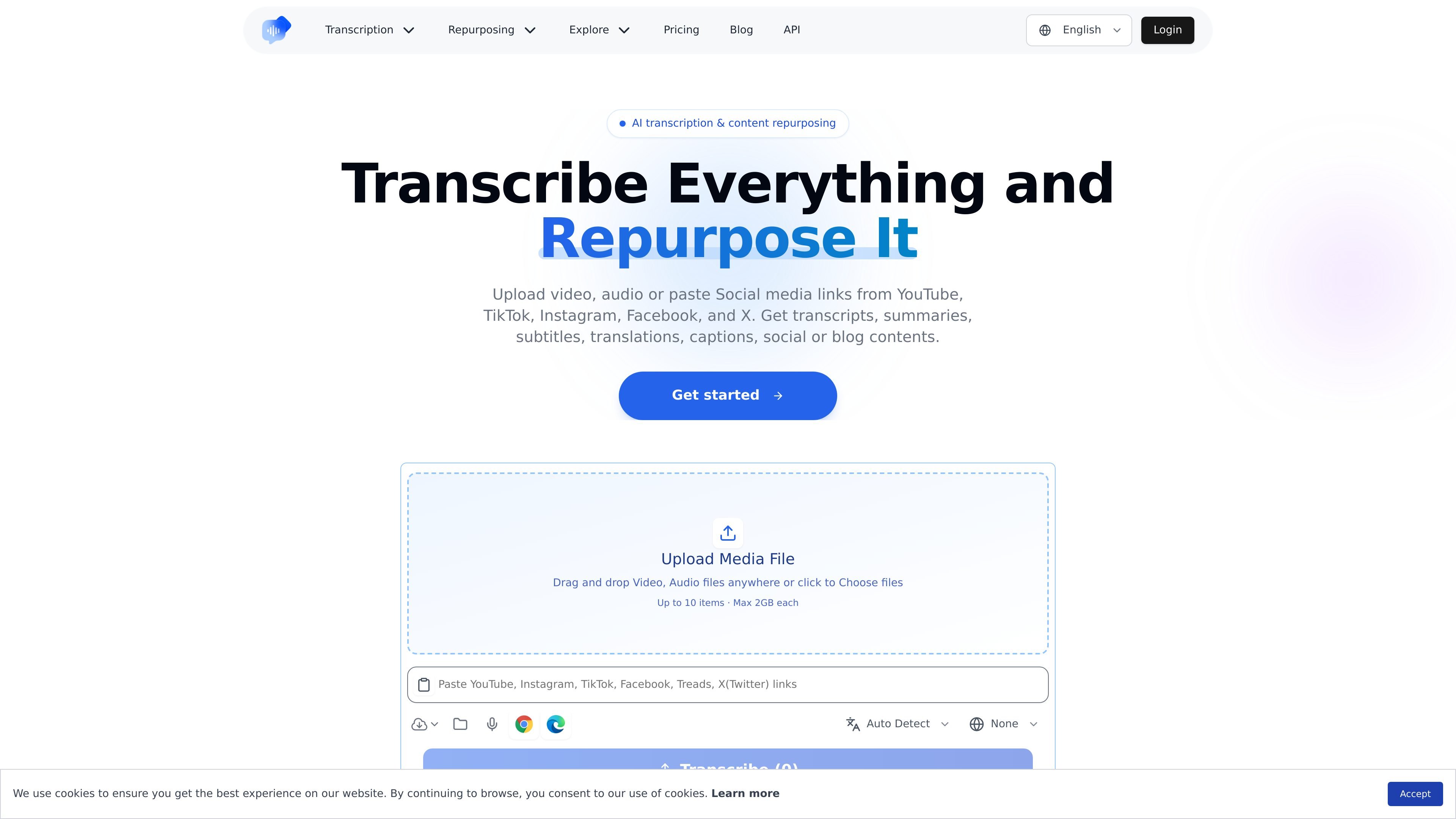
Dictationer is an AI transcription and content repurposing tool built around audio, video, and social media sources. Its home page positions the product as a way to upload media or paste links from YouTube, TikTok, Instagram, Facebook, and X, then turn that source into transcripts and downstream content.
The product is aimed at people who need fast text versions of recordings and clips, especially creators, marketers, podcasters, editors, and startup teams working from short-form video, webinars, interviews, or social posts. In addition to transcription, the site presents summaries, subtitles, translations, captions, and social or blog content as part of the workflow.
Upload audio or video files to generate clean transcripts directly from media files, with the audio and video landing pages describing instant transcription and 99% accuracy precision.
Paste links from supported social platforms so the product can work from online clips instead of requiring a download first; the homepage lists YouTube, TikTok, Instagram, Facebook, and X.
Create multiple text outputs from the same source, including summaries, subtitles, translations, captions, and social or blog content, rather than stopping at a plain transcript.
Use the pricing page’s feature list to understand the product as an AI transcription service that also includes auto caption, translation, and summarization in its plan set.
Earn referral credits by sharing a personal link; credits are added automatically when a referred user registers or subscribes, and can be used for premium features.
Upload recorded interviews, voice notes, or meetings and turn them into clean text that is easier to scan, quote, and edit than the original audio.
Paste a YouTube, TikTok, Instagram, Facebook, or X link and use the resulting transcript as the starting point for captions, hooks, summaries, or posts.
Use the translation and subtitle outputs to prepare the same source content for different audiences or publication formats.
Turn webinars and other longer recordings into ready-to-post drafts that a creator, marketer, or operations team can adapt for publishing.
Dictationer supports uploading audio and video files, and it also accepts social media links from YouTube, TikTok, Instagram, Facebook, and X for transcription and repurposing workflows.
The source pages describe outputs such as transcripts, summaries, subtitles, translations, captions, and social or blog content. The product pages also mention auto caption, transcription, translation, and summarization in pricing-related copy.
The free-credit page says credits are required for premium features, and it describes credits being used for advanced dictation features, expanded storage, priority processing, and other premium tools.
The source pages do not describe a team workspace or collaboration setup in detail. They do show that people use the product to turn clips and recordings into ready-to-post drafts, which can support individual or team workflows.
The page text does not list hard limits for file types, duration, languages, or output volume. It does show separate workflows for audio-to-text, video-to-text, and link-based content processing.
Traffic data is for reference only.

uniscribe.co
Transcribe audio and video, then create summaries, mind maps, and key questions.

transcribeme.app
Browser-based transcription for audio, video, summaries, and translations

happyscribe.com
HappyScribe turns audio and video into searchable text, subtitles, and translations in 150+ languages, with AI meeting notes and human-made workflows.

listenmonster.com
FastTranscriber turns uploaded audio and video into text, captions, and subtitles.

tingwu.aliyun.com
An Alibaba Cloud AI assistant for recording, organizing, and analyzing audio and video content for work and study.

transkriptor.com
Transkriptor turns audio and video into editable text with AI for meetings, lectures, interviews, calls, and voice notes. Available on web, desktop, mobile, and Chrome, with summaries, exports, and custom vocabulary.