
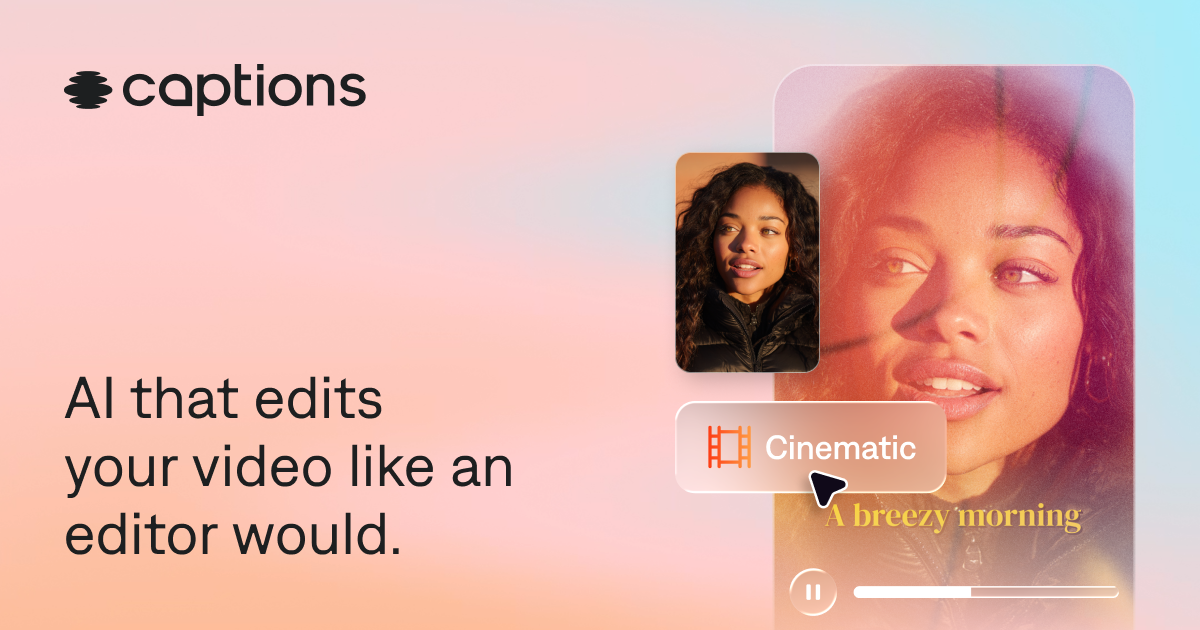
AI editing styles
Apply a selected style to footage; the editor can cut scenes, add B-roll, and apply visual treatments. Users can switch styles and make further changes.

AI video editing and generation for creators and teams making social, marketing, and product videos.
Captions is an AI video editor and generator for turning existing footage or a written idea into a finished, share-ready video. It automates editing tasks such as cutting scenes, adding captions and B-roll, and applying music or transitions, while letting users direct revisions through prompts. The product is available in a browser and as a mobile app, with tools for individual creators, ecommerce businesses, and marketing teams.
Apply a selected style to footage; the editor can cut scenes, add B-roll, and apply visual treatments. Users can switch styles and make further changes.
Use a chat-based editor and plain-language prompts to request changes to an existing edit or guide video creation.
Generate stylized captions and translate subtitles into more than 100 languages.
Generate footage, avatars, music, sound effects, images, and voiceovers. Users can also create a digital twin or use digital avatars.
Tools include background-noise removal, pause and filler-word trimming, and eye-contact correction. Videos can be made in vertical or horizontal formats.
Turn recorded footage into captioned, styled edits for social publishing, with music, transitions, and framing suited to vertical video.
Create product demos, ads, and UGC-style videos from product footage or, where suitable, product images, written descriptions, and brand assets.
Convert a long video into multiple post-ready clips, such as podcast excerpts or tutorial segments.
Use a digital twin or an available avatar to create videos across topics, with prompts for changes such as outfits, backgrounds, or product inserts.
Marketing teams can use editing, avatar generation, and repurposing tools in one workflow to produce videos for different channels.
Yes. Upload or record footage, then use automatic editing and the available tools to refine the result.
Yes. It can generate footage and AI-avatar videos. Ecommerce workflows can use product images, written descriptions, and brand assets, as well as recorded footage.
Captions is available in a browser and on mobile through the App Store and Google Play.
The free version includes basic tools such as trimming, transitions, and some media library assets. Generative AI and advanced editing require a paid plan. The listed iOS Max plan costs US$24.99 per month and includes 500 monthly credits; web and other platform pricing may differ.
Yes. Plans can be upgraded or downgraded through account settings or the relevant app-store settings. An upgrade takes effect immediately with prorated billing; a downgrade remains pending until the current billing cycle ends.
Traffic data is for reference only.

promo.com
Promo.com is an AI video maker that helps businesses turn websites, products, listings, or ideas into marketing videos with templates, editing, media, and planning tools.

www.hyperdream.co
An end-to-end AI filmmaking studio that takes projects from script development through casting, storyboarding, cinematic video generation, editing, and export. Built for indie filmmakers, content creators, marketers, screenwriters, and studios seeking a structured, all-in-one video production workflow.

wizstar.com
Wizstar is an AI video creation platform that turns text, images, scripts, audio, product links, and reference videos into videos, product ads, translated content, images, and avatar-led clips. Built for creators, e-commerce sellers, marketers, educators, and business teams, it makes it easy to produce and adapt video content without filming or advanced editing.

pika.art
Pika is an AI video platform for creating and editing short videos from prompts, images, and footage, with plan-based commercial use and watermark-free downloads on higher tiers.

seko.sensetime.com
Seko is SenseTime’s AI video platform for creating, editing, and customizing videos.

hailuoai.video
Create AI videos from prompts, photos, and references, with model-specific generation and editing workflows.