
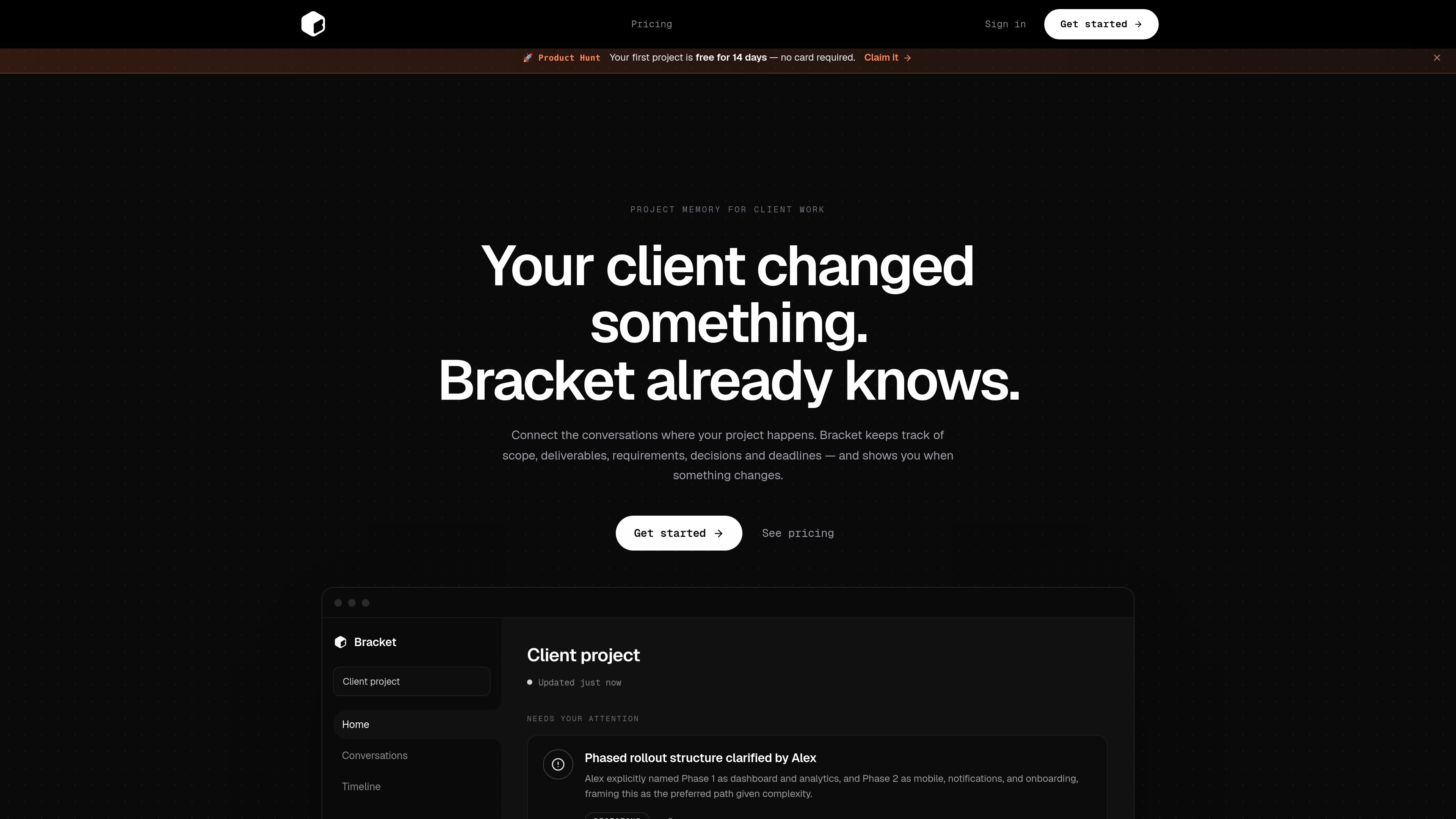
Conversation-based project memory
Connect a Gmail conversation or another supported source so project context remains organized as the client discussion evolves.

Bracket is an AI workspace for client projects that turns Gmail conversations or other supported sources into organized scope, deliverables, requirements, decisions, and deadlines. It helps project teams identify meaningful changes and prepare client-facing replies and documents.
Bracket is an AI decision workspace for client projects. It connects to a Gmail conversation or another supported source, then organizes the project context into scope, deliverables, requirements, decisions, and deadlines.
When the conversation changes, Bracket maintains live project memory and surfaces meaningful updates, including what changed and what the change affects. Users can review the update and approve the change rather than repeatedly reconstructing project status from messages.
The product also supports client-work outputs such as drafted client replies and client-ready documents. It is positioned for both ongoing client work and occasional single-project use, although the available source does not specify platform availability, team capabilities, security details, or a complete list of supported integrations.
Connect a Gmail conversation or another supported source so project context remains organized as the client discussion evolves.
Bracket separates project information into scope, deliverables, requirements, decisions, and deadlines instead of leaving it distributed across messages.
The workspace highlights meaningful changes, explains what happened and what it affects, and provides a review point before the change is accepted.
Bracket can draft client replies and supports sending them through the product workflow, according to the pricing page.
The product is designed to produce documents suitable for client work, alongside its organized project information.
Users can choose a monthly option for ongoing client work or a project-based option for occasional work; the source does not establish additional plan differences beyond those listed.
Connect an active client conversation when requirements are still moving. Bracket keeps the evolving scope and decisions organized and calls attention to meaningful changes.
Use the structured project record to inspect deliverables, requirements, and deadlines without manually piecing them together from a long message thread.
When a client clarifies a preference or changes direction, use the decision and update views to understand the latest project position and its effects.
Use Bracket to draft a reply or prepare client-ready project documents after reviewing the current context and approved changes.
Use the project-based option for occasional client work when a single active project is more appropriate than an ongoing monthly workflow.
Bracket organizes client-project conversations into scope, deliverables, requirements, decisions, and deadlines. It also identifies meaningful changes and helps prepare client replies and client-ready documents.
The product says to connect the Gmail conversation or another supported source where the client project already lives. The available content does not provide a complete list of supported sources.
Bracket updates the project memory and shows what changed and what it affects. The workflow includes a review step in which the user approves the change.
Yes. The pricing page presents a monthly option for ongoing client work and a separate project-based option for occasional client work.
Yes. Both listed plans include draft-and-send client replies. The source does not explain the exact sending workflow or identify additional output formats.
Traffic data is for reference only.

monodesk.com
MonoDesk is a web-based workspace for freelance creatives and small teams, combining proposals, client communication, project planning, and AI assistance in one place. Free during public beta.

meridiona.com
Meridian is an engineering intelligence workspace that helps engineering leaders and teams understand delivery health, execution context, risks, and decisions. It connects project signals and team updates into a shared delivery view without replacing the project tracker.

linear.app
Linear is a product development platform for planning, building, and monitoring work in one workspace, with issue tracking, project planning, AI-assisted coding, code review, and product operations.

kroolo.com
AI-native workspace for projects, docs, search, chat, and automations

constructable.ai
Constructable is an AI project management platform for construction teams, covering preconstruction, projects, field operations, and finances with RFIs, submittals, takeoffs, daily logs, bids, onboarding, and support.

offloop.org
Offloop is a shared workspace for small teams and AI agents to run recurring work with visible context, ownership, approvals, and handoffs. It turns agent results into reusable workflows inside team Channels.