
Goal-based room casting
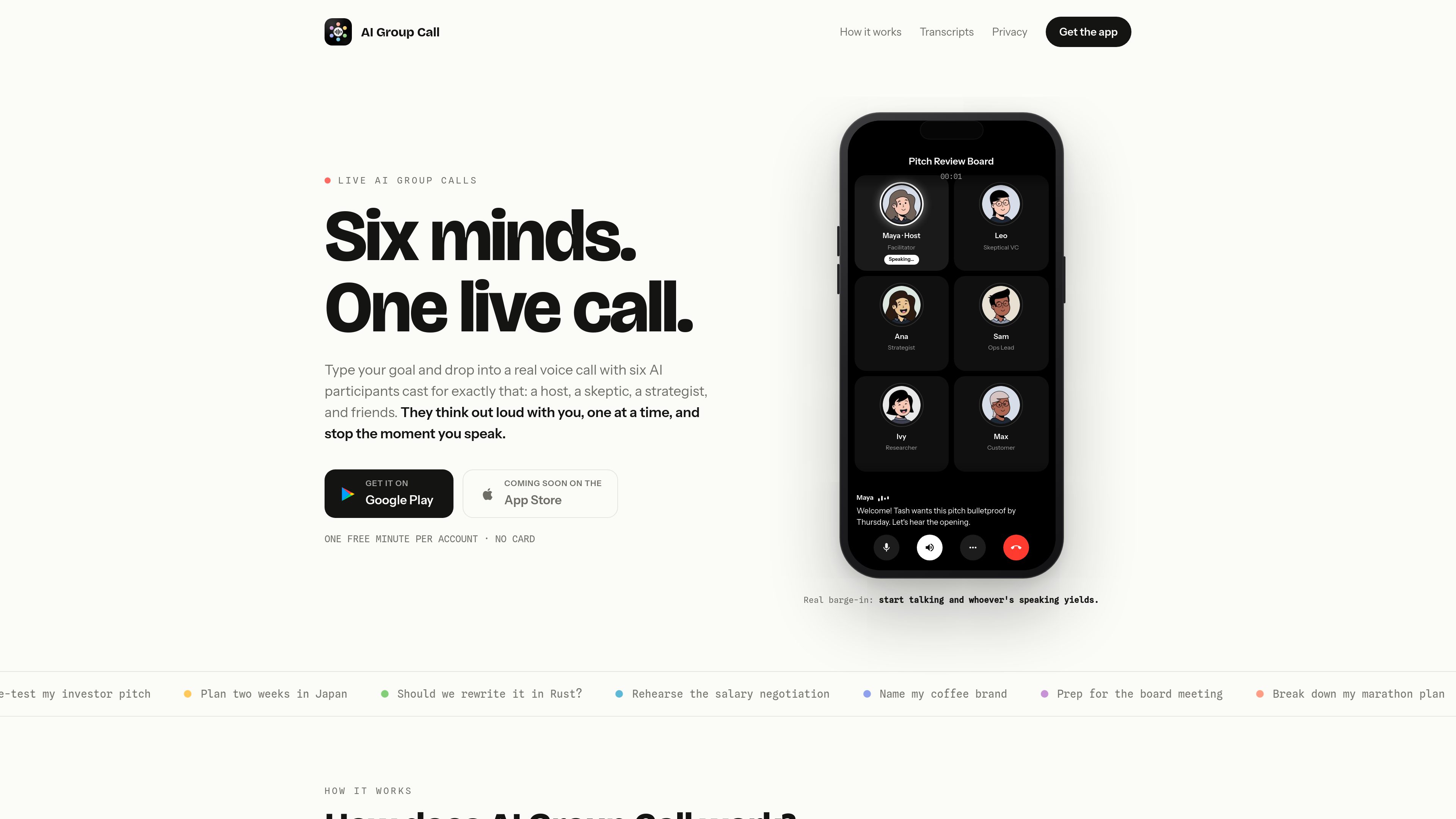
Type a goal and the app assembles six AI participants around it, including a host, a skeptic, a strategist, and other voices chosen to fit the topic.
AI Group Call is a mobile app that turns a typed goal into a live voice call with six AI participants. It’s designed for people who want to pressure-test ideas, rehearse decisions, or think through a task out loud.
AI Group Call is a mobile app that turns one typed goal into a live voice call with six AI participants cast around that goal. The app is built for guided, real-time conversation rather than a static text chat: each voice joins within seconds, speaks one at a time, and yields when the caller starts talking.
After each call, the app saves the conversation history with a full transcript, a one-tap summary, and action items. The site also says users can bring the same six voices back for another round, edit the cast, and report an AI response directly from the transcript view.
Type a goal and the app assembles six AI participants around it, including a host, a skeptic, a strategist, and other voices chosen to fit the topic.
The call runs live, with participants speaking one at a time and yielding the floor the moment the user starts talking.
Every word is captioned in-call, and finished calls are stored with a full transcript for later review.
Completed calls include a concise summary plus action items so the main takeaways are easy to revisit.
Users can tap an avatar to change that participant’s name, role, bio, and traits, including during a call.
The app can reassemble the same six-person cast for a follow-up conversation, which is useful when a topic needs another round.
Use the call to challenge an investor pitch, product concept, or launch plan with a participant that pushes back and others that build on the proposal.
Bring a concrete task into the room, such as planning a trip, breaking down a work project, or mapping next steps for a deadline.
Practice a salary negotiation, board update, or other high-stakes conversation where hearing objections out loud can help you prepare.
Use the cast as a brainstorming room for naming a coffee brand or testing the framing of a message before you commit to it.
Reopen the same six-person cast to continue the discussion, review the transcript, and refine the next round of ideas.
It turns a typed goal into a live voice call with six AI participants that speak one at a time and respond in real time.
Yes. The site says each finished call is saved with a full transcript, and you can also view a one-tap summary and action items.
Yes. The product describes true barge-in behavior, meaning the call yields when you start talking.
The site says every new account includes one free minute of call time with no card required.
Support pages say additional minutes are sold through Google Play subscriptions, and subscription management is handled in your Google Play or Apple App Store account settings.
Traffic data is for reference only.

sesame.com
Sesame creates personal agents for curious minds—think out loud, follow ideas, and discover new directions through natural conversation. iOS preview now; Android soon.

text-speech.net
Text-speech.net turns typed or pasted text into speech in your browser, with speed, language, and voice controls—no signup required.

luvvoice.com
Luvvoice turns typed text and uploaded documents into spoken audio with 70+ languages, multiple voices, MP3 downloads, browser playback, API access, and voice cloning.

voicegenerator.io
Voice Generator is a free browser-based text-to-speech app that turns typed text into spoken audio, with playback, downloads, pitch, speed, and offline use.

inbox-ai.app
Mac app for AI-assisted conversations, email processing, and task automation by voice or text.

cloudtalk.io
CloudTalk is an AI call center and business phone platform for sales, support, operations, and hiring teams, combining calling, routing, messaging, AI voice agents, and business tool integrations.