
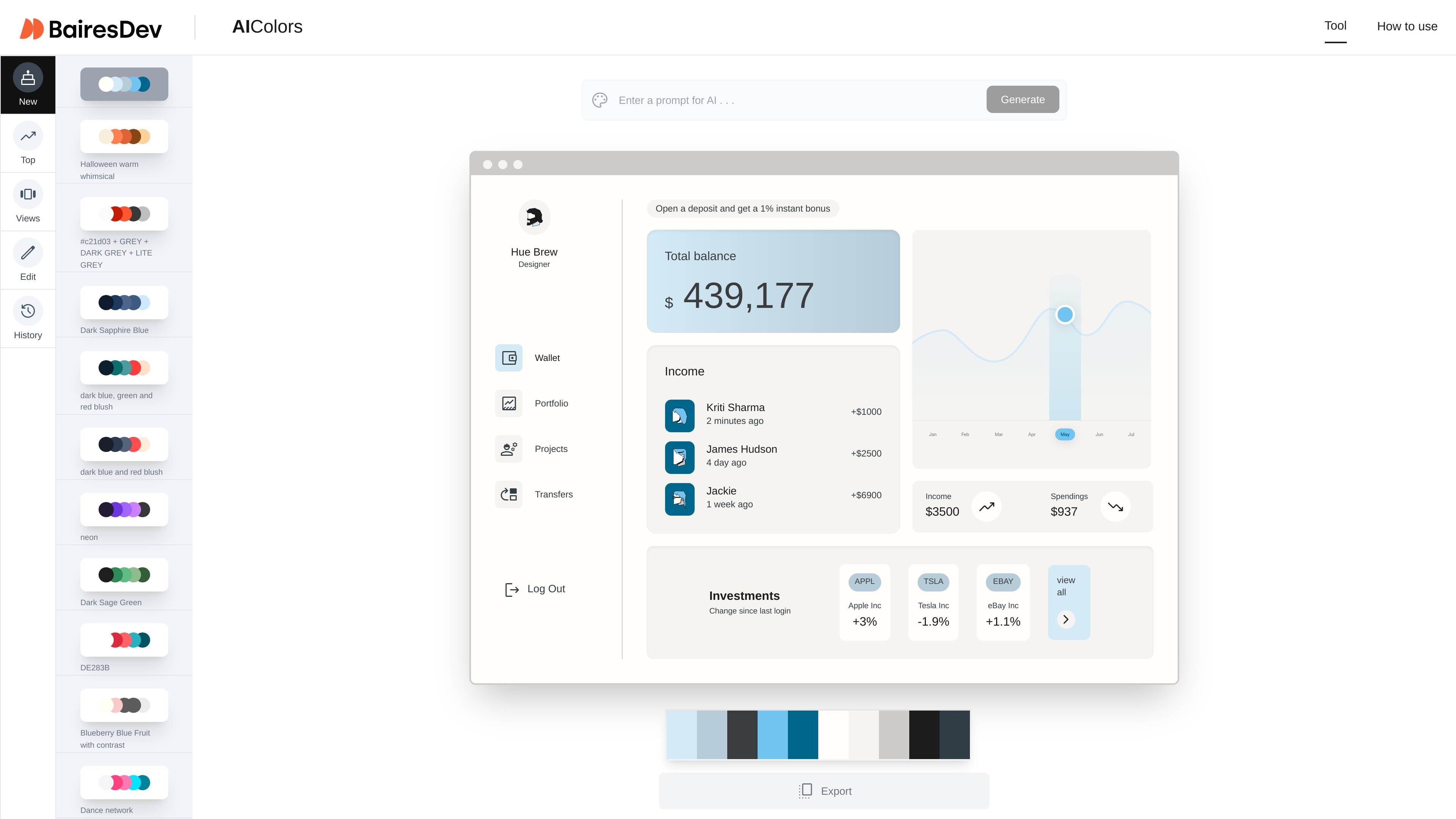
Prompt-based palette generation
Create palettes from text inputs such as moods, objects, styles, and brand-like phrases, which makes it easier to start from a visual direction instead of a blank color picker.

AI Colors turns text prompts into palettes with swatches and editable HEX values.
AI Colors is a prompt-to-palette tool from BairesDev. It turns short text prompts into color palettes and presents the results as named swatches with editable HEX values.
The page shows the tool being used with a range of mood-based and scenario-based prompts, from abstract combinations like warm whimsical to application-oriented examples like a banking website or a dashboard color set. That makes it useful for designers and front-end teams who want a quick visual starting point for branding, UI exploration, or theme selection.
Create palettes from text inputs such as moods, objects, styles, and brand-like phrases, which makes it easier to start from a visual direction instead of a blank color picker.
Browse a large set of example palette prompts and names on the page, including themes like Halloween, cyberpunk, ocean sunset, and banking website, which suggests a library of starting points and inspiration.
View generated palettes as individual color swatches with hex values, making the output directly usable in design tools and style guides.
Copy palette values one by one or copy all values together, which reduces manual transcription when moving colors into a design system or interface mockup.
Edit a palette and export it with one click for use in your design workflow.
Use AI Colors when you need a fast visual starting point for a landing page, app screen, or design concept and want the palette to reflect a mood, object, or season.
Generate color combinations for interface themes such as dashboards, financial apps, or content platforms, then copy the values into your stylesheets or design system.
Use the prompt examples as inspiration when building a brand palette around a concept like vintage, cyberpunk, minimalist, or playful without starting from color theory alone.
Create or compare palette options for specific scenes and atmospheres, such as summer, rainy mornings, or nightlife, when a project needs a consistent visual tone.
Enter a mood, theme or idea and choose Generate. Adjust HEX values in the editing tools and preview the palette in interface mockups. You can also browse New and Top community palettes for inspiration.
Yes. AI Colors offers one-click palette export. You can also edit the HEX values and preview the palette in interface mockups before exporting.
Traffic data is for reference only.

usekodo.ai
Kodo turns text prompts into editable designs for presentations, posters, menus, social graphics, and more.

napkin.ai
Napkin AI turns text into editable visuals for presentations, documents, social posts, and team collaboration.

slidespeak.co
AI presentation maker that turns prompts and files into editable PowerPoint decks

flowstep.ai
Flowstep is an AI design assistant that turns prompts into editable UI, exports code, copies to Figma, and connects to IDEs via MCP.

banani.co
Banani is an AI UI design tool that turns prompts, references, and PRDs into editable designs and prototypes.

vizgpt.ai
vizGPT turns plain-language prompts into editable Lottie, SVG, GIF, and data graphics for product, design, marketing, and frontend teams.