
Channel-based templates
Browse templates by channel and floor category to move from a use case to a starting point without building from scratch.

Topview AI is an AI video platform for social ads, ecommerce creatives, avatar videos, and short drama content with prompts, templates, and team collaboration.
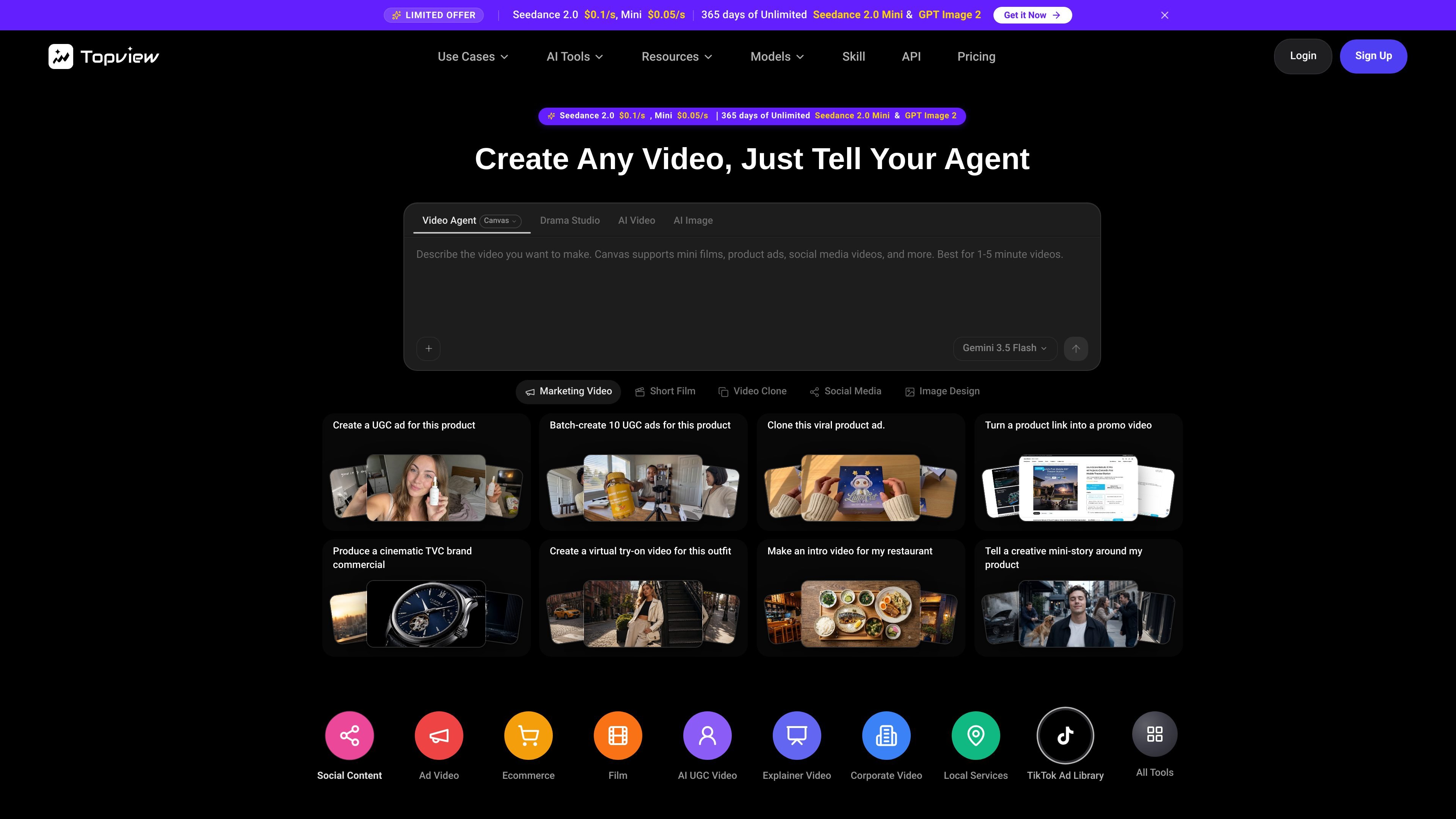
Topview AI is an AI video platform centered on prompt-based generation, template browsing, and specialized workflows for social ads, ecommerce creatives, avatar videos, and short drama content. The home page positions it as a place where teams can tell an agent what they want to make and then move into generation through templates or dedicated tools.
The site surface shows several related products and workflows, including Home, Canvas, Drama Studio, Seedance, AI Video, AI Image, and Video Agent. Pricing information indicates paid plans with credit-based usage, access to multiple video and image models, and higher-tier collaboration features for teams.
Browse templates by channel and floor category to move from a use case to a starting point without building from scratch.
Create videos from prompts, with support for reusable references and presets to keep outputs aligned with an intended style.
Compare creative directions through fast preview playback and detail dialogs before committing to a full generation path.
Jump from the home page into specialized tools such as TikTok Ad Library and AI Avatar from one entry point.
The pricing page lists access to video models, image and editing models, and dedicated tool coverage such as video edit and motion control on paid tiers.
Team plans add real-time co-editing of canvas and storyline, shared assets, brand kit support, seat management, and credit controls.
Use channel-based templates and prompt generation to create social ads, ecommerce creatives, and short-form promotional videos without starting from a blank timeline.
Move a story idea, script, or novel chapter into short drama episodes with scripts, storyboards, characters, voiceovers, and subtitles.
Use the Canvas and Seedance workflows to turn longer prompts, reference images, and music or scene cues into cinematic or product-focused video drafts.
Use the team plan to co-edit canvas and storyline, share assets, manage seats, and control credits across a group workflow.
Start from the home page as a hub to reach specialized tools such as TikTok Ad Library or AI Avatar when a project needs a narrower workflow.
Topview AI Home is the central entry point for the platform’s video workflow. The home page says teams can discover templates, start generation from prompts, and jump into specialized tools such as TikTok Ad Library or AI Avatar.
Yes. The home page says the template system is organized by channel tabs such as Social Content, Ad Video, Ecommerce, and Local Pick, so users can match different creative goals quickly.
Yes. The home page notes that the composer supports reference uploads and prompt instructions, which lets users keep style consistent while creating new variants.
The pricing page shows paid plans with different credit allocations and usage limits, and also lists a Team plan with collaboration features. It does not present the product as a purely free tool.
The site describes multiple generation paths, including Seedance, Canvas, Drama Studio, AI Video, AI Image, and Video Agent. It also shows plan access to video models, image and editing models, and collaboration tools on higher tiers.