
AI-Powered Scheduling
SkedPal automatically creates a schedule from your tasks using priorities, availability, calendar events, goals, preferences, and constraints. The pricing page lists a 21-day planning window on Core and a 60-day window on Pro.

SkedPal is an AI-powered calendar and task scheduling tool that turns your to-do list into a time-blocked schedule and adapts as priorities change.
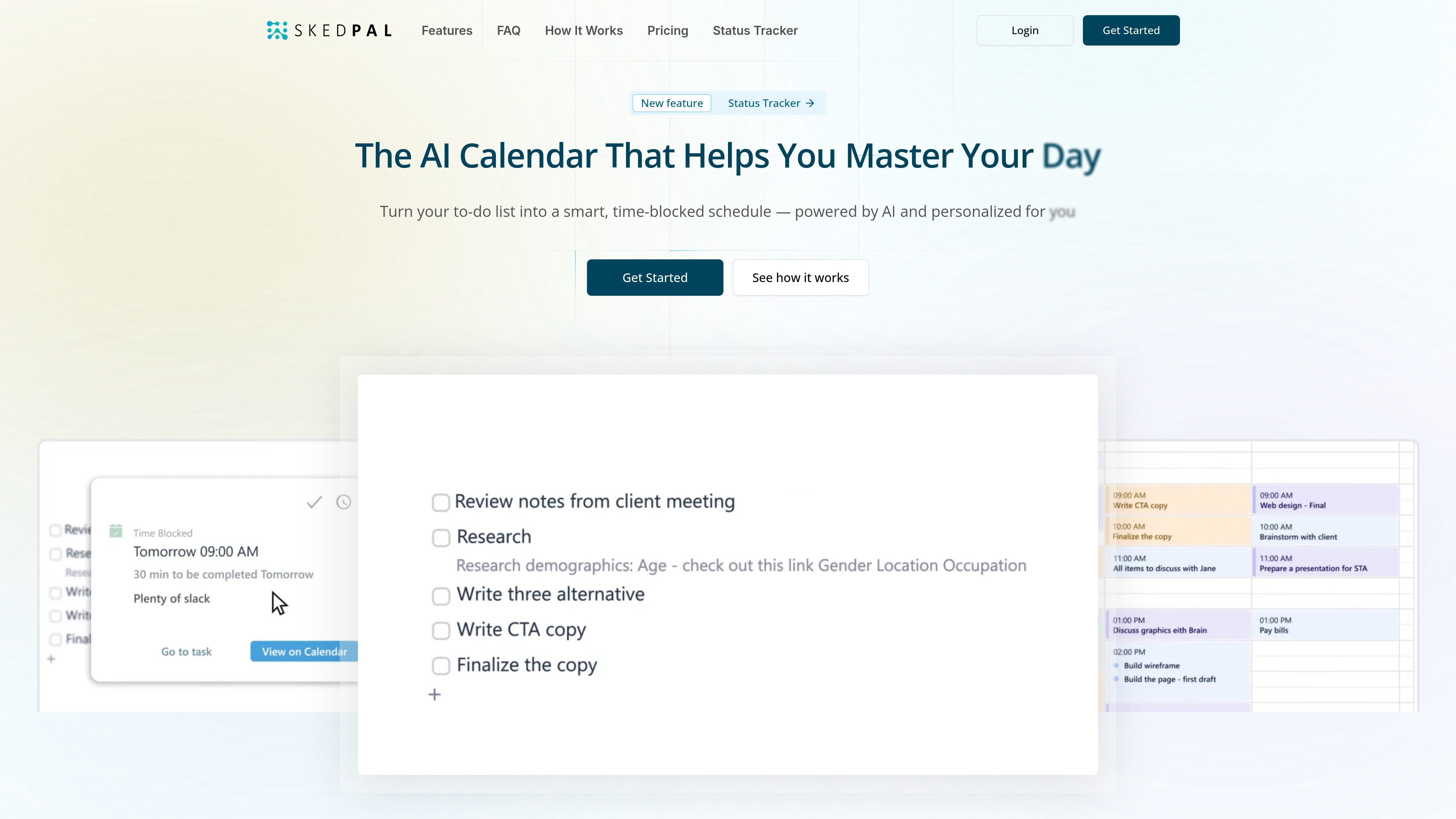
SkedPal is an AI-powered calendar and task scheduling tool that turns a to-do list into a time-blocked schedule. Its core purpose is to help people plan work around real availability instead of leaving tasks as unscheduled reminders.
The product combines task organization, priority setting, automatic scheduling, and live schedule adjustments. The source describes an Outline for collecting tasks and projects, a Prioritization Board for ordering them, a Calendar that places work on the schedule, and a Status Tracker that helps the plan adapt when interruptions or changes occur.
SkedPal automatically creates a schedule from your tasks using priorities, availability, calendar events, goals, preferences, and constraints. The pricing page lists a 21-day planning window on Core and a 60-day window on Pro.
The Outline is a workspace for adding and organizing ideas, commitments, projects, habits, and other tasks so they can be planned later.
The Prioritization Board lets you rank tasks by relative importance so the scheduler can place higher-priority work first.
Time Budgeting lets you allocate time to different work zones, such as deep work and admin tasks, to balance how your time is used.
The Status Tracker shows your day in motion and helps you see what is on track, what is slipping, and how the schedule adapts when things change.
SkedPal syncs with external calendars and supports Google, Office 365, and iCloud. The pricing page also distinguishes between one synced calendar account on Core and unlimited accounts on Pro.
Use SkedPal when you want a list of tasks, projects, or habits converted into a realistic calendar so time is blocked for the work instead of just recorded as a reminder.
Use the Prioritization Board and time budgeting features to decide which work matters most and reserve capacity for different kinds of tasks, such as deep work and admin.
Use the Status Tracker when your day changes frequently and you need the schedule to adapt after interruptions, overruns, or shifting priorities.
Use the calendar sync features if you already rely on Google, Office 365, or iCloud and want your planned work to stay aligned with your existing calendar.
Use the Asana and Zapier references on the site as starting points for connecting team planning or automating task intake, while keeping personal scheduling inside SkedPal.
SkedPal is designed for people who want their task list turned into a time-blocked schedule. The source describes it as an AI-powered calendar for protecting time for deep work, learning, projects, and other tasks that are easy to postpone.
SkedPal uses your priorities, preferences, and constraints to build a schedule, then updates it as plans change. The source also says it can reschedule automatically when interruptions happen or when your day changes.
The source indicates SkedPal has a 14-day free trial, with no credit card required to sign up. The pricing page says you can try any plan free for 14 days.
The source shows a single-calendar sync on the Core plan and unlimited calendar accounts on the Pro plan, with support for Google, Office 365, and iCloud mentioned on the pricing page.
The source includes team-oriented wording and mentions Asana integration for collaborative planning, but it does not provide full team-product details on the pages provided.