
AI email drafting and rewriting
Write a short prompt or draft and get three email drafts to choose from, with options to compose, reply, or improve text inside Outlook or Gmail.

Maestro Labs makes AI tools for Microsoft 365 that help users write emails, summarize threads, capture meeting notes, and manage related workflows inside Outlook, Gmail, and Teams. It offers free entry points alongside paid per-seat plans for individuals, teams, and enterprise use.
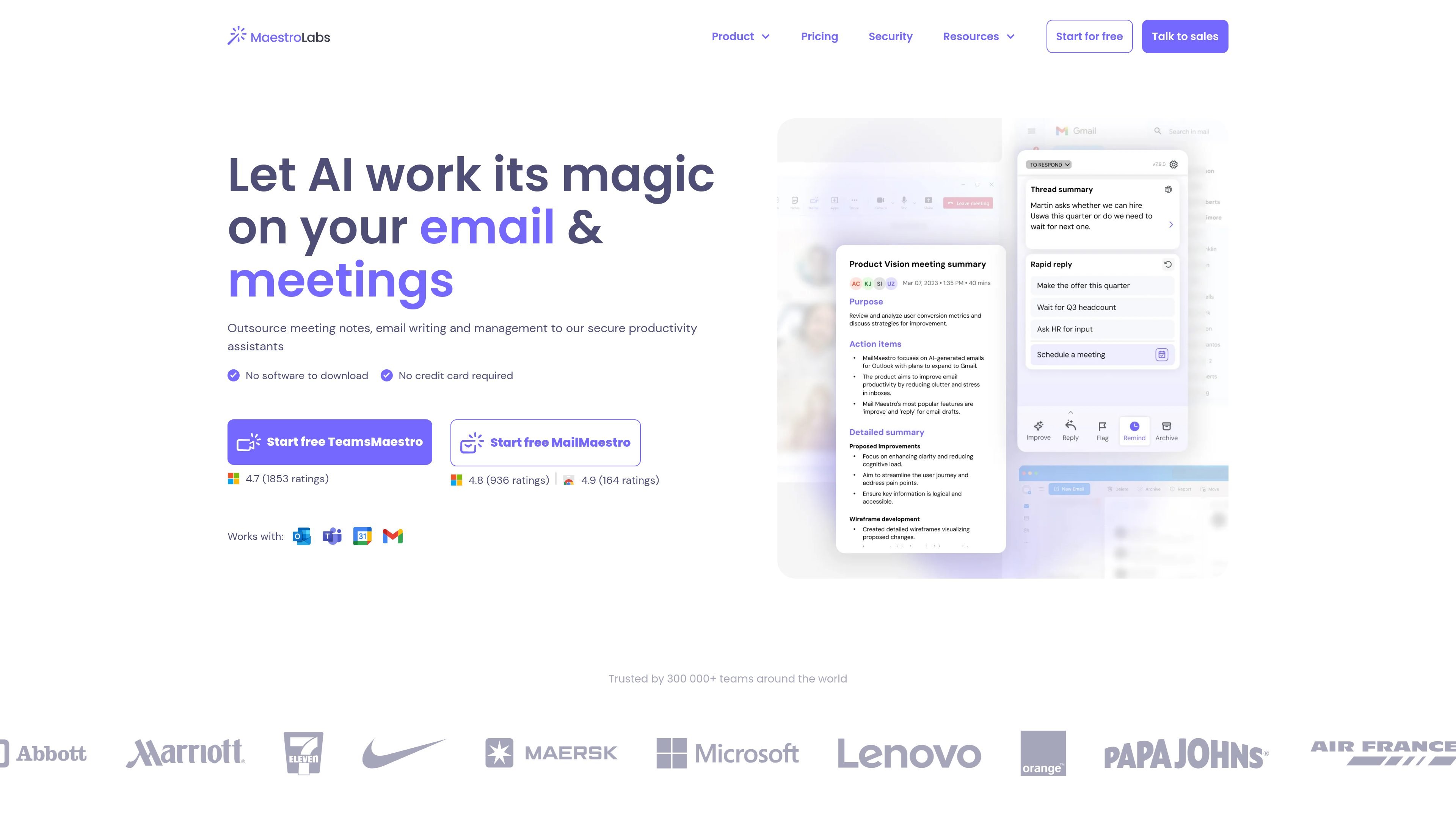
Maestro Labs makes AI productivity tools for Microsoft 365 users, centered on MailMaestro for email work and TeamsMaestro for meetings. The products are built to work inside Outlook, Gmail, Teams, and Office surfaces rather than as separate apps.
MailMaestro helps users write, reply to, improve, and summarize emails, while TeamsMaestro focuses on meeting notes, summaries, transcripts, and action items. The site also offers a bundled Maestro Duo plan for users who want both email and meeting assistance in one subscription.
Write a short prompt or draft and get three email drafts to choose from, with options to compose, reply, or improve text inside Outlook or Gmail.
Summarize full email threads or single emails and generate response options so readers can quickly understand the context before replying.
Use priority inbox, reminders, smart labels, and filters to help organize email and surface messages that need attention.
Let the product pick up context from the thread or meeting and use it to generate more relevant replies, follow-ups, and notes.
Join scheduled meetings, capture transcripts, and produce clear notes with purpose, takeaways, summaries, and action points.
Choose from free and paid tiers across MailMaestro, TeamsMaestro, and Maestro Duo, with team and enterprise options for shared use and admin needs.
Draft replies, follow-ups, and first-pass emails directly in Outlook or Gmail when you need a faster starting point than writing from scratch.
Summarize long threads, extract action items, and generate reply options before responding to a busy inbox.
Turn meetings into notes with purpose, takeaways, detailed summaries, and action points after the call ends.
Keep shared email workflows organized with team features such as sharing templates, centralized billing, and license management.
Use the bundled product if you want one subscription for both email assistance and meeting note-taking across Microsoft 365 tools.
MailMaestro is available inside Outlook and Gmail, and TeamsMaestro is available for Microsoft Teams meetings. The home page says the products work natively in Microsoft 365 and appear in the sidebar or email/call surfaces.
The source shows free plans and paid plans. MailMaestro starts from free or $12 per seat/month, TeamsMaestro starts from free or $17 per seat/month, and Maestro Duo is $25 per seat/month.
MailMaestro can draft, reply to, improve, and summarize emails, while TeamsMaestro can join meetings, capture notes, and summarize action points. The pricing page also lists features such as smart meeting scheduling, email reminders, and priority inbox on higher tiers.
The source says the tools are designed for professionals and teams, with team and enterprise plans that add sharing, centralized billing, security, and admin-oriented features.
The pages emphasize security and compliance, including enterprise-grade security, SOC 2 Type II, GDPR compliance, HIPAA compliance on request, encryption in transit and at rest, and some enterprise-only controls such as data retention and PII obfuscation.