
Ad Creative Generation
Generate ad creatives from product inputs, including videos, images, and copy that are meant to be ready for launch.

KreadoAI is an AI creative platform for ad videos, images, voiceovers, and copy from product inputs, with an API for avatar video generation and text-to-speech.
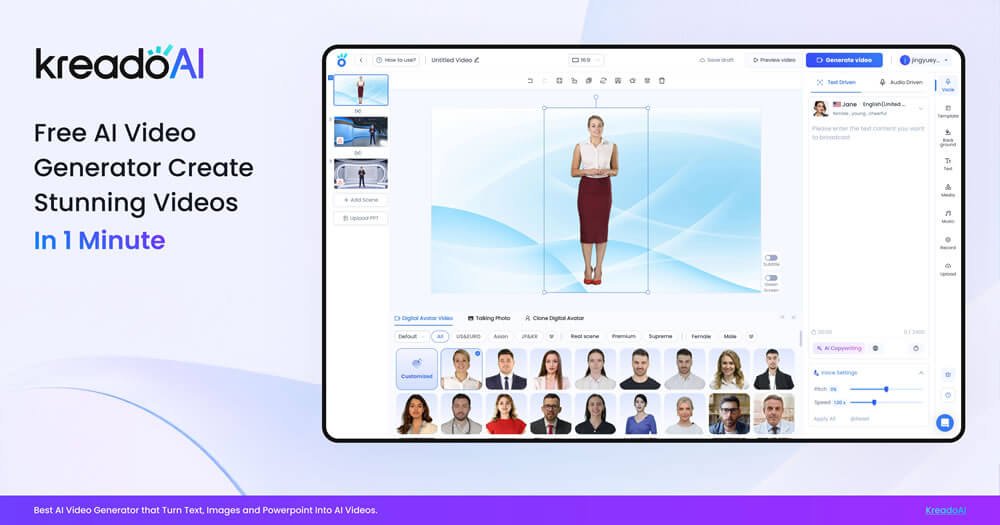
KreadoAI is an AI creative platform for generating ad assets from product inputs. The site positions it around fast production of videos, images, and copy for performance marketing, with tools for creating ads, translating content, and adapting creative for multiple platforms.
The product pages also show an API offering for teams that want to add avatar video generation, text-to-speech, instant avatar cloning, and subtitle or watermark removal into their own workflows. Pricing pages indicate Free, Premium, Pro, and Enterprise options, and the API page notes that new users receive 3 minutes of free video credits on registration.
Generate ad creatives from product inputs, including videos, images, and copy that are meant to be ready for launch.
Turn product URLs into video ads or multiple ad images, which supports faster asset creation from existing pages.
Produce voiceovers and translated content in 140+ languages, with automatic lip-sync for localized video output.
Create spokesperson-style videos with 1000+ AI avatars, plus avatar cloning and talking-photo formats on the API page.
Resize one creative for major social platforms and use TikTok-specific tools such as batch TikTok videos and script generation.
Use editing and cleanup tools such as background removal, watermark removal, image upscaling, inpainting, and image expansion.
Marketing teams can turn a product URL into launch-ready ad assets, then generate variations for testing across channels.
E-commerce brands can create product demos, explainers, and social creatives without arranging repeated photo or video shoots.
Teams working in multiple regions can translate and localize voice, video, and image creative for different languages and markets.
Developers can add avatar video generation, text-to-speech, and cloning features into a product or workflow through the API.
Social teams can build TikTok-focused and multi-size creative variations to reuse one concept across several platforms.
KreadoAI provides AI-generated ad creatives and video tools for producing videos, images, and copy from product inputs. The API version also supports avatar video generation, text-to-speech, instant avatar cloning, and subtitle or watermark removal.
The site presents free and paid paths. The pricing page shows a Free plan, Premium, Pro, and Enterprise options, and the API page says new users get 3 minutes of free video credits on registration, while the API itself has no free trial.
The site describes outputs such as ad images, URL-to-video ads, TikTok-ready videos, AI spokesperson videos, text-to-speech audio, and video translation. The API page also mentions retrieval by video URL or webhook.
KreadoAI says its API can be used after signing up, upgrading to KreadoAI Pro for API permissions, and retrieving an API key from the dashboard. The API workflow is described as authenticate, submit content, render, then retrieve and download.
The site lists 140+ languages, 1000+ AI avatars on the product pages, and 40,000+ AI voices on the API and pricing pages. It also says localization includes video translation and image translation.