
Template-based video creation
Start from more than 6,000 editable templates, with categories such as business, social media, intro/outro, community, sport, wedding, slideshow, and marketing.

FlexClip is an online video maker and editor with templates, timeline editing, and AI tools for creating and sharing videos from a browser.
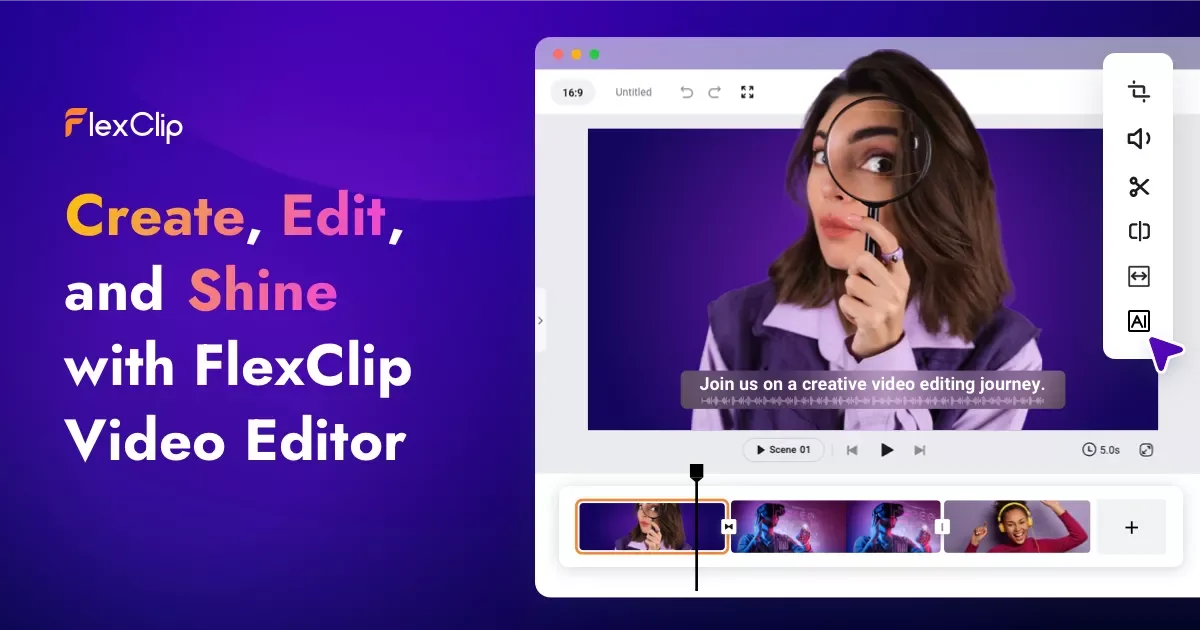
FlexClip is an online video maker and editor that combines template-driven creation, timeline editing, and a set of AI tools. The homepage positions it as a way to create videos faster without a steep learning curve, using editable templates, editing controls, and built-in media resources.
The product includes AI-assisted workflows such as video generation from prompts, articles, or URLs; AI text-to-speech; AI script generation; AI background removal; automatic subtitles; translation; and AI avatar creation. The pricing page also shows Free, Plus, and Business plans, with different export quality, storage, and branding limits.
Start from more than 6,000 editable templates, with categories such as business, social media, intro/outro, community, sport, wedding, slideshow, and marketing.
Generate videos from a prompt, article, or URL, and use related AI tools for script writing, text-to-speech, subtitles, translation, and background removal.
Use timeline editing tools to trim, cut, merge, reverse, speed up or slow down clips, and add text, subtitles, music, voiceover, effects, and transitions.
Work with a built-in resource library that includes stock videos, photos, music, sound effects, text presets, dynamic elements, effects, filters, and transitions.
Add AI talking avatars, including preset avatars or custom avatars created from photos or videos, with lip-sync and multilingual voice support.
Collaborate with teammates, store files in cloud storage, and export videos up to 4K depending on plan.
Choose a template, customize the layout and assets, and produce a video quickly when you do not want to start from scratch.
Turn a prompt, article, or URL into a video, then refine the result with editing tools, subtitles, and voiceover.
Create narrated lessons, onboarding materials, or internal training clips with AI script, text-to-speech, subtitles, and translation.
Build talking-head style videos with a preset avatar or a custom avatar created from photos or videos, then place it into a larger project.
Coordinate with teammates, keep assets in cloud storage, and share or export finished videos for distribution.
Yes. The pricing page shows a Free plan, along with paid Plus and Business plans.
FlexClip is an online video maker and editor, so it works in the browser rather than as a desktop app based on the source provided.
The pricing page lists export options of 720p on the Free plan, 1080p on the Plus plan, and 4K on the Business plan.
Yes. The site says teams can collaborate and share files, and the pricing page includes a FlexClip for Teams option.
The homepage and tool pages show AI video generation, AI text to speech, AI script generation, AI background removal, AI subtitles, AI translation, and AI avatar creation as part of the product family.