
Node-based creative workflows
Work in a single node-based environment that combines AI generation with professional editing steps instead of moving between separate tools.

Figma Weave is a web-based AI design workflow platform for creative professionals, teams, and enterprise design groups, combining multiple AI models, editing tools, and reusable workflows.
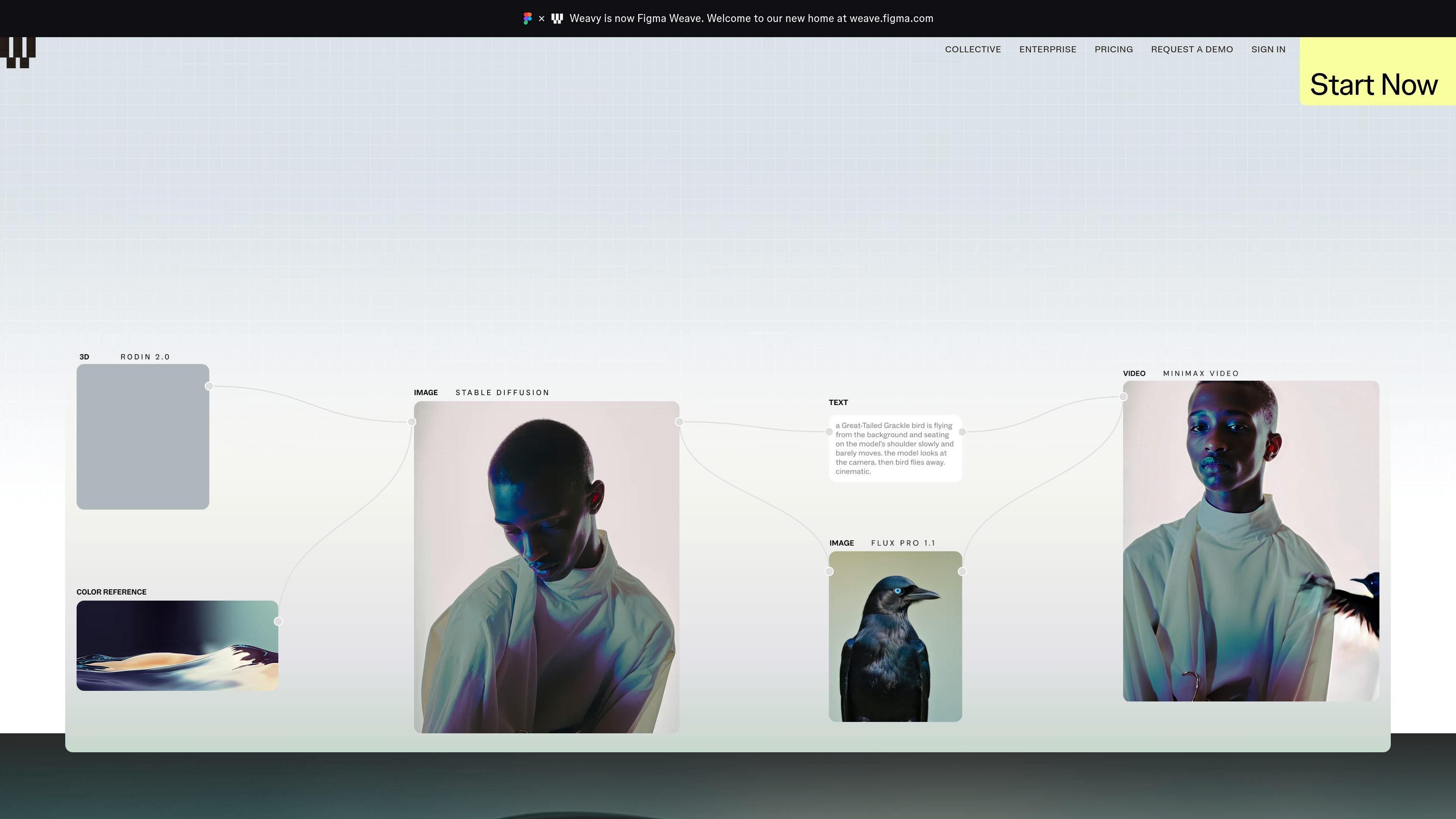
Figma Weave is an AI-powered design workflow platform from Figma that combines multiple models, editing tools, and reusable workflows in a single node-based environment. The product is presented as a way to move from creative ideas to scalable production processes without switching between separate tools for generation, editing, and compositing.
The site positions Figma Weave for creative professionals, in-house teams, agencies, and enterprise design groups that need more control over layered image, video, and 3D workflows. Its pricing and enterprise pages also emphasize commercial use rights, shared credit management for teams, and training or support options for larger organizations.
Work in a single node-based environment that combines AI generation with professional editing steps instead of moving between separate tools.
Access a range of AI models from providers such as Google, Kling, OpenAI, ByteDance, Black Forest Labs, Runway, Luma, LTX, Wan, Grok, Recraft, and Bria.
Use editing tools such as invert, outpaint, crop, inpaint, mask extraction, upscale, Z depth extraction, image describing, channels, painter, and relight within the same workflow.
Create layered compositions with layers, type, and blends to control how generated and edited elements fit together.
Turn workflows into a simplified UI so teams can use them more easily after the process is assembled.
Choose from plans that include free, starter, professional, team, and enterprise options, with team credit management and enterprise training available.
Build image or video concepts in a single workflow that combines generation, editing, and compositing rather than using separate point tools for each step.
Standardize repeatable processes for in-house or agency teams by turning a workflow into a simplified UI that others can reuse.
Manage multiple contributors with shared billing, shared credits, and workspace file sharing so production work stays coordinated.
Use layered controls, masks, relight, and related editing tools to refine generated assets for client or brand work.
Adopt enterprise support, training, and workshop options when rolling out AI-first design workflows across a larger organization.
Figma Weave uses a monthly credit system. Each plan includes a set credit allocation that you spend when generating content with different AI models, and higher-cost models consume more credits per run than lower-cost ones.
Paid plans support top-ups. Starter plan top-ups are available at $10 for 1,000 credits, while Professional and Team top-ups are available at $10 for 1,200 credits. The pricing page says top-up credits roll over for 12 months.
No. Figma and Figma Weave are separate products with separate credit systems, so Figma credits do not transfer to Figma Weave.
Yes. The pricing page says Figma Weave offers full commercial rights for the platform, and the company says it does not train on your images or prompts. The source also notes that model-specific terms can vary and points users to its Trust Center for model-by-model status.
The pricing page says Figma Weave is separate from the main Figma product for now, with deep integrations still in progress. It also says the platform offers free office hours, a VOD library, and a template library, with team training included for enterprise customers.