
Photo-based analysis
Upload a photo of yourself and have the AI assess facial symmetry from a single image, rather than asking you to measure features manually.

FaceSymAI free AI face symmetry test analyzes one photo to compare left and right facial balance, with tips for clearer single-person images.
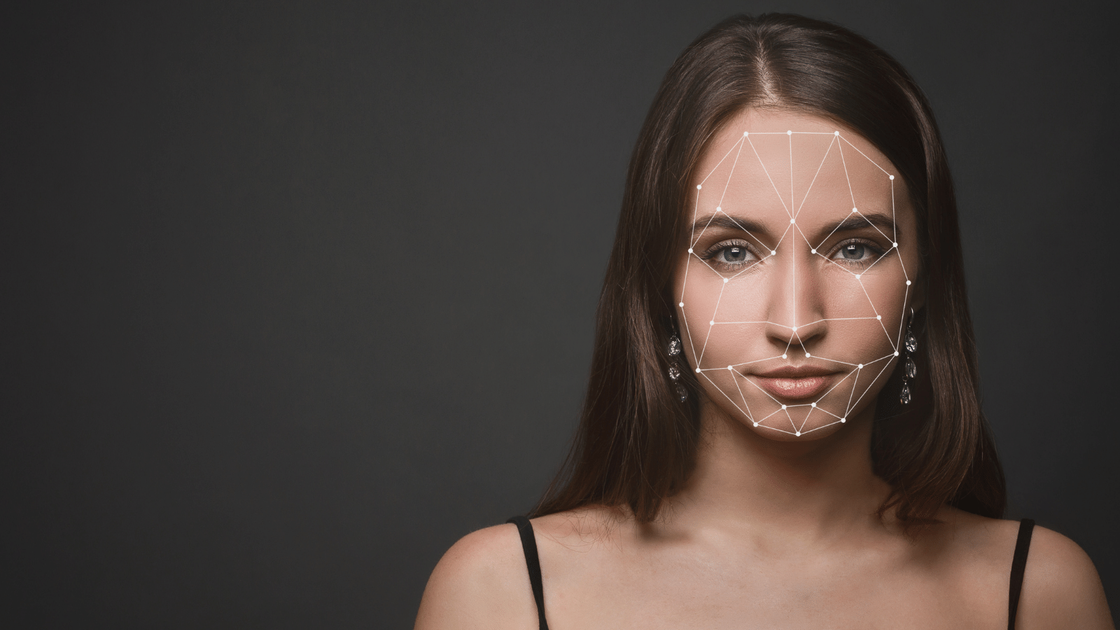
FaceSymAI is a free face symmetry test that analyzes an uploaded photo to assess how closely the left and right sides of a face align. It uses AI image processing to examine facial features and produce a symmetry-focused result for a single person in the photo.
The site explains that the analysis looks at key feature pairs such as the eyes, eyebrows, ears, nose, mouth, and cheeks. It also offers practical photo guidance so users can improve input quality before running the test.
Upload a photo of yourself and have the AI assess facial symmetry from a single image, rather than asking you to measure features manually.
The page says the analysis covers seven feature pairs, including eyes, eyebrows, ears, nose, mouth, and cheeks.
The workflow identifies facial features, compares both sides of the face, and generates an easy-to-read result summary.
The site provides photo guidance on lighting, framing, background, and removing obstructions so users can submit cleaner images.
The FAQ states that uploaded photos are used for the intended analysis and not permanently stored on the platform.
Upload a portrait to quickly see how the AI describes facial symmetry without doing manual comparisons yourself.
Use the tool after taking a new headshot or profile photo to review how the image appears in terms of facial balance.
Try multiple well-lit, front-facing photos to compare how input quality affects the symmetry analysis results.
Follow the site’s capture guidance to test whether lighting, pose, or obstructions change the output from the analysis.
The site says the analysis works by uploading a photo, then using AI and image processing to identify facial features such as the eyes, nose, mouth, and overall facial structure. It then compares the left and right sides of the face and returns symmetry insights in an easy-to-understand format.
The uploaded photo is used only for the symmetry analysis. The site says photos are not permanently stored and are treated confidentially and securely.
Yes. The face symmetry check is described as completely free, and the site says it is supported through advertising.
The analysis is optimized for individual faces. The site notes that group photos may make it harder for the AI to identify and analyze each face accurately.
Use a clear, well-lit photo with the face directly facing the camera, a neutral expression, a simple background, and no obstructions such as hair, glasses, or accessories for the best results.