

Chrome-based assistant
Dex is delivered as a Chrome browser extension and can work from the active tab, browser navigation, and sidebar interface to provide contextual assistance.

Dex is a Chrome-based AI workspace for managing tasks, context, and browser workflows in one place.
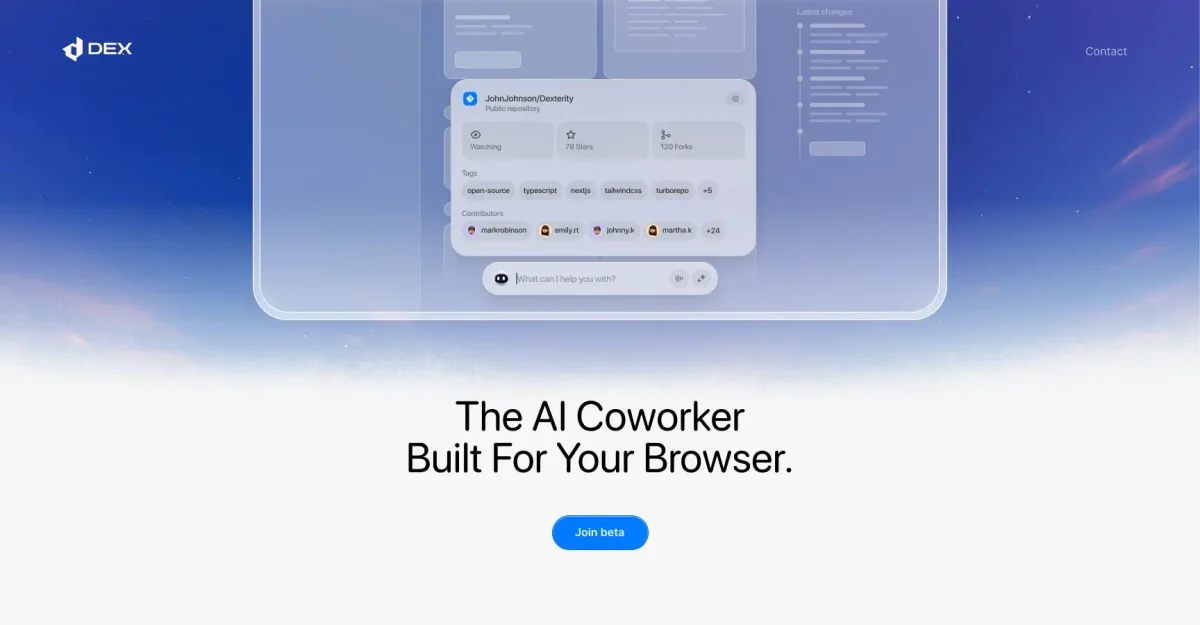
Dex is a Chrome-based AI workspace from ThirdLayer, Inc. that is positioned as a second brain for browser work. Its stated purpose is to hold tasks, context, and operational knowledge in one place so the assistant can help move work forward.
The public site shows Dex as a browser extension with AI agent capabilities, plus related touchpoints such as iMessage and a Slack bot. The product is sold in usage-based plans with integrations that sync into a context system, and the higher tiers add more automation, scheduling, support, and privacy controls.
Dex is delivered as a Chrome browser extension and can work from the active tab, browser navigation, and sidebar interface to provide contextual assistance.
The product is positioned as an AI workspace that uses tasks and context to help move work forward, rather than a standalone chat app.
Pricing tiers include automation runs and background agents, plus advanced automation and agent scheduling on higher plans.
Plans include a personal knowledge base and integrations that sync into Dex's context system, with more integrations on higher tiers.
The source lists iMessage, a Slack bot, and email support as part of the product offering and service layers.
Higher tiers add custom privacy controls, custom features and integrations, and dedicated support for more complex setups.
Use Dex when you want an AI assistant that works inside Chrome and can use the current tab, browser navigation, and saved context to help with ongoing work.
Use the product when you need background agents or automation runs for repeatable workflows that move beyond a single chat response.
Use Dex if you want context to carry across work sessions through integrations and a personal knowledge base rather than starting from scratch each time.
Use the higher tiers when you need shared context, team permissions, and admin controls for an organization instead of an individual setup.
Use the enterprise-oriented offering when privacy controls, private cloud deployment, and dedicated support are part of the requirement set.
Dex is described as a Chrome browser extension and AI workspace. The source says it can browse websites and perform tasks on a user’s behalf, with an AI agent and browser-based context support.
The source supports a browser-extension setup, with Chrome permissions for tabs, activeTab, webNavigation, history, sidePanel, scripting, and storage. It also mentions iMessage, a Slack bot, and email support in the pricing plans.
Dex is presented for people running operational workflows in the browser, including individuals on the Core, Max, Ultra, or Full Service plans, and teams in the Teams & Enterprise offering.
The pricing page says teams can get shared operational intelligence, shared context, custom agents, team permissions, and admin controls. It also mentions private cloud deployment and dedicated engineering support for enterprise.
The source does not provide a full public list of every integration or a complete setup guide. It does state that plans include a limited number of integrations syncing to Dex's context system.

TakeCareOS is a web platform for home care, disability, and aged care agencies, with rostering, billing, compliance, and AI admin tools.

Speakflow online teleprompter for writing and organizing scripts, voice scrolling, team collaboration, and cross-device syncing. Free and paid plans available.
Twine AI Launcher is an Android launcher with AI assistant access, bringing ChatGPT-style help to your homescreen for quick answers, notes, tasks, reminders, and people memory.

Hurree is an AI-powered reporting and analytics platform that centralizes company data, shared dashboards, and Riva summaries, recommendations, and forecasts.

Firebase Studio is a web-based workspace for full-stack app development with Gemini-assisted coding, app previews, cloud emulators, collaboration, and browser deployment.

AI Magicx is a unified AI workspace for chat, image, video, voice, music, email and developer tasks, helping teams and creators manage multiple models in one place.