
Physical approvals
A single button press can approve or deny Copilot CLI permission prompts, with support for approving a tool for the whole session by holding A.

Copilot Buddy is a Bluetooth desk pet for GitHub Copilot CLI that lets you approve or deny tool calls with a physical button. It also mirrors session status, telemetry, and prompts as an ambient display companion.
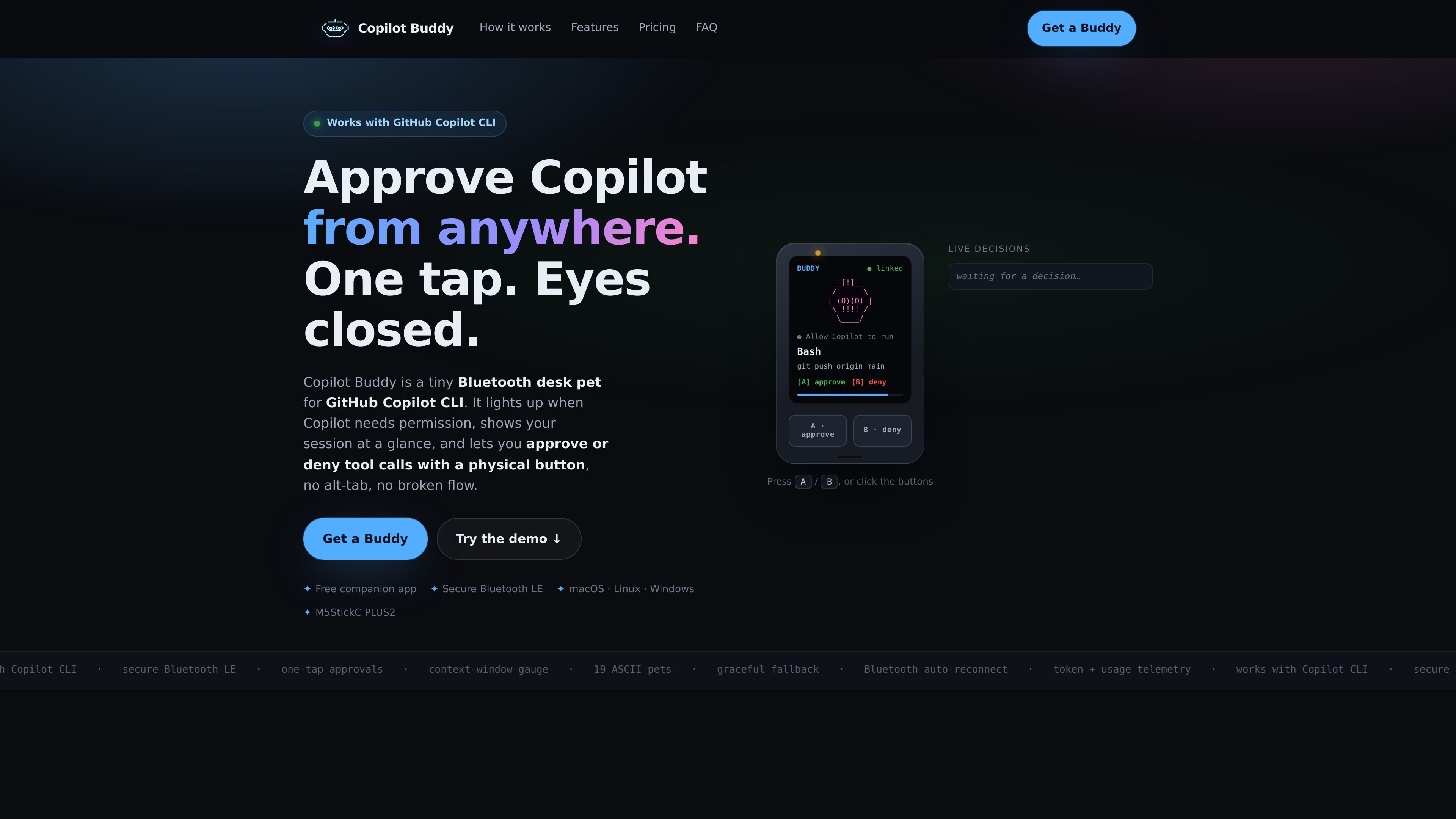
Copilot Buddy is a Bluetooth desk pet for GitHub Copilot CLI that turns permission prompts into a physical, on-device approval flow. When Copilot needs permission, the device wakes, shows the current tool and command, and lets you approve or deny with a button instead of switching back to the terminal.
The product is built around two modes of use. You can run it as a display-only companion that mirrors your Copilot CLI session, or opt in to hardware approvals after pairing the device with the free companion app. The site positions it as a way to reduce constant context switching during longer agent sessions while keeping the normal terminal fallback in place if the device is unavailable.
A single button press can approve or deny Copilot CLI permission prompts, with support for approving a tool for the whole session by holding A.
The device shows when Copilot needs permission, along with the current tool, command, and a countdown so you can react without staying in the terminal.
A live context-window fullness bar, token and usage counters, quota indicators, live diff stats, and transcript history help you monitor what the agent is doing at a glance.
A companion app links Copilot CLI to the device over Bluetooth LE, pairs once, and auto-reconnects in the background.
The site says the product is secure by default, uses encrypted paired Bluetooth LE, and falls back to the normal terminal prompt if Bluetooth drops or a prompt times out.
The device can cycle through pending prompts, show mode status such as autopilot or allow-all, and display one of 19 built-in characters or a custom character.
Use the physical button to handle repeated permission prompts during long Copilot CLI sessions without bouncing between keyboard and terminal.
Keep a Copilot session visible on the desk with live status, activity, and telemetry when you want awareness but not interactive approvals.
Let the device act as a tactile control surface for approvals when Copilot is editing files, running shell commands, or invoking MCP tools.
Use the customer portal after purchase to complete setup, check delivery status, download firmware, and find support resources.
The site says the companion app is installed with Homebrew on macOS and Linux (`brew install loopdesk-ai/tap/copilot-buddy`), then you run `copilot-buddy setup` for a guided first run. The device pairs over Bluetooth LE and auto-reconnects after setup.
Yes. The homepage says the companion app works with macOS, Linux, and Windows, and the app is free.
Copilot Buddy is designed for GitHub Copilot CLI. The site says it listens for Copilot CLI permission events and lets you approve or deny tool calls, shell commands, file edits, and MCP tool calls.
The site describes two modes: display-only, which mirrors your Copilot CLI session, and hardware approvals, which are opt-in. It also says the device falls back to the normal terminal prompt if Bluetooth drops or the prompt times out.
The device and desk stand currently ship within India. The firmware license is delivered digitally and is available worldwide.