Findings24Findings24
Cody icon

Cody

Cody is Sourcegraph’s AI coding assistant for developers and engineering teams. It helps users understand, write, and fix code across editor, web, and CLI workflows using codebase context from Sourcegraph search.

Cody

Overview

Cody is Sourcegraph’s AI coding assistant. It helps developers understand, write, and fix code by combining large language models with Sourcegraph’s code search and repository context.

The product is available on Sourcegraph Enterprise and across several surfaces, including VS Code, JetBrains, Visual Studio, the Sourcegraph web app, and a command-line interface. It is designed to work with local and remote codebases, so users can ask questions, generate or edit code, and bring in files, symbols, and repositories as context when they need it.

The docs emphasize codebase-aware workflows: Cody can chat about code, propose auto-edits after you start typing, use customizable prompts for repeated tasks, and help with debugging by using surrounding code and search-based context. The CLI extends that same workflow to terminal exploration and scripted use cases.

Pricing for Sourcegraph’s enterprise plan starts at $16K and includes credits for AI features, with contact-sales and volume-pricing language on the pricing page. The pricing page also lists integrations with major code hosts, MCP server access, GraphQL and REST APIs, and CLI support.

Features

Context-aware chat

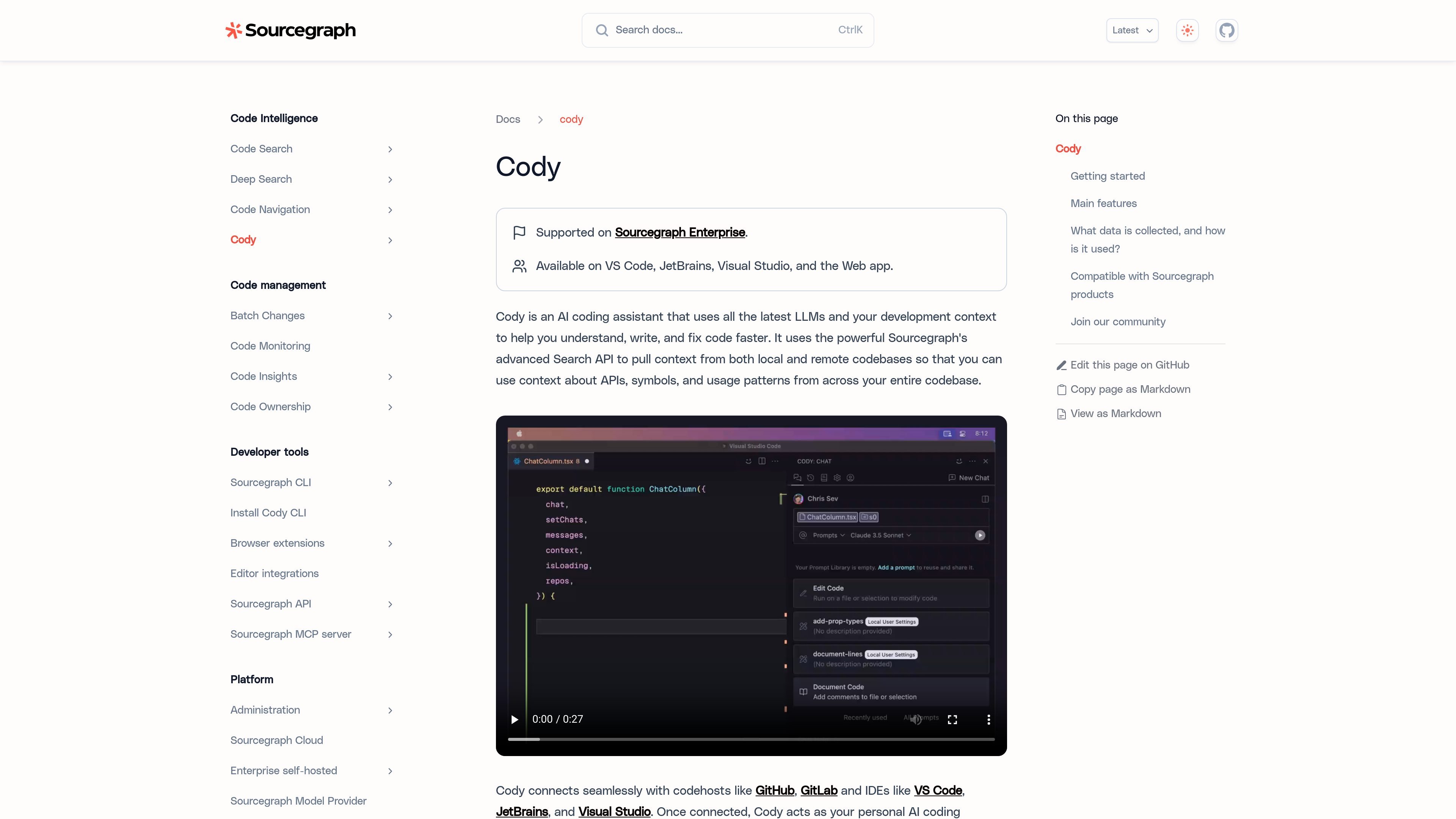
Cody supports chat directly in the editor, including asking questions about code, generating code, and editing code. The chat view uses the current file and repository by default, and you can add more context with `@` mentions for files, symbols, remote repositories, or other artifacts.

Auto-edit suggestions

Cody suggests code changes after you make at least one character edit, using cursor movement and recent typing to propose contextual modifications. The VS Code docs describe these as gray inline suggestions that you can accept with the Tab key.

Reusable prompts

Cody includes premade and customizable prompts so teams can turn repeated tasks into reusable workflows. The docs say prompts can be built, saved, and shared.

Codebase context from Sourcegraph search

Cody uses Sourcegraph’s Search API to pull context from local and remote codebases, helping it answer with APIs, symbols, and usage patterns from the broader repository environment.

Context filters

Cody can ignore selected repositories from chat and autocomplete results through context filters, giving users a way to control what sources inform responses.

Multi-surface access

Cody is available across several interfaces: VS Code, JetBrains, Visual Studio, the Sourcegraph web app, and the command line. The CLI supports chat workflows such as local file context, remote repository context, and stdin input.

Use cases

  • Understand code in context

    Use Cody in an editor chat panel when you need to ask what a function does, trace usage across a repository, or generate code with the current file and repository as context.

  • Speed up routine coding edits

    Use autocomplete and auto-edit suggestions to draft changes as you type, then accept or refine the proposed edits inside VS Code or a supported editor.

  • Debug with nearby code and search results

    Use Cody to help identify and fix errors by combining chat, surrounding code context, and search-based repository context.

  • Work from the command line

    Use the CLI to explore code from a terminal, ask ad-hoc questions, or feed in local files, remote repositories, or stdin from scripts and diffs.

  • Share repeatable team prompts

    Use reusable prompts and `@` mentions to standardize team workflows such as asking about specific files, symbols, or repositories.

Pros and Cons

Pros

  • Works across editor, web, and terminal surfaces, which supports different developer workflows.
  • Uses Sourcegraph search context from local and remote codebases, not just the current file.
  • Supports chat, completions, edits, prompts, and debugging-oriented workflows.
  • Provides context controls such as `@` mentions and context filters.
  • Includes setup paths for individual editor plugins and for enterprise connections.

Cons

  • Cody CLI support is described as experimental for Enterprise accounts.
  • The docs show that enterprise setup may require connecting to a Sourcegraph instance and creating an access token, which adds setup steps for some users.
  • Sourcegraph says it collects prompts, responses, usage data, and feedback to provide and improve the service.

FAQ

Is Cody only for Sourcegraph Enterprise users?

Cody is available for Sourcegraph Enterprise accounts, and the docs also describe a Cody Enterprise option for getting in touch with Sourcegraph’s team.

Where can I use Cody?

Cody is available in VS Code, JetBrains, Visual Studio, the Sourcegraph web app, and the command line. The docs also note that Cody CLI support is in an experimental stage for Enterprise accounts.

What can Cody do inside an editor or terminal?

The docs describe chat, code completions, code edits, customizable prompts, auto-edit suggestions, and context retrieval from local and remote codebases through Sourcegraph’s search API.

How do you set up Cody?

For the CLI, the docs say you install it from npm, then authenticate with `cody auth login` or environment variables such as `SRC_ENDPOINT` and `SRC_ACCESS_TOKEN`. For VS Code and JetBrains, you install the extension or plugin and connect it to a Sourcegraph Enterprise instance.

Does Cody use my prompts or code for model training?

Sourcegraph states that it collects prompts, responses, usage data, and feedback to provide and improve the service. For individuals using Cody via Sourcegraph.com, Sourcegraph says it does not use that data to train models.

Quick Facts

Category
AI coding assistant
Platform
VS Code, JetBrains, Visual Studio, web app, CLI
Primary users
Developers and engineering teams
Source domain
sourcegraph.com
Pricing shape
Enterprise pricing starts at $16K; contact sales and volume pricing are listed
Deployment
Sourcegraph Enterprise, with single-tenant cloud and self-hosted options listed on pricing

Альтернативы Cody

Tabnine icon

Tabnine

Tabnine is an AI code assistant for developers and engineering teams, with code completions, in-IDE chat, and enterprise deployment options. It emphasizes code privacy, governance, and context-aware AI grounded in the user’s codebase.

JetBrains icon

JetBrains

JetBrains makes developer tools for individuals, teams, and businesses, including IntelliJ IDEA, PyCharm, DataGrip, WebStorm, Rider, and CLion. Its IDEs combine code-aware navigation, suggestions, and built-in run/debug/test workflows, with additional tools for CI/CD, project management, code quality, and documentation.

Perchance icon

Perchance

Perchance is a browser-based random generator editor for creating and managing custom generators. It supports code editing, account-based saving, and revision recovery, but the provided sources do not confirm pricing or integrations.

图像大厨imgcook icon

图像大厨imgcook

imgcook is a design-to-code tool that converts design drafts into front-end code. It supports plugin-based and developer workflows for Sketch, Photoshop, VS Code, and CLI usage.

OpenAI icon

OpenAI

OpenAI is an AI research and deployment company centered on ChatGPT, the API, Platform tools, and Codex. The site helps individuals, developers, and businesses explore conversational AI, build with models, and follow product and research updates.

AakarDev AI icon

AakarDev AI

AakarDev AI helps teams manage AI provider access, project-level setups, logs, and analytics from one dashboard. It supports BYOK workflows and lists providers including OpenAI, Google Gemini, Anthropic, Groq, Mistral AI, and Perplexity AI.