
Job-description tailoring
Create a resume by pasting in a job description so the output can be tailored to a specific opening instead of starting from a blank document.

Careerfornia is a web app that generates ATS-friendly resumes from a job description or a LinkedIn-based workflow. It supports PDF and DOCX export and offers a 3-day free trial before a paid Pro plan.
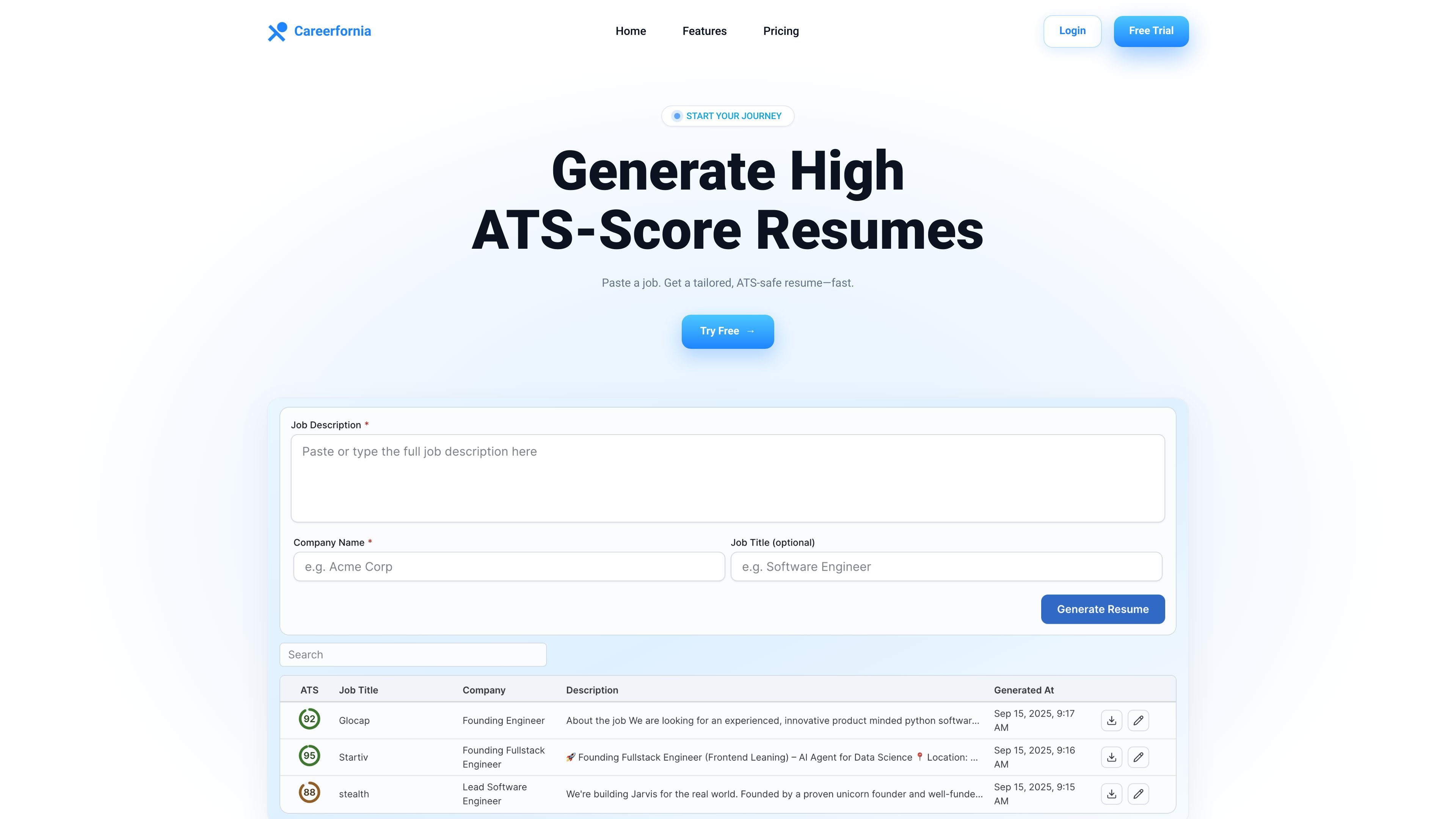
Careerfornia is a web-based resume generator focused on producing ATS-friendly resumes from a job description or a LinkedIn-based workflow. The home page positions it as a way to paste a job, generate a tailored resume quickly, and export the result for applying.
The product emphasizes ATS-safe formatting, keyword matching, and exportable resume files. Its pricing page describes a 3-day free trial that leads into a Pro monthly subscription, while the terms and privacy policy show that it uses account sign-in, Stripe payments, analytics, and AI processing to deliver the service.
Create a resume by pasting in a job description so the output can be tailored to a specific opening instead of starting from a blank document.
Use the LinkedIn Chrome extension to generate a resume from a LinkedIn workflow, which the home page highlights as a supported entry point.
Generate resumes with ATS-safe formatting, including simple headings and no tables or graphics, so the document is easier for applicant tracking systems to parse.
See a keyword-match and score preview tied to the job description, giving you a quick check before exporting the resume.
Export resumes in both PDF and DOCX formats for applying across different submission workflows.
Start with a free trial and continue on the Pro plan, which the pricing page describes as a monthly subscription with unlimited resume generation.
Paste a job description into the app to generate a resume that is tailored to a specific role and aligned with the keywords in the posting.
Open the Chrome extension on LinkedIn when sourcing or viewing roles and use that context to create a targeted resume faster.
Export the generated resume as PDF or DOCX so you can submit it in the format requested by the employer or recruiting system.
Use the keyword-match and score preview to compare a draft resume against the target role before you apply.
Careerfornia generates an ATS-friendly resume from a job description or via its LinkedIn Chrome extension. The source says it creates tailored resumes, but it does not describe a separate setup process beyond signing up and starting a free trial.
The site says you can paste a job description or open the Chrome extension on LinkedIn, then generate and export a resume. It does not provide a detailed step-by-step onboarding flow beyond that.
Yes. The home and pricing pages state that resumes can be downloaded in PDF and DOCX formats.
The pricing page says there is a 3-day free trial, after which the Pro plan is $30 per month. It also says you can cancel anytime before the trial ends and not be charged.
Careerfornia says ATS score results are directional and vary by ATS, and the terms note that AI-generated content should be reviewed and edited as needed. The site does not guarantee interviews or specific job outcomes.