
Session-aware notifications
BlackFlare watches Claude Code and Codex sessions in the terminal, VS Code, and JetBrains, and sends a notification when a turn finishes or waits for input.

BlackFlare is a macOS menu bar app for Claude Code and Codex that keeps sessions awake, sends finish or input-needed alerts, shows usage, and forwards notifications to Telegram or Slack.
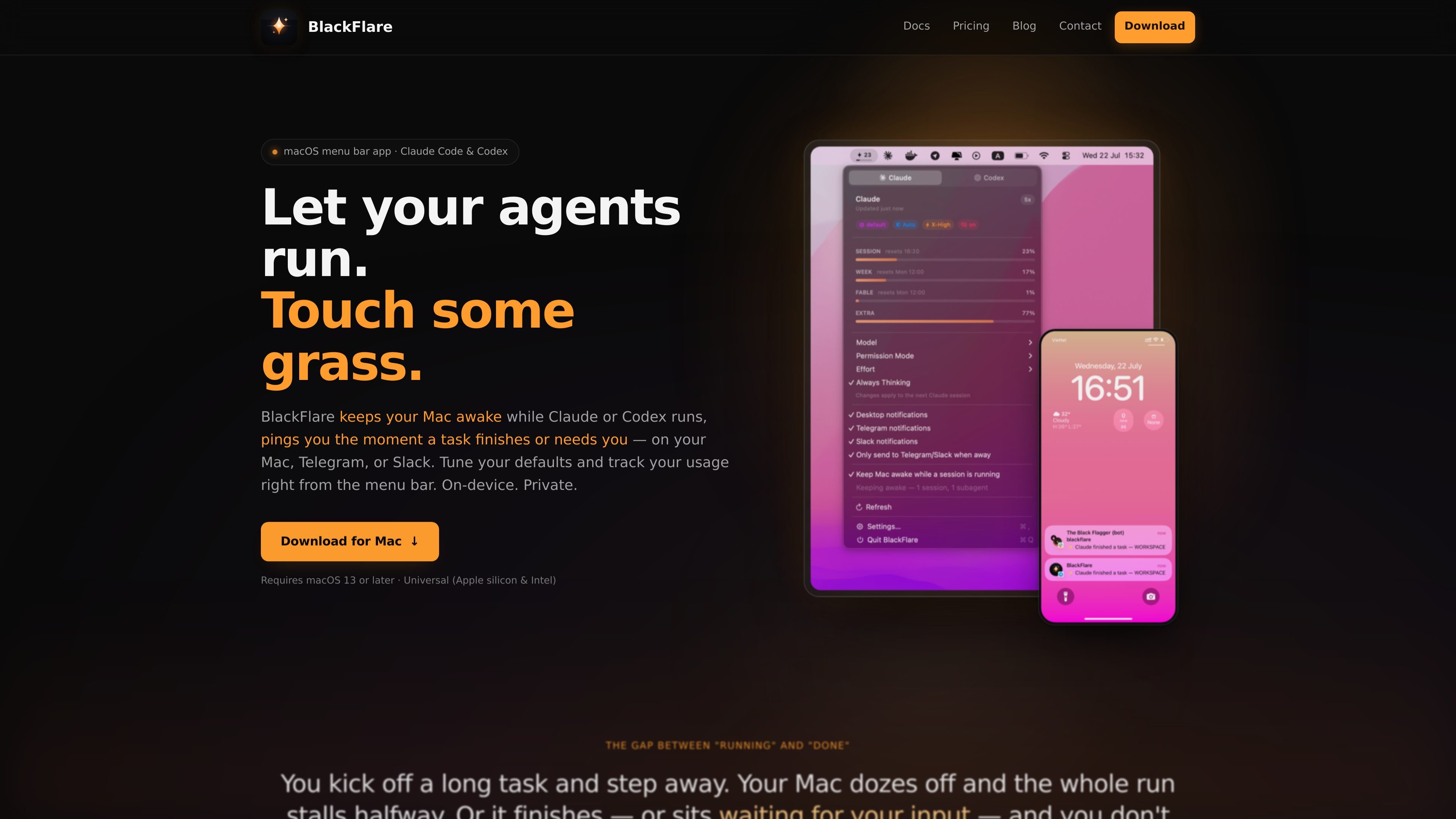
BlackFlare is a macOS menu bar app for Claude Code and Codex that helps long-running agent sessions finish without interruption. It keeps your Mac awake while a session is active, then restores normal sleep behavior when the work is done.
It also notifies you when a session finishes or needs input, whether you are using the CLI, VS Code, or JetBrains. From the menu bar, you can adjust default model and permission settings, track usage, and forward alerts to Telegram or Slack if you want updates away from your desk.
BlackFlare watches Claude Code and Codex sessions in the terminal, VS Code, and JetBrains, and sends a notification when a turn finishes or waits for input.
The app can hold a power assertion while a session is running, which keeps the Mac from idling to sleep during long tasks. Sleep returns to normal automatically when the session ends.
Notifications can stay on the Mac or be forwarded to Telegram or Slack. An "only when away" mode reduces duplicate alerts when you are already at your desk.
From the menu bar, you can set your default model, permission mode, effort level, and thinking mode for the next session. BlackFlare applies those settings by editing each tool's own config file.
Usage tracking shows Claude and Codex plan usage in the menu and menu bar icon, with separate bars per model and alerts when a threshold is crossed.
The app runs on-device and asks for read-only Keychain access to your Claude token so it can display exact usage.
Start a long refactor, test run, or other agent task and let BlackFlare keep the Mac awake so the session does not stall midway through sleep.
Work in VS Code or JetBrains and get a banner when Claude Code or Codex finishes or needs input, so you can step back in at the right time.
Forward alerts to Telegram or Slack when you are away from your desk, and use the away-only mode to avoid duplicate notifications while you are nearby.
Set model, permission, effort, and thinking defaults from the menu bar before starting a session, instead of editing config files or remembering flags.
Watch Claude and Codex usage side by side in the menu bar and set a threshold alert before you cross your plan limits.
Yes. BlackFlare watches Claude Code and Codex sessions whether they run in the terminal or inside VS Code and JetBrains IDEs.
BlackFlare can send native notifications on your Mac and forward the same alerts to Telegram or Slack. It also supports an "only when away" mode so you are not notified twice while sitting at your desk.
BlackFlare reads your Claude token from the macOS Keychain in read-only mode to show usage. The token is not written or sent anywhere except Anthropic.
BlackFlare keeps your Mac awake only while a Claude Code or Codex session is running. When the session ends, normal sleep behavior resumes automatically.
BlackFlare requires a Mac running macOS 13 or later. The app is a universal build for both Apple silicon and Intel Macs.