
Document listening
Upload PDFs, Word documents, text files, web articles, and other supported files, then listen to them in the app.

Audeus text-to-speech app for PDFs, Word, web pages, ebooks and images on web, iOS, Android and Chrome, with highlighting, speed control and multilingual voices.
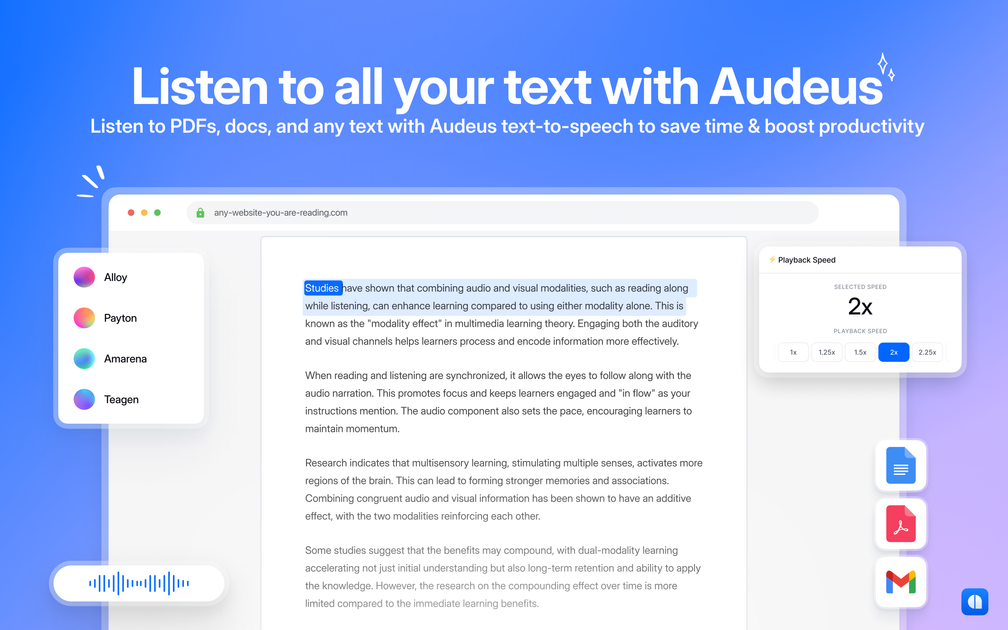
Audeus is a text-to-speech reader for PDFs, Word documents, web pages, ebooks, images, and pasted text. It is positioned as a listening-first reading app that lets people upload or scan content, choose a voice, and follow along as the text is read aloud.
The product is available on the web, iOS, Android, and as a Chrome extension. Across the site, Audeus emphasizes synchronized highlighting, adjustable playback speed, annotation tools, and support for multiple languages and file types.
The pricing page shows a free plan with standard free voices, limited document uploads, and a free extension, plus a Pro plan with natural voices and additional features. An Enterprise option is also listed with contact sales, onboarding, and advanced user management.
Upload PDFs, Word documents, text files, web articles, and other supported files, then listen to them in the app.
Use the camera or scanned images to turn printed pages, screenshots, handwriting, and notes into audio.
Follow the spoken text as it is read aloud, with customizable highlight color to help keep your place.
Add highlights, notes, and comments while reading to capture key points and annotate PDFs, articles, images, and graphs.
Adjust playback speed, including up to 3.5x on the Pro plan, to match your reading pace and comprehension needs.
Listen in 50+ languages with natural-sounding voices, including voices described as multilingual on the site.
Read dense assignments, legal materials, or research documents while following the text and adjusting playback speed to match the material.
Scan printed pages, handwritten notes, or textbooks with a phone camera and listen while commuting or away from a desk.
Listen to web pages, pasted notes, or drafts when you want to review content without staring at a screen for long periods.
Use spoken audio and synchronized highlighting to support language learning and listening comprehension across supported languages.
Mark up PDFs, articles, images, and graphs with highlights and comments while listening to capture key points.
Audeus is a text-to-speech reader that converts PDFs, Word documents, web pages, ebooks, images, and pasted text into spoken audio so you can listen while following along.
The sources show a free plan with standard free voices, limited document uploads, and a free text-to-speech extension. A Pro plan is also listed at $9.92/month when billed annually, with natural high-quality voices and additional features.
Audeus is available on the web, iOS, Android, and as a Chrome extension, and the sources say you can listen across those devices.
The product pages describe upload-and-listen and scan-and-listen workflows, plus support for highlighting, annotations, playback speed control, and multilingual voices.
The sources do not mention a team workspace or collaboration features. Enterprise pricing is listed separately with contact sales, dedicated support, onboarding, and advanced user management.