Findings24Findings24
AnyAIHub icon

AnyAIHub

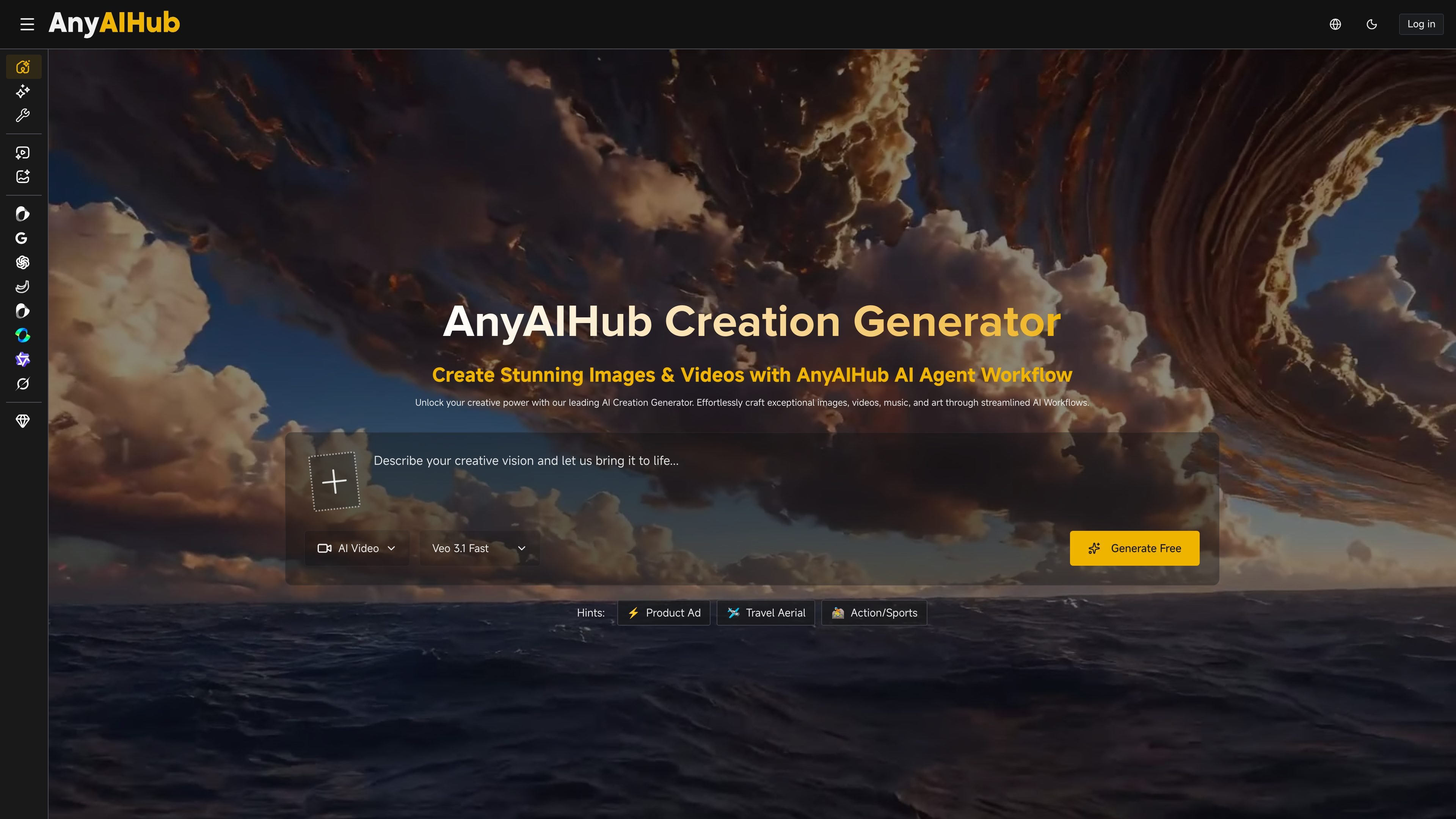
AnyAIHub is a browser-based AI image and video generator with multiple model options, free entry, and paid credit plans for heavier use. It supports text-to-image, text-to-video, and image-to-video workflows for creators, marketers, designers, and educators.

AnyAIHub

All-in-one AI image and video generator

AnyAIHub is an AI multimedia creation platform for generating images and videos in a browser. The site positions it as an all-in-one workspace for text-to-video, image-to-video, text-to-image, and related creation tasks, with multiple models available for each workflow.

The home page says users can start for free and no login is required, while the pricing page adds subscription plans and one-time credit packages for more frequent use. The product also highlights a workflow that moves from prompt input to generation, enhancement, and publishing, so users can keep creation and finishing steps in one place.

Core Features

Multi-model video generation

Generate videos from text prompts or static images with multiple video models, including Veo 3.1, Seedance 2.0, Kling, and Grok Imagine Video. The site also highlights text-to-video, image-to-video, and video-to-video workflows.

AI image creation

Turn text prompts into images with several image models, including Nano Banana, GPT Image 2, Seedream 5.0 Lite, Z-Image, and Grok Imagine Image. The platform also mentions style options such as realistic and anime transformations.

End-to-end creation workflow

Move between prompting, generation, enhancement, and publishing in one workflow. The home page describes an AI agent workflow that covers script creation, scene generation, voiceover, background music, sound effects, and editing before export.

Tools and effects library

Use templates and effects from the site’s tools and effects libraries, including AI effects such as Ghibli-style, action figure, face swap, and image upscaler tools listed on the pricing page.

Credit-based paid plans

Choose from subscription plans or one-time credit packages. The pricing page also lists private generation, faster generation speed, and HD, no-watermark downloads on paid plans.

Use Cases

  • Marketing content production

    Create ad visuals, branded videos, and campaign assets from prompts or source images when you need a single tool for both image and video production.

  • Creator and YouTube workflows

    Produce thumbnails, short clips, and visual references for posts or video scripts, using the platform’s text-to-video and image-to-video options.

  • Design exploration

    Generate concept art, mood boards, and design variations quickly when you want to explore ideas without switching between separate tools.

  • Social media content

    Make animated posts, short-form video assets, and image variations for social platforms that need fresh content on a regular schedule.

  • Education and training materials

    Build training visuals, e-learning materials, and explanatory videos from text prompts to support lessons and presentations.

Pros and Cons

Pros

  • Combines image and video generation in one product.
  • Offers multiple model choices for both images and videos.
  • Supports several creation paths, including text-to-video, image-to-video, and text-to-image.
  • Includes tools and effects beyond basic generation.
  • Has a free start according to the home page, with paid options for heavier use.

Cons

  • The site does not provide much detail on export formats, API access, or team collaboration features.
  • Credit usage varies by model, so the same task may not cost the same amount across all workflows.
  • Some pricing and feature details are broad rather than fully documented on the public pages.

FAQ

Do I need an account to try AnyAIHub?

AnyAIHub is designed as a browser-based AI image and video creation platform. The site says users can start for free and that no login is required on the home page, while the pricing page also offers paid subscriptions and one-time credit packages for heavier use.

What kinds of content can I create?

The site presents separate image and video generation workflows. The home page says you can generate images and videos with multiple AI models, and the video page shows options for text-to-video and image-to-video creation.

How does pricing work?

The pricing page says subscriptions provide monthly credits and one-time credit packages are available for occasional use or topping up. It also says subscription credits reset each billing cycle and do not roll over.

Can I use the output for professional work?

The pricing page says generated downloads can be HD and without a watermark on paid plans, and the home page describes the platform as supporting professional-quality output. The available evidence does not show a detailed quality guarantee beyond that.

Can I change or cancel my plan?

The pricing page says subscriptions can be upgraded, downgraded, or canceled at any time, and it offers a 14-day money-back guarantee for new subscriptions.

Quick Facts

Category
AI image and video generation
Platform
Web app
Primary users
Creators, marketers, designers, and educators
Pricing shape
Free start plus subscriptions and one-time credit packages
Domain
anyaihub.com
Notable workflow
Prompt, generate, enhance, and publish