
Multi-model workflows
Combine models from OpenAI, Google, Anthropic, and Replicate inside one workflow so different steps can use the provider that fits the task.

AI-Flow is an open-source web app for building workflows that connect multiple AI models, with templates for avatar video, image generation, and product photoshoots. Supports API/webhooks and free BYOK.
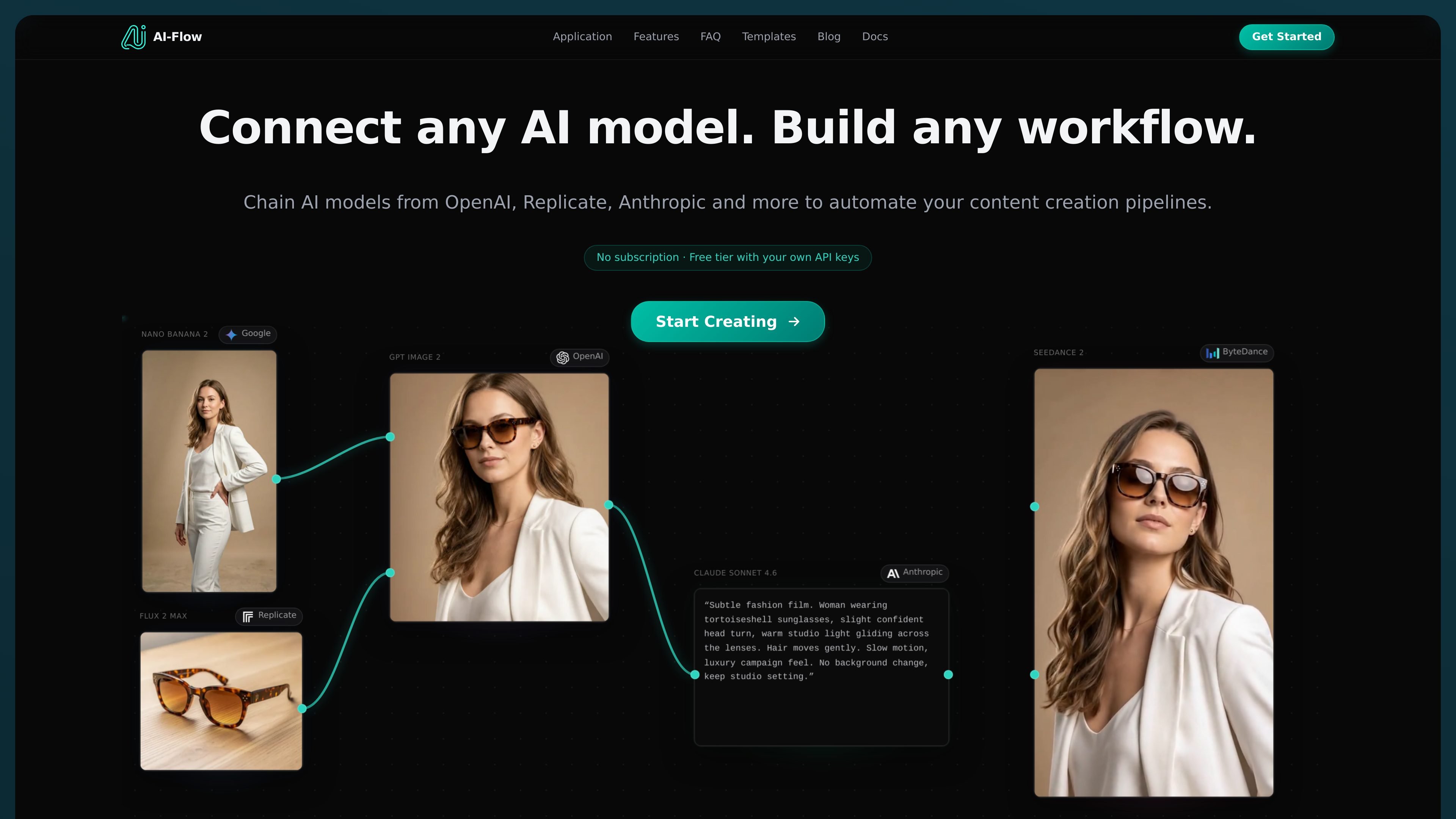
AI-Flow is an open-source, user-friendly application for building workflows that connect multiple AI models in a single flow. The home page describes it as a way to connect any AI model and chain models from OpenAI, Replicate, Anthropic, Google, and xAI to automate content creation pipelines.
The product combines a workflow builder with a template library so users can start from prebuilt flows for tasks such as talking-head avatar videos, image generation, and product photoshoots. It also supports API requests and webhooks, making it suitable for automations that need to pass inputs in and retrieve generated outputs programmatically.
Combine models from OpenAI, Google, Anthropic, and Replicate inside one workflow so different steps can use the provider that fits the task.
Use ready-made templates such as P Video Avatar, GPT Image 2, and Product Photoshoot to start from a working flow instead of building from scratch.
Connect your own API keys or use platform credits, depending on whether you want to pay providers directly or start without configuration.
Expose flows through API requests or webhooks so workflow outputs can be used in other projects and automations.
Choose from a library of current AI models across image, video, and speech workflows, including models such as Seedance 2.0, Flux 2 Max, and GPT Image 2.
Build repeatable content pipelines that combine multiple models, such as generating an image with one model and refining or repurposing it with another.
Start from templates like P Video Avatar or GPT Image 2 to create talking-head clips, posters, social graphics, and other assets without assembling every node manually.
Route AI outputs into external tools through APIs or webhooks so generated media can feed websites, apps, or internal automations.
Create localized or variant content by swapping models, prompts, or languages within the same workflow instead of rebuilding the process each time.
Use your own provider keys when you want to keep billing with OpenAI, Anthropic, Replicate, Google, or other supported providers instead of relying only on platform credits.
Yes. The site says AI-Flow supports a free tier with 25 welcome credits and 20 free runs per day for BYOK nodes, inputs, and tools, with no credit card required.
Yes. The FAQ says you can connect your own API keys from providers such as OpenAI, Replicate, Anthropic, and others on the cloud version. The site also says flow data is saved in the cloud and that you can pay providers directly at their rates when using your own keys.
AI-Flow saves flow data in the cloud. On the free tier, generated media is stored for 7 days; on higher tiers, it is stored for 30 days.
Yes. The home page says AI-Flow supports image generation with models such as Nano Banana 2, GPT Image 1.5, Seedream 4, and Imagen 4, among others.
AI-Flow is designed to connect multiple AI models in one workflow, chain outputs across providers, and expose flows through APIs or webhooks. It also provides ready-made templates for common tasks such as avatar videos, image generation, and product photoshoots.