
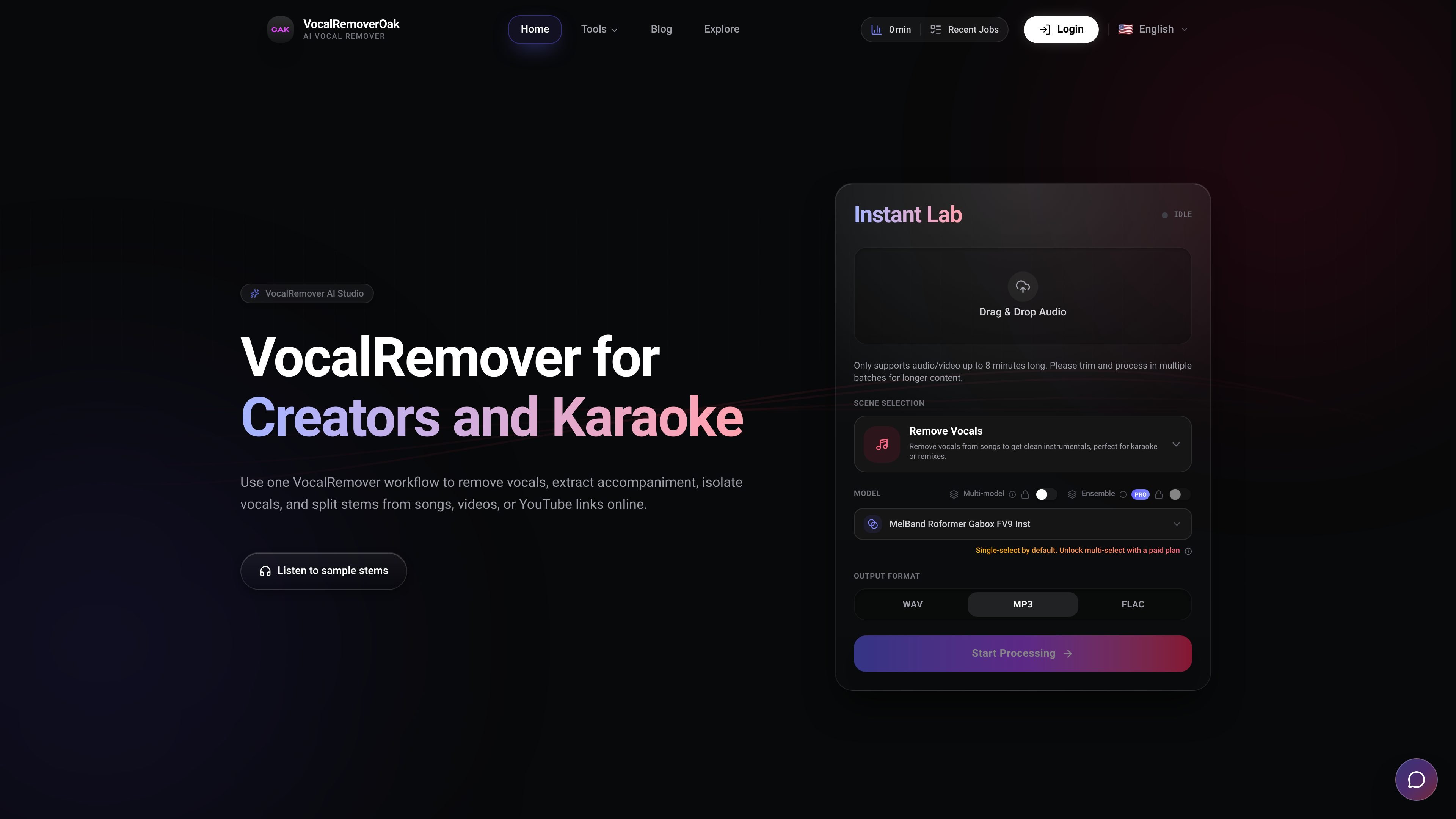
Browser-based input flow
Upload audio files, video files, or supported share links and start processing without installing desktop software.

VocalRemover é uma ferramenta de separação de áudio com IA baseada no navegador, capaz de remover ou isolar vocais, extrair acompanhamentos e dividir stems de músicas ou vídeos. Oferece suporte a arquivos comuns de áudio/vídeo e a alguns links compartilhados, com preços por minuto exibidos na página inicial.
VocalRemover is an online vocal separation tool for creators, musicians, teachers, and karaoke workflows. It runs in the browser and is designed to remove vocals, isolate vocals, extract accompaniment, and split stems from songs, videos, or supported share links without local installation.
The home page positions the product as a simple upload-and-download workflow: add an audio or video file, choose the desired output, and retrieve vocal and instrumental stems. It supports common file types such as MP3, WAV, FLAC, MP4, and MKV, and also mentions YouTube and TikTok links as inputs.
Upload audio files, video files, or supported share links and start processing without installing desktop software.
Choose between removing vocals, isolating vocals, extracting accompaniment, or splitting music into multiple stems.
The page names several models in its model matrix, including BS-Roformer, MDX23C, HTDemucs4, and MelBand.
The site says it uses scalable GPU processing and low-latency cloud compute to keep turnaround quick.
The product notes 32-bit float processing and positions it as high-fidelity output for detailed stems.
The site states that processing minutes are tracked by audio minutes multiplied by model count, with free minutes used first.
Create instrumental versions for rehearsals, performances, or karaoke by removing the lead vocal while keeping the backing track.
Separate vocal and instrumental stems for remixes or edits when you need isolated parts instead of a full mix.
Clean up music or dialogue inside uploaded video files when the source is an MP4 or MKV and you want audio separation from the video itself.
Help students practice parts by isolating vocals or other stems for listening, harmony practice, or classroom analysis.
Generate quick stem outputs from a browser session without installing local audio tools, which fits short turnaround edits and ad hoc review.
Yes. The site describes VocalRemover as an online workflow for removing vocals, isolating vocals, extracting accompaniment, and splitting stems from songs, videos, or YouTube links in the browser. The FAQ also explicitly asks whether users can remove vocals for karaoke tracks.
Yes. The supported input examples shown on the home page include MP3, WAV, FLAC, MP4, and MKV files, plus YouTube or TikTok links. The page also mentions video music extraction from songs and videos.
The product page says processing is done in the browser with cloud compute, and it highlights privacy-safe processing. The site does not publish a detailed retention policy or storage duration on the provided pages, only that the FAQ includes a question about output storage.
The home page says VocalRemover can remove vocals, isolate vocals, extract accompaniment, or split music into multiple stems. It also lists export of vocal and instrumental files after processing.
The page says the workflow is simple: upload audio, video, or a share link, choose an output, then download the stems. It also notes that processing is online and does not require installation.
Os dados de tráfego são apenas para referência.

emastered.com
eMastered transforma faixas enviadas em arquivos WAV ou MP3 masterizados e oferece ferramentas para mastering de referência, separação de stems, remoção de vocais, distribuição e páginas de links para artistas.

freemusicdemixer.com
Music Demixer separa músicas em stems e converte áudio em MIDI ou rascunhos de partituras.

vocalremover.com
Separação de áudio no navegador para criar karaokês, acapellas e stems

aimusic.so
Plataforma musical de IA na web para criar músicas, letras, efeitos sonoros, lyric videos e remover vocais.

audiogen.co
AUDIOGEN cria e edita músicas no navegador com inpainting, extensão, remix e edição por stems.

diktatorial.com
Masterização de áudio com IA para músicos, com controle por prompts, correspondência de referências, separação de stems e verificações pré-lançamento na web e no celular.