
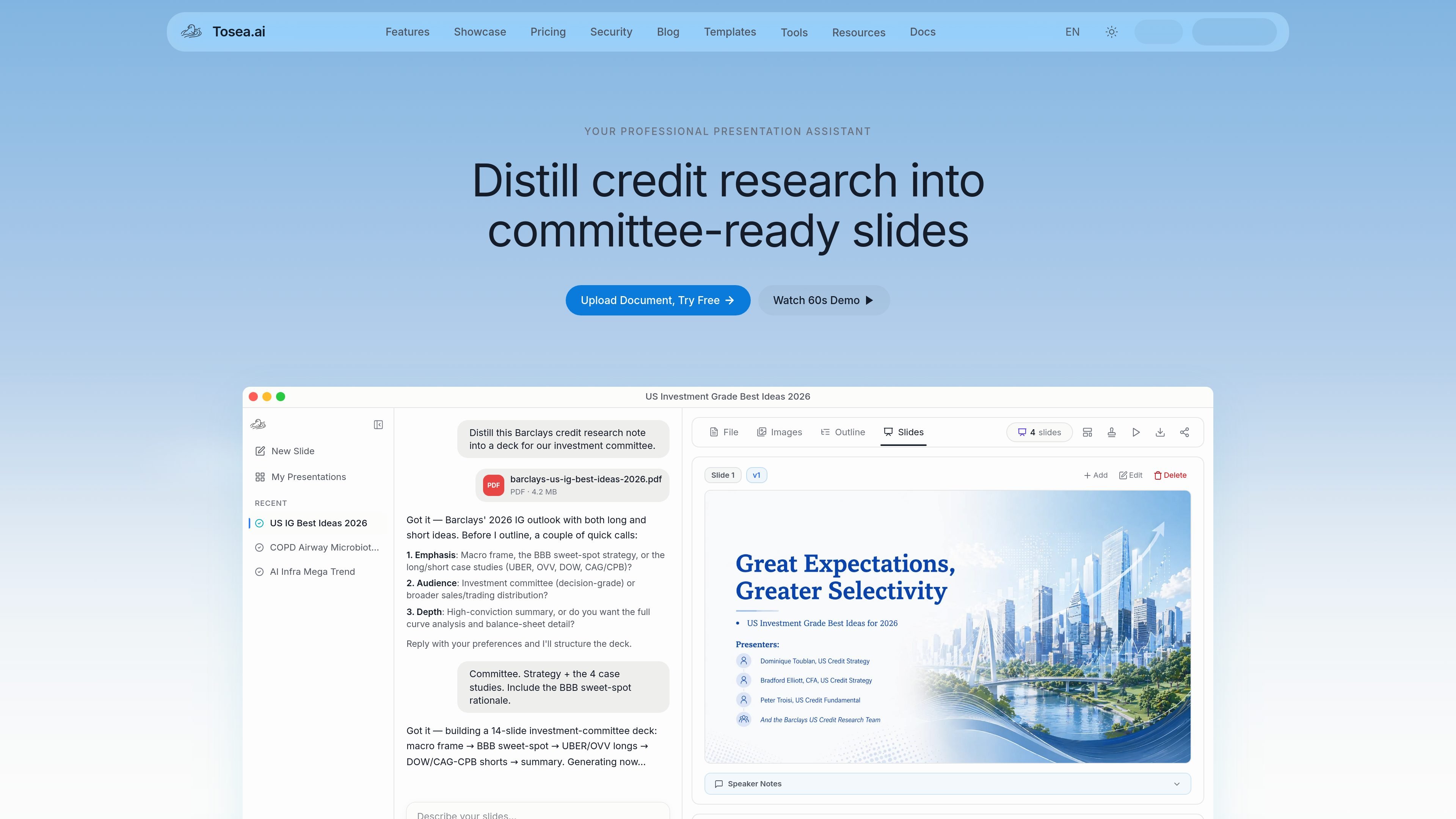
PDF extraction and figure selection
Parse text and extract figures, charts, and formulas from PDFs. Scanned PDFs are supported with automatic recognition, and users choose which extracted images to include.

Turn PDF reports and research papers into AI-generated presentations you can edit and export.
Tosea turns PDF documents into slide presentations. Upload a report or research paper, choose a template and AI model, describe the audience and goals, then select extracted figures and review an outline before generating slides.
The editor supports changes to titles, content, images, and speaker notes. You can refine a slide with AI or manual editing, adjust its layout, and export the pages you need. It suits document-based briefings and research talks where users want to organize source material into a presentation and review the result before delivery.
Parse text and extract figures, charts, and formulas from PDFs. Scanned PDFs are supported with automatic recognition, and users choose which extracted images to include.
Review generated titles, content, notes, and images before rendering slides. Add or remove images and use AI Edit to adjust specific sections.
Choose a presentation template, academic field, AI model, and desired slide count. Templates cover research, business reports, pitch decks, and other presentation styles.
Use AI Edit for content adjustments or Manual Edit for finer changes. Layout Only refreshes the styling while leaving the slide content unchanged.
Export HTML, PDF, or image-based PPTX and select the pages to include. Pro and Max support editable PPTX for further editing in PowerPoint or Google Slides.
Upload a credit-research PDF and choose the strategic themes and case studies to organize into an investment-committee presentation.
Select figures from a paper, organize the explanation into an outline, and edit speaker notes for an academic or technical talk.
Give a PDF report an audience and emphasis, then refine the generated outline and slides for a business briefing.
The free plan lists 200 credits per month and watermarked exports. Paid plans offer larger credit allowances, additional templates and models, and watermark-free exports.
Free files can be up to 10 MB each; Pro and Max files can be up to 50 MB each. The getting-started guide lists combined PDF limits of 200 pages for Pro and 300 pages for Max when uploading multiple files. These are input-document limits.
Yes. You can edit the outline and speaker notes, adjust individual slides, and regenerate slides. Editable PPTX export is available on Pro and Max for further editing in PowerPoint or Google Slides.
Exports do not consume generation credits, but they count against export quotas: PDF counts per export and PPTX per page. Generating and editing presentations can consume credits according to the model and operation.
Paid plans renew automatically unless canceled before the current subscription period ends. Monthly credits reset each billing cycle and do not roll over unless otherwise specified.
Tosea stores and processes uploaded files and may send content to underlying model providers to fulfill requests. Its policy says input and output content are not used for model training by default on free or paid plans. Account deletion removes active data within 30 days, with backups purged within an additional 60 days.
You retain your input rights and own the specific generated output as between you and Tosea; AI output may not be unique. You must have the rights to upload the source material. The terms prohibit uploading sensitive personal information.
Os dados de tráfego são apenas para referência.

cheso.ai
Cheso is an AI-powered presentation workspace that turns ideas, files, and research into structured, editable presentations and other visual outputs. It supports research, drafting, refinement, presentation, sharing, and export for customers, investors, team leaders, and students.

oreateai.com
Create essays, slide decks, research reports, images, and videos in one AI workspace.

felo.ai
Multilingual AI search and creation tools for research, documents, presentations, and visual collaboration.

aippt.com
Turn topics, documents, and links into editable presentations with AI-assisted layouts and visuals.