
Text, image, and form editing
Add or remove text, change fonts and colors, replace or resize images, and insert links. Find & Replace updates recurring text, while form tools let you add and fill out forms.

PDF editing, conversion, OCR, and signing tools for desktop and mobile document workflows.
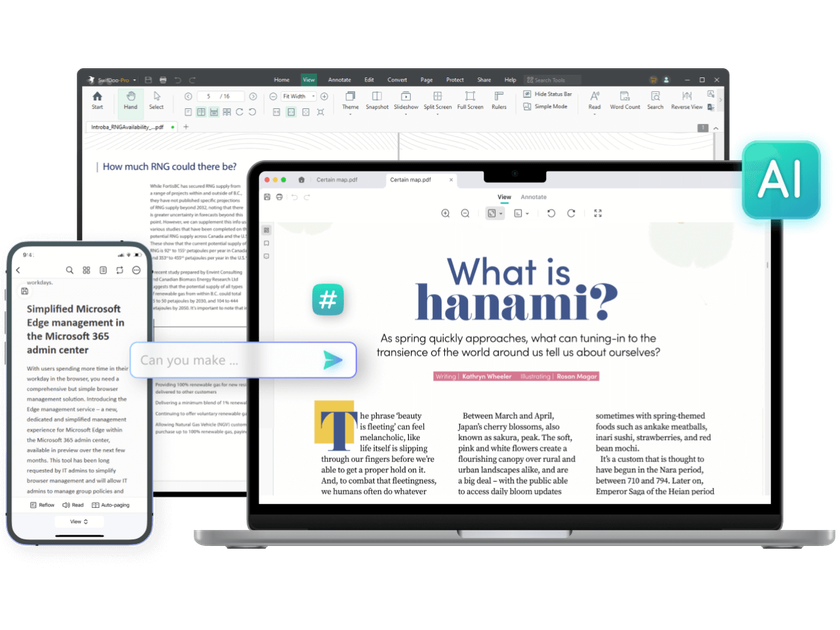
SwifDoo PDF is PDF software for creating, revising, and managing documents. It combines text and image editing with conversion, annotation, page organization, OCR, and signing. Its AI assistant supports document summaries, explanations, translation, and rewriting.
The product is available for Windows, macOS, iOS, and Android, with online conversion tools through a browser. Capabilities and licensing differ by edition: Windows provides the broad desktop toolkit, while Mac and mobile versions have their own features. Choose the platform and PDF license separately from the AI allowance. Check converted formatting, recognized text, and AI answers against the original before using or sharing a document.
Add or remove text, change fonts and colors, replace or resize images, and insert links. Find & Replace updates recurring text, while form tools let you add and fill out forms.
Convert between PDFs and Office documents, images, and CAD formats including DWG and DXF. Batch conversion handles multiple files, and PDFs can also be created from blank documents or scanned paper.
Recognize text in image-only PDFs and produce searchable documents. This makes scanned content available for copying, pasting, and searching.
Merge files, split documents, and insert, reorder, extract, or remove pages. Compress individual PDFs or batches using low, medium, or high compression settings.
Highlight passages, add comments, sticky notes, and stamps, and create signatures by drawing, typing, or inserting an image. Supported editions also provide digital signatures, document-access protection, and editing permissions; these functions do not by themselves guarantee legal validity or prevent every data leak.
Summarize PDFs, ask questions about their contents, and request explanations. The assistant also translates, proofreads, and rewrites document text, with usage allowances determined by the AI plan.
Update wording, replace an outdated image, and correct repeated terms directly in a PDF before circulating the revised version.
Scan paper files into PDFs, recognize their text with OCR, and combine related records into searchable documents.
Use AI summaries and explanations to work through a long document, translate selected passages, and annotate sections that need follow-up.
Combine supporting files into one PDF, reorder pages, add a signature, and compress the result for easier distribution.
A seven-day PDF trial is available, with a free version after it ends and a free PDF reader and online conversion tools. Trial access to paid editing features is different from ongoing free functionality; check the selected platform’s feature list.
Monthly, quarterly, annual, and two-year PDF subscriptions renew by their billing cycle. Selected perpetual PC plans are one-time purchases for the stated device count. Value-added and on-demand features can be excluded; do not assume a perpetual PDF license includes every AI allowance or another platform’s license.
SwifDoo AI advertises $7.90 monthly or $49.90 annually. Registered Free users get limited recurring access: three PDFs and ten questions per month, subject to file limits. Paid AI allowances are larger and separate from the PDF edition; confirm the selected quota and page limit before uploading.
Feature sets differ. Windows lists editing, annotation, merging, splitting, conversion, and compression. Mac lists editing, viewing, annotation, encryption, and organization. iOS and Android list reading, annotation, conversion, and file management.
Os dados de tráfego são apenas para referência.

harvey.ai
AI platform for legal research, document analysis, and workflows in firms and legal teams.

doctransgpt.com
DocTransGpt combines translation, writing help, PDF conversion and OCR in a free browser toolkit. Paste text or choose a file for everyday writing and document tasks.

www.hipdf.com
HiPDF is an online PDF toolkit for editing, converting, organizing, compressing, protecting, and signing PDF files. It also provides AI features for chatting with, summarizing, explaining, rewriting, proofreading, translating, and analyzing PDF content.