Supercut logo

Supercut

Freemium
Visitar

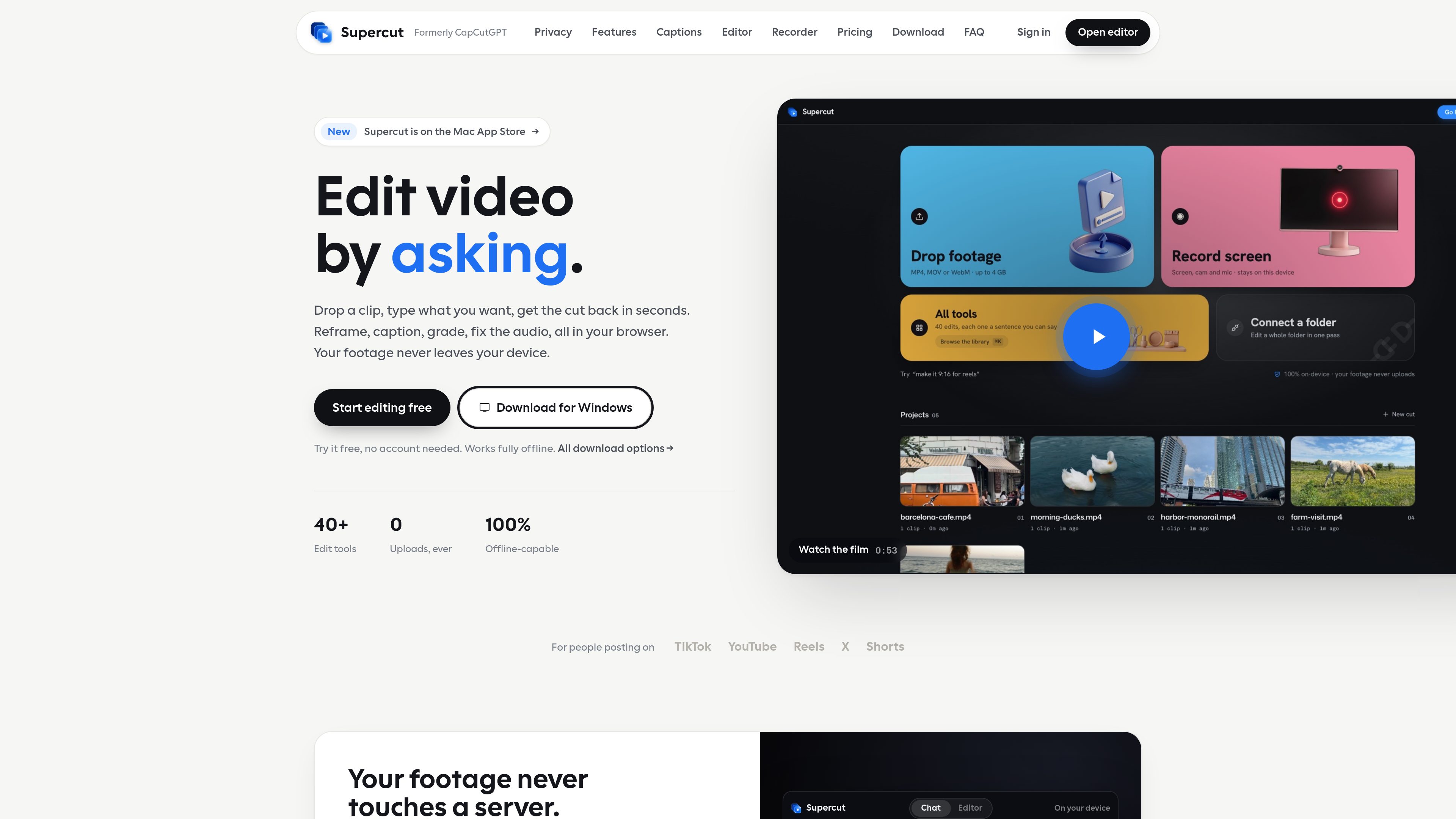
Supercut is a private AI video editor that runs in a browser or desktop app, letting creators describe edits such as trimming, reframing, captioning, color grading, and audio cleanup in plain English. It also includes a multitrack timeline and screen recorder for local video workflows.

O que é Supercut?

Supercut is a private AI video editor for the browser and macOS or Windows desktop apps. It lets users drop in a clip, describe an edit in plain English, and locally process tasks such as trimming, reframing, captions, color grading, audio cleanup, compression, and format conversion. The site states that footage, transcripts, and renders remain on the user's device rather than being uploaded.

For edits that need direct control, Studio provides a multitrack timeline for video, audio, text, and captions. Users can also record their screen, microphone, and camera, then refine the recording in the same editor. A free first export is available without an account or payment card; paid plans add the full toolset and desktop app access under one account.

O que Supercut pode fazer?

Plain-language AI editing

Describe operations such as trimming, cropping, changing aspect ratio, adjusting speed, reversing, adding effects, or cleaning audio. Supercut runs the requested edit locally instead of requiring a traditional menu-driven workflow.

On-device captions

Whisper generates captions on the user's machine, detects the spoken language, and provides word-level timing. Transcript text can be corrected before captions are burned into the video, and captions can be styled, positioned, or exported as an SRT file.

Studio multitrack timeline

Arrange video, audio, text, and caption tracks with filmstrips and waveforms. Studio supports dragging, trimming, splitting, item-level positioning and scaling, transcript-based cuts, and agent proposals that can be reviewed before applying.

Screen and camera recorder

Record the screen, microphone, and camera as separate elements, with the camera remaining editable after capture. Desktop recording adds computer audio and cursor-following zooms; browser recording works without installation but has fewer capture capabilities.

Batch editing and version branches

Apply one prompt to a folder of clips, queue the work locally, and reuse a saved rule for new files arriving in the folder. Each edit creates a version branch, so earlier cuts remain available for comparison or export.

Local project and export workflow

Save a complete project, including its assets, as a `.unocut` file for transfer between machines. Export presets cover formats and destinations such as TikTok, Reels, Shorts, X, Discord, and GIF.

Casos de uso

“Short-form social videos”

Creators can reframe clips for 9:16 or square output, add auto-captions, adjust speed, apply color treatments, and export using presets for TikTok, Reels, Shorts, or other social destinations.

“Screen-recorded demos and tutorials”

Product teams and educators can record a screen, microphone, and camera, then use Studio to trim the take, edit the camera bubble, add captions, and prepare an MP4 or GIF. Desktop recording is suited to workflows that need system audio or automatic cursor zooms.

“Interviews and spoken-word editing”

Editors can transcribe a clip locally, correct the transcript, and remove selected words or long silences from the timeline. This supports tightening interviews, demos, and other speech-heavy recordings without manually searching every frame.

“Sensitive or unreleased footage”

Teams working with unreleased builds, customer accounts, or footage that cannot be placed on another server can use the local editing and rendering workflow. The source material remains on the editing device according to the product site.

“Multi-clip and recurring production”

Users handling a folder of clips can apply a prompt across the batch, allow files to queue locally, and reuse a saved rule for newly added footage. Clips can also be combined, used for picture-in-picture, or referenced for borrowed audio.

Perguntas frequentes

Does Supercut upload my video?

The site says that video, audio, transcripts, and renders stay on the user's device. Only the text of an editing request is sent elsewhere, and core editing and captioning can work with Wi-Fi disabled.

What files and platforms does Supercut support?

The editor accepts MP4, MOV, and WebM clips, with individual clips listed up to 4GB. It runs at supercut.cc/app in supported Chromium-based browsers and is also available as desktop apps for macOS and Windows.

Can I use Supercut without creating an account?

The first export is available without an account or payment card. Paid access uses an account and covers both the web app and desktop app.

What is different between browser and desktop recording?

Browser recording works in Chrome, Edge, Brave, or Arc. Desktop recording supports computer audio and cursor-following automatic zooms; browser recording does not track the cursor outside the page, so zooms must be placed manually.

Can I move a project to another computer?

Yes. Studio can save a `.unocut` project file with its assets included, allowing the project to be opened on another machine without relying on a cloud project.

Informações rápidas

Category
AI video editor
Platforms
Browser, macOS, and Windows desktop app
Input formats
MP4, MOV, and WebM; clips up to 4GB
Processing model
Local editing, transcription, and rendering
Editing workflow
Plain-language prompts plus multitrack Studio timeline
First export
Available without an account or payment card

Análise de tráfego de Supercut

Os dados de tráfego são apenas para referência.

Classificação do domínio
16

Alternativas ao Supercut

Narrative logo

Narrative

usenarrative.ai

Narrative is an AI-first video editor that turns plain-language edit requests and uploaded footage into a timeline draft. It is designed for creators and production teams who want to find shots, assemble cuts, and continue refining the result in an editor.

Zella logo

Zella

zellahq.com

Zella is an on-device screen recorder and video editor for Mac and iPhone. It records screen or camera footage, then supports AI-assisted polishing, captions, background removal, reframing, and export without an account or cloud upload.

OpenVids logo

OpenVids

openvids.ai

An open-source AI video editor for macOS and Windows that turns story briefs and text prompts into reviewable timeline edits.

EasyCut logo

EasyCut

easycut.studio

A browser-based video editor for refining Claude-generated videos and editing local media.

Arsaze logo

Arsaze

www.arsaze.com

Arsaze is a multi-track video editor for manual editing and AI-assisted workflows. Users can connect Claude, ChatGPT, or Grok over MCP so an AI agent can operate the same timeline, while exports are available through the cloud or the Windows app.

Microsoft Clipchamp logo

Microsoft Clipchamp

clipchamp.com

A browser-based video editor for recording, editing, and sharing videos, with a Windows app option.