
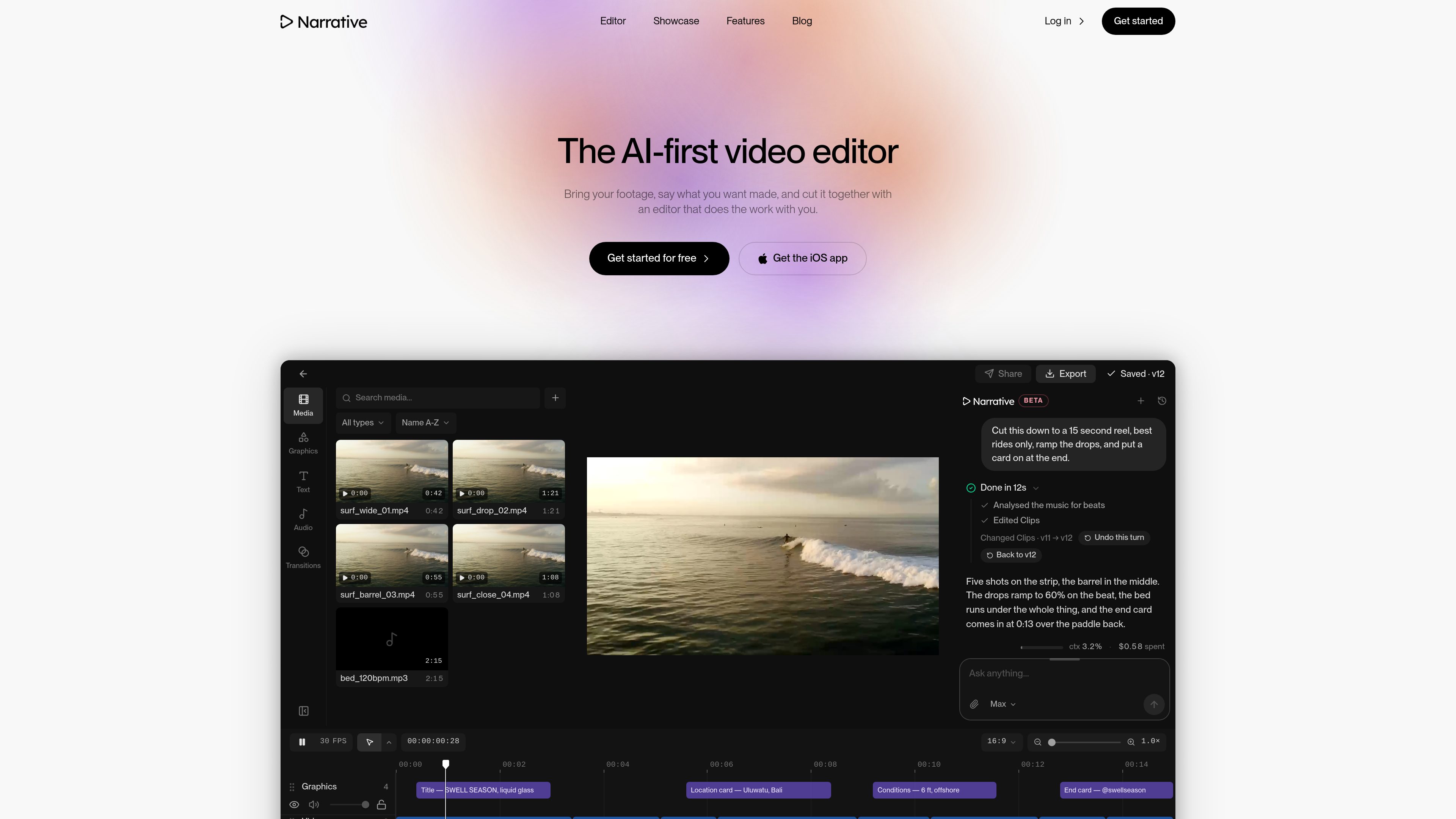
Plain-language editing instructions
Describe the desired cut conversationally, including duration, preferred moments, structure, tone, titles, or other changes. The agent interprets the request and applies edits to the timeline.

Narrative is an AI-first video editor that turns plain-language edit requests and uploaded footage into a timeline draft. It is designed for creators and production teams who want to find shots, assemble cuts, and continue refining the result in an editor.
Narrative is an AI-first video editor that turns plain-language instructions and uploaded footage into an editable timeline draft. Instead of starting with a sequence of manual selections, users can describe a target edit—such as a short reel, highlight, trailer, or captioned vertical cut—and let the editor analyze the material and assemble an initial version.
The generated result remains editable. Narrative places the conversation, transcript, captions, media, timeline, and editing controls in one workspace, so users can inspect what was selected and ask for further changes. The site demonstrates requests involving clip selection, duration, music timing, titles, captions, reframing, and sequence structure.
Version history records editing turns and lets users restore earlier states. Narrative is presented for several footage-based workflows, including surf reels, wedding films, podcasts, sports highlights, product demos, and trailers. The site offers account creation and a free start, but accessible pages do not document pricing details, integrations, or a complete platform-availability list.
Describe the desired cut conversationally, including duration, preferred moments, structure, tone, titles, or other changes. The agent interprets the request and applies edits to the timeline.
Narrative reads the footage and transcript to help identify usable moments. The showcased workflows include finding the best rides, locating every goal in a match, and starting a cut from a strong spoken line.
The system returns a draft on a visible timeline rather than a final file alone. Users can play and scrub the sequence, inspect clips, and continue editing after the initial AI pass.
Follow-up requests can shorten or tighten a sequence, add or restore a title, remove filler words, add captions, change the frame, or adjust the edit toward a different style.
Editing turns are saved as versions. Users can undo a turn, step back to an earlier version, or restore a prior project state when a later change is not suitable.
The examples show landscape, vertical, square, and feed-oriented frame options, along with beat-aware music editing, graphics, text, transitions, captions, and export controls.
Turn a larger collection of action footage into a short reel by specifying a target duration, selecting the strongest moments, and asking for music or beat-based timing.
Create a first highlight cut from extended event footage by describing the desired length and narrative placement, such as putting vows in the middle of the sequence.
Search through a long match for notable moments such as goals, place them on a timeline, and preserve earlier versions while staff review the cut.
Use transcript-aware editing to shape spoken footage, including requests to remove ums, start from a particular line, or produce a tighter version.
Adapt footage into vertical or other feed-oriented formats, or describe a trailer or product-demo structure with titles, captions, transitions, and music.
You bring in footage and describe the desired edit in plain language. Narrative analyzes the material, selects and arranges clips, and builds a draft on a timeline that you can review and change.
Yes. The site describes the output as a finished draft that can still be opened and changed. The editor includes a timeline, preview, media controls, and tools for graphics, text, audio, transitions, and other edits.
The showcased editor includes 16:9, 9:16, 1:1, and 4:5 frame options. The site also demonstrates asking the editor to reframe an existing edit for vertical output.
Yes. Each editing turn is saved as a version, and the interface provides undo and restore actions for returning to an earlier project state.
The site invites users to get started for free, but the accessible pricing page does not provide plan prices or limits. Consult Narrative directly for current pricing information.
Os dados de tráfego são apenas para referência.

story.com
Story’s timeline-based video editor for combining uploaded footage, generated scenes and AI editing suggestions.

www.supercut.cc
Supercut is a private AI video editor that runs in a browser or desktop app, letting creators describe edits such as trimming, reframing, captioning, color grading, and audio cleanup in plain English. It also includes a multitrack timeline and screen recorder for local video workflows.

imaginario.ai
Video intelligence for marketing and post-production teams to find moments and build rough cuts.

openvids.ai
An open-source AI video editor for macOS and Windows that turns story briefs and text prompts into reviewable timeline edits.

kinemaster.com
A mobile video editor for creators, with layered editing, AI tools, and 4K export.

gling.ai
AI video editing software for YouTube creators that cleans spoken footage and streamlines publishing.