
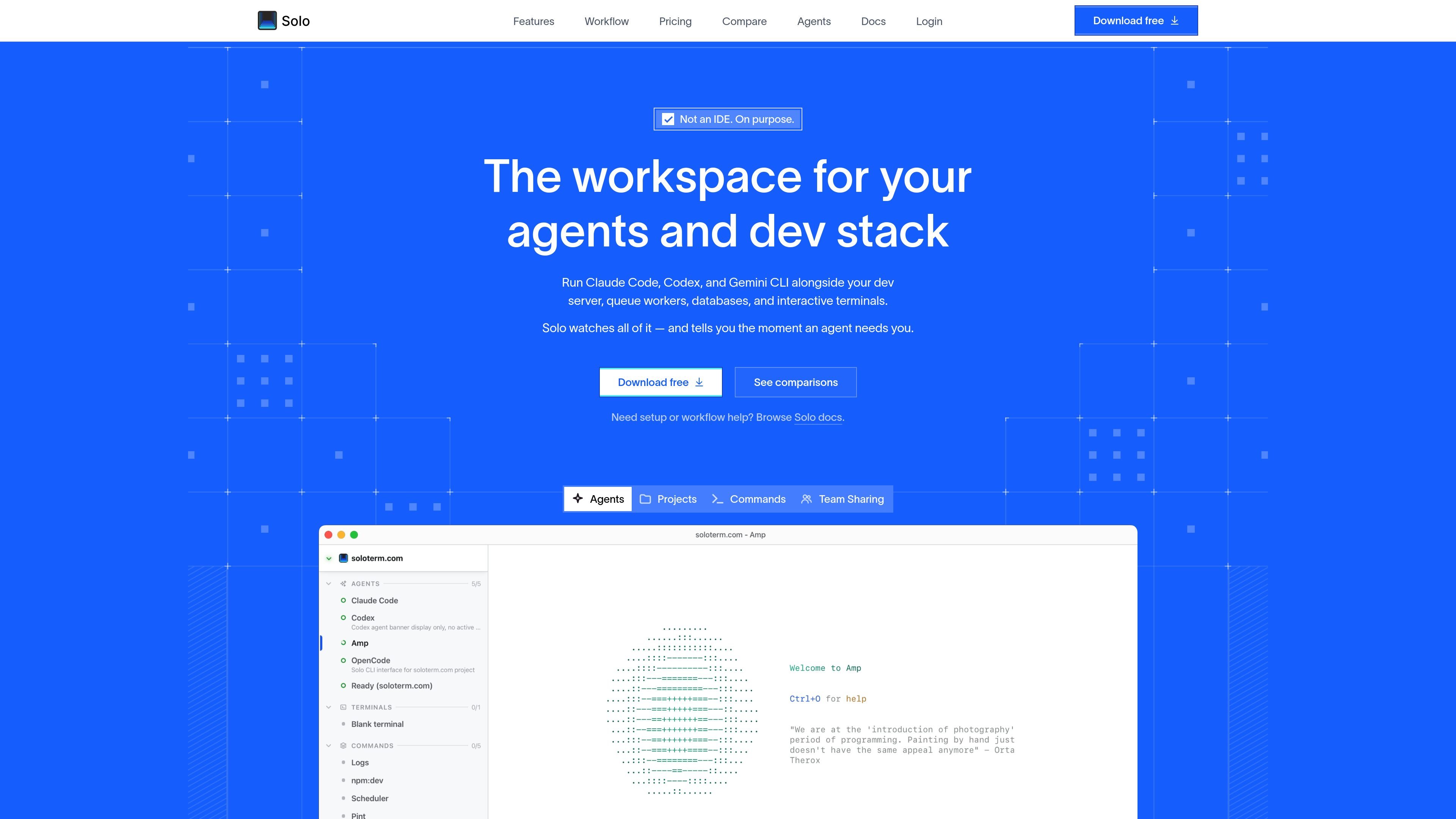
Agents and stack together
Run your agents and local services in one workspace, so you can start and stop the stack without opening separate terminals for each process.

Workspace desktop para agentes de programação com IA e desenvolvimento local
Solo is a desktop workspace for running AI coding agents alongside the rest of a local development stack. It is designed for developers who keep multiple terminals open and need a single place to watch agents, development servers, queue workers, databases, and interactive shells.
The product centers on process visibility and coordination. Solo can automatically start a stack, restart crashed processes, surface logs and status in a dashboard, and expose workspace controls through MCP so agents can read output, coordinate through shared notes and tasks, and ask for help when they need it.
The site positions Solo as a lightweight companion to the editor rather than a new IDE. It supports several CLI-based agents, emphasizes shared team setup through solo.yml, and focuses on the terminal workflows around agentic development instead of code editing itself.
Run your agents and local services in one workspace, so you can start and stop the stack without opening separate terminals for each process.
Solo can detect crashed services and restart them automatically, including workflows where file changes should trigger process restarts.
A single dashboard shows whether processes are running or crashed, and whether an agent is working or waiting for input.
Solo speaks MCP, giving agents access to logs, process state, restart actions, shared todos, scratchpads, locks, and timers.
The source describes support for Claude Code, Codex, Gemini CLI, Amp, OpenCode, and Copilot CLI, without locking users into one model or vendor.
Solo is built with Tauri and described as a small native terminal workspace with GPU-accelerated rendering, ANSI support, clickable links, and port handling.
Keep Claude Code, Codex, Gemini CLI, or other terminal agents running next to the services they depend on, so you can see when the stack changes state.
Monitor development servers and queue workers from one place, with auto-restart and clear crash status when a process drops out unexpectedly.
Standardize a repository’s workflow with `solo.yml` so new teammates can start the same agents and commands without guessing at setup.
Coordinate multiple agents on one codebase using shared todos, scratchpads, locks, and timers to reduce collisions and handoff friction.
Interact directly with running processes and agents from the terminal workspace, including typing into a shell, opening a debugger, or reading output without switching apps.
Solo is a desktop workspace for running CLI agents alongside your development server, queue workers, databases, and interactive terminals. It adds process visibility, auto-restart, and MCP-based access to logs and workspace controls.
The source says Solo works with Claude Code, Codex, Gemini CLI, Amp, OpenCode, and Copilot CLI — described as anything that runs in a terminal.
Solo can automatically start your stack, restart crashed processes, and expose process state through MCP so agents can inspect output and react to failures.
The source positions Solo as a lightweight native workspace built with Tauri. It is not presented as a full IDE replacement, and your editor remains separate.
The site mentions team usage through a shared `solo.yml`, which lets a team standardize which agents to run and how the project should start.
Os dados de tráfego são apenas para referência.

murmell.com
Murmell é uma tela no navegador para executar agentes de programação com IA em sandboxes compartilhadas na nuvem. Ajuda desenvolvedores a coordenar Claude Code, Codex, Kimi e OpenCode em um mesmo projeto, sem configuração local nem conflitos de arquivos.

www.monki.work
Task Monki é um aplicativo para desktop que gerencia tarefas de agentes de programação, da solicitação inicial à revisão e ao pull request. Oferece acompanhamento de tarefas, prévias locais, revisão independente e entrega pelo GitHub sem mesclagem automática.

build.reflex.dev
Reflex Build transforma prompts em aplicações Python para implantação no Reflex Cloud, na sua própria nuvem ou localmente, com templates prontos para produção e integrações para agentes e ferramentas de programação.

million.dev
Verificação para agentes de programação com IA que comprova o funcionamento do código

omlx.ai
oMLX é um servidor de inferência LLM nativo do macOS, baseado em MLX, para executar localmente no Apple Silicon modelos compatíveis de linguagem, visão-linguagem, embeddings e reranking. Criado para fluxos de trabalho com agentes de programação, funciona com Claude Code, OpenClaw, Cursor e clientes compatíveis com OpenAI.

weaveos.com
Weave Router é um roteador inteligente de modelos para agentes de programação. Ele avalia tarefas de código e direciona solicitações entre modelos abertos e fechados, ajudando desenvolvedores a manter os fluxos de trabalho atuais dos agentes e a gerenciar velocidade, qualidade e gastos com modelos.