
Paged SSD KV caching
Stores KV cache blocks in safetensors format, keeping hot blocks in RAM and moving colder blocks to SSD with an LRU policy. Cached prefixes can be restored across requests and server restarts.

oMLX é um servidor de inferência LLM nativo do macOS, baseado em MLX, para executar localmente no Apple Silicon modelos compatíveis de linguagem, visão-linguagem, embeddings e reranking. Criado para fluxos de trabalho com agentes de programação, funciona com Claude Code, OpenClaw, Cursor e clientes compatíveis com OpenAI.
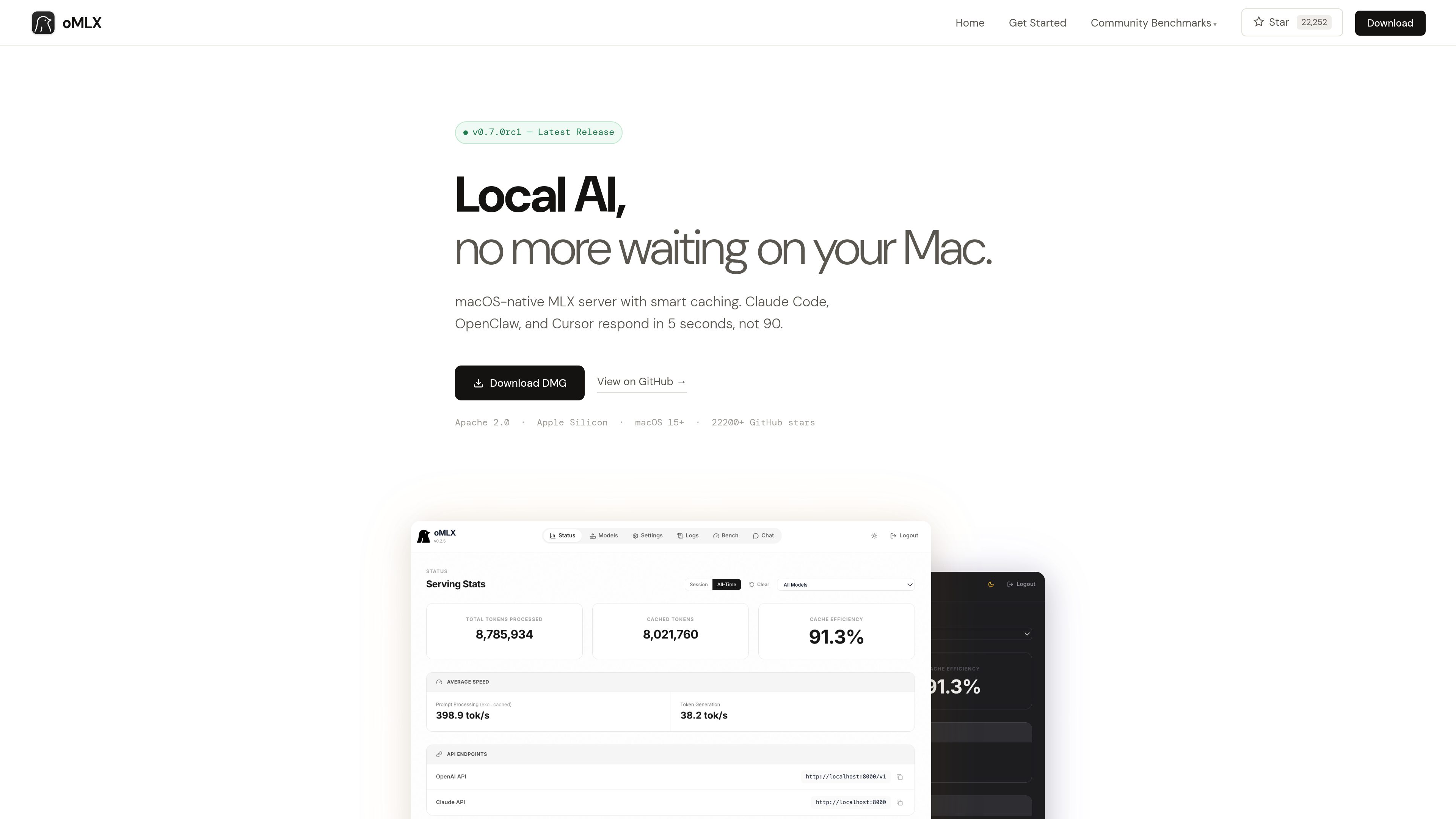
oMLX is a native macOS inference server built on MLX for running MLX-format AI models locally on Apple Silicon. It provides a dashboard for managing models, chatting with them, and monitoring server metrics, while supporting LLM, vision-language, embedding, and reranker models.
The product is designed especially for coding-agent sessions in which the conversation context changes repeatedly. Its paged SSD KV cache can preserve cache blocks across requests and server restarts, reducing the need to recompute previously seen prefixes.
Stores KV cache blocks in safetensors format, keeping hot blocks in RAM and moving colder blocks to SSD with an LRU policy. Cached prefixes can be restored across requests and server restarts.
Uses mlx-lm’s BatchGenerator to handle concurrent requests instead of processing every request strictly one at a time. The site reports up to a 4.14× generation speedup at eight-way concurrency in its published benchmark.
Loads LLM, vision-language, embedding, and reranker models simultaneously, with LRU eviction available when memory runs low. Models can be browsed and downloaded from the administration dashboard.
Provides `/v1/chat/completions` and `/v1/messages` endpoints for compatible clients, including Claude Code, OpenClaw, Cursor, and other OpenAI-compatible applications.
The native menu bar app can start, stop, and monitor the server. Its web dashboard includes model management, chat, and real-time metrics; the app is signed, notarized, and includes in-app auto-update.
Supports JSON, Qwen, Gemma, GLM, and MiniMax tool-calling formats, plus MCP tool integration and configurable trimming of oversized tool results on a per-model basis.
Use oMLX as a local backend for Claude Code, OpenClaw, or Cursor when an agent repeatedly revisits or changes context during a coding session.
Serve multiple requests through continuous batching when several local clients or workflows need model generation at the same time.
Manage and test MLX-format models from Hugging Face through the dashboard, including language, vision-language, embedding, and reranker models.
Connect models to applications that use tool calling or MCP, with support for several model-specific tool formats and optional tool-result trimming.
oMLX requires an Apple Silicon Mac, from M1 onward, running macOS 15 or later. The site lists 16GB of RAM as the minimum and recommends 64GB or more for comfortable use with larger models.
Yes. It provides OpenAI-compatible `/v1/chat/completions` and Anthropic-compatible `/v1/messages` endpoints. Its dashboard can generate configuration commands for the supported tools.
Not necessarily. oMLX can read the standard Hugging Face cache, an LM Studio folder, and custom directories. The dashboard also includes a Hugging Face downloader for new models.
The site states that oMLX supports MLX-format models from Hugging Face, including Qwen, LLaMA, Mistral, Gemma, DeepSeek, MiniMax, and GLM. Vision-language models are supported, and reasoning-model handling includes automatic `<think>` tag support.
Users can download the macOS DMG or install from source. The source workflow requires Python 3.10 or later and Apple Silicon; the documented server example connects to compatible clients on localhost:8000.
Os dados de tráfego são apenas para referência.

alphaproxy.ai
AlphaProxy é um gateway compatível com OpenAI que encaminha solicitações entre mais de 450 modelos e 100 provedores, com um runtime de agentes para trabalhos em várias etapas e fluxos agendados. Um único endpoint oferece acesso a modelos, ferramentas conectadas e resultados verificáveis.

weaveos.com
Weave Router é um roteador inteligente de modelos para agentes de programação. Ele avalia tarefas de código e direciona solicitações entre modelos abertos e fechados, ajudando desenvolvedores a manter os fluxos de trabalho atuais dos agentes e a gerenciar velocidade, qualidade e gastos com modelos.

murmell.com
Murmell é uma tela no navegador para executar agentes de programação com IA em sandboxes compartilhadas na nuvem. Ajuda desenvolvedores a coordenar Claude Code, Codex, Kimi e OpenCode em um mesmo projeto, sem configuração local nem conflitos de arquivos.

www.tryport22.com
port22 é um app para iOS e um agente para macOS que monitoram e controlam sessões de agentes de programação em execução no terminal. Transmite transcrições para o iPhone, avisa quando é necessária uma entrada e oferece suporte a Claude Code, Codex e OpenCode.

cmux.com
Terminal nativo do macOS para agentes de código com IA e fluxos CLI

air.dev
JetBrains Air é um ambiente de desktop para executar agentes de código em paralelo, isolar tarefas e revisar alterações em um único espaço de trabalho no macOS e Linux.