
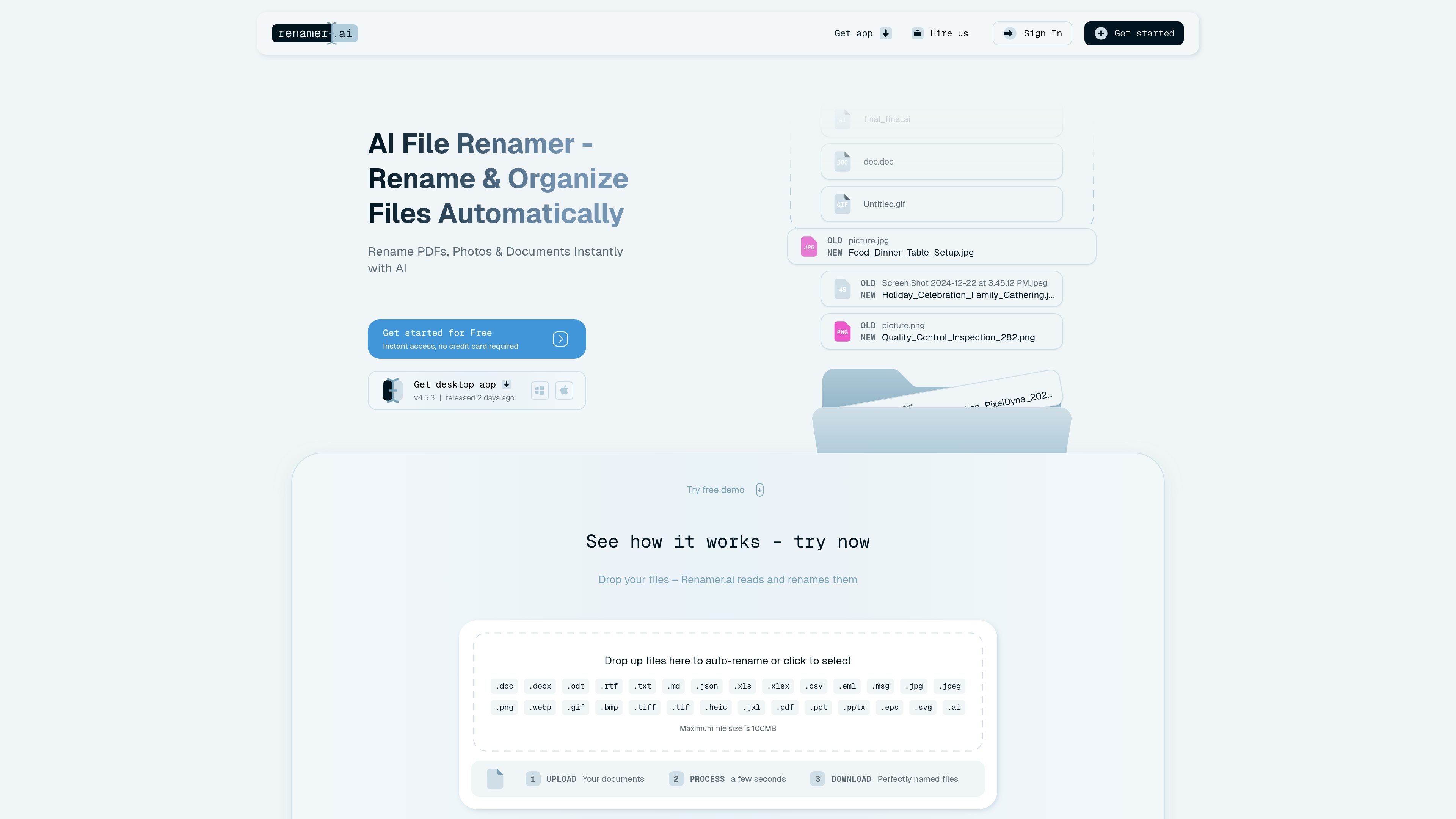
AI-generated file names
Upload files and let the app read their content before suggesting a descriptive name. The homepage positions this as the basic workflow for PDFs, photos, and documents.

Renamer.ai usa IA para criar nomes descritivos e organizar arquivos em lote na web e no desktop.
Renamer.ai is an AI file renamer that reads documents, PDFs, photos, images, and other supported files to suggest descriptive names based on content. The product is aimed at people who want to replace cryptic filenames with names that are easier to search, sort, and share.
The site presents two main workflows: a web flow for uploading files and downloading renamed versions, and a desktop app for local processing on Windows and Mac. It also includes batch renaming, renaming templates, and Magic Folders for background organization.
The product is framed as a file organization tool rather than a storage service. Uploaded files on the web are kept only temporarily for up to 24 hours, while desktop processing happens on the user’s device. The supported use cases shown on the site include invoices, contracts, tax documents, photos, and other mixed document libraries.
Upload files and let the app read their content before suggesting a descriptive name. The homepage positions this as the basic workflow for PDFs, photos, and documents.
Process multiple files at once using renaming templates, so the same naming structure can be applied across a batch instead of file by file.
Create Magic Folders that organize incoming files in the background, which supports hands-off cleanup for repeated workflows.
Preview and edit naming patterns before applying them, including live pattern previews and template editing controls from the changelog.
Use the desktop app on Windows and Mac, or work through the web flow that uploads files and returns renamed versions for download.
Keep files private with temporary web storage and local processing in the desktop app, where files are renamed on the device and not stored afterward.
Turn invoice and contract filenames into searchable labels that include content details, making it easier to find a record later without opening the file first.
Organize scanned forms, HR files, and tax documents into clearer filenames so compliance-related documents are easier to sort and retrieve.
Rename photos, images, and mixed project files in bulk when a folder contains many assets with generic camera or export names.
Use Magic Folders to process incoming files in the background when new downloads or repeated file drops need the same naming pattern every time.
Apply templates and batch renaming to large document sets that need a consistent naming convention across a team or department.
Renamer.ai uploads files, reads their content, and suggests descriptive filenames. On the web version, uploaded files are stored temporarily for up to 24 hours so you can download the renamed versions; files processed in the desktop app are renamed locally and are not stored after processing.
The source material shows a free Starter tier with 25 free renames per month and paid plans for higher monthly file limits. A pricing page URL exists, but the collected pricing page currently returns a not found page, so pricing details should be checked in-app or on the live site.
Yes. The site states support for PDFs, photos, images, documents, and 25+ file formats, and the changelog adds CSV and Outlook MSG support.
Yes. The homepage describes batch rename and Magic Folders for automatic background processing, and the changelog shows support for templates, folder organization, and moving files after processing.
The homepage and changelog show desktop app support for Windows and Mac. The web experience also offers file upload and download for renamed files.
Os dados de tráfego são apenas para referência.

kaagaz.app
Kaagaz é um conjunto de apps mobile para digitalizar documentos, editar PDFs, fazer backup de arquivos e criar cartazes e currículos.

anythingllm.com
Aplicação de IA para conversar com documentos, executar LLMs e usar agentes de IA em desktop, cloud ou deployments autogeridos.

updf.com
Editor de PDF com IA para editar, anotar, converter, organizar, assinar e conversar com PDFs e imagens.

noedgeai.com
Processamento de documentos com IA para PDFs e imagens, exportação editável, tradução e processamento em lote via API

anygen.io
AnyGen é uma ferramenta de IA baseada no navegador para criar e aperfeiçoar documentos, slides e análises com resultados estruturados e editáveis.

withmantle.com
Mantle Clerk é o assistente de AI da Mantle Equity para cap tables, criado para startups, fundadores, profissionais de operações e paralegais. Responde a perguntas sobre participação societária, lê documentos jurídicos enviados e ajuda a redigir e organizar registros de cap table na plataforma Mantle.